EasyManua.ls Logo

Xtralis VESDA VSP-005 - User Manual

Xtralis VESDA VSP-005
3 pages
Print Icon
To Next Page IconTo Next Page
Loading...
Doc 09849_02 1
Technical Tip
VSP-005 Filter Cartridge Replacement Instructions
The service interval of an air filter depends upon the environment. You can use the LCD Programmer or
Xtralis VSC software to change the service interval for filters. The system will generate a minor fault when the
filter has reached 80% and an urgent fault when it reaches 120% of its capacity. Xtralis recommends that the
installation and replacement dates be written on the air filter cartridge label as a physical reminder of when the
next service is expected.
Note:
The detector must have the power turned on while the air filter cartridge is being replaced.
Prior to any work or maintenance being carried out on the VESDA VLF, take the necessary steps to
advise the monitoring authority that power may be removed and that the system will be disabled.
Ensure that the area surrounding the filter is clear of dirt and debris, prior to replacement.
The filter is for single use only; it cannot be cleaned and re-used.
Ensure that the detector remains powered up during filter replacement and that a new filter cartridge is
available.
Replacing VESDA VLP and VESDA VLS Filter Cartridges
To replace the filter cartridge, follow these steps:
1. Slide down and remove the air filter cover (A).
2. Unscrew the recessed Phillips head screw (B).
3. Pull out the air filter cartridge (C). This will stop the aspirator. If the aspirator does not stop, replace the
filter switch.
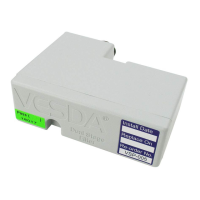
4. Insert the replacement air filter cartridge (P/N: VSP-005).
5. Tighten the filter screw.
6. Replace the air filter cover.
7. Reset the filter counter using either the LCD Programmer or a PC running Xtralis VSC.
Question and Answer IconNeed help?

Do you have a question about the Xtralis VESDA VSP-005 and is the answer not in the manual?

Summary

VESDA VSP-005 Filter Cartridge Replacement

Replacing VESDA VLP and VESDA VLS Filter Cartridges

Step-by-step instructions for replacing filter cartridges in VESDA VLP and VLS models.

Replacing the VESDA VLC Filter Cartridge

Procedure for replacing the filter cartridge in VESDA VLC detectors.

Replacing the VESDA VLF Filter Cartridge

Instructions for replacing the filter cartridge in VESDA VLF detectors.

Summary

VESDA VSP-005 Filter Cartridge Replacement

Replacing VESDA VLP and VESDA VLS Filter Cartridges

Step-by-step instructions for replacing filter cartridges in VESDA VLP and VLS models.

Replacing the VESDA VLC Filter Cartridge

Procedure for replacing the filter cartridge in VESDA VLC detectors.

Replacing the VESDA VLF Filter Cartridge

Instructions for replacing the filter cartridge in VESDA VLF detectors.

Overview

This document provides technical instructions for the replacement of filter cartridges in VESDA (Very Early Smoke Detection Apparatus) VLP, VLS, VLC, and VLF series detectors, manufactured by Xtralis. These detectors are designed for early smoke detection in various environments, utilizing an air sampling system that draws air through a network of sampling pipes into a detection chamber. The filter cartridge is a critical component that prevents dust and other particulate matter from entering the detection chamber, ensuring accurate and reliable smoke detection.

Function Description:

The VESDA detectors are advanced smoke detection systems that continuously sample air from a protected area. The sampled air passes through a filter to remove dust and other contaminants before entering a laser-based detection chamber. This allows the system to detect minute quantities of smoke particles, providing very early warning of potential fires. The filter cartridge is essential for maintaining the integrity of the detection chamber and preventing false alarms caused by dust accumulation.

Important Technical Specifications:

  • Filter Cartridge Part Number: VSP-005 (common across VLP, VLS, VLC, and VLF models).
  • Filter Life Monitoring: The system monitors the filter's capacity and generates alerts:
    • Minor Fault: When the filter reaches 80% of its capacity.
    • Urgent Fault: When the filter reaches 120% of its capacity.
  • Filter Type: Single-use only; cannot be cleaned and re-used.
  • Power Requirement during Replacement: The detector must remain powered on during filter cartridge replacement for VLP, VLS, and VLF models. For VLC models, the front cover is opened, but the document does not explicitly state the power status during the entire process, though it implies the detector is still operational for the reset step.
  • Reset Mechanism: After replacement, the filter counter must be reset using either an LCD Programmer or Xtralis VSC software (for VLP/VLS), or a PC/LCD programmer/HLI depending on the detector version (for VLC/VLF).

Usage Features:

  • Early Warning System: Provides very early smoke detection, allowing for timely intervention and minimizing potential damage.
  • Programmable Service Intervals: The service interval for filters can be adjusted using the LCD Programmer or Xtralis VSC software, allowing customization based on environmental conditions.
  • Fault Indication: Clear fault indications (minor and urgent) for filter capacity, enabling proactive maintenance.
  • Physical Reminder: Xtralis recommends writing the installation and replacement dates on the air filter cartridge label for easy tracking.
  • Compatibility: The VSP-005 filter cartridge is compatible with multiple VESDA detector series, including VLP, VLS, VLC, and VLF.

Maintenance Features:

  • Filter Replacement Procedure (General Steps):

    1. Preparation: Advise monitoring authority, ensure the area around the filter is clean, and have a new filter cartridge (VSP-005) ready.
    2. Access Filter: This varies by model:
      • VLP/VLS: Slide down and remove the air filter cover (A).
      • VLC: Open the front cover, locate the air filter cartridge (A) inside the detector compartment.
      • VLF: Push in the security tab and lift up the field service access door (A). Set the detector to 'Standby' mode by pressing the Disable button for 6 seconds.
    3. Remove Old Filter: Unscrew the recessed Phillips head screw (B for VLP/VLS/VLC, C for VLF) and pull out the old filter cartridge (C for VLP/VLS, A for VLC, B for VLF). For VLP/VLS, pulling out the cartridge should stop the aspirator; if not, the filter switch may need replacement.
    4. Install New Filter: Insert the new VSP-005 air filter cartridge.
    5. Secure Filter: Tighten the filter screw (B for VLP/VLS/VLC, C for VLF).
    6. Close Access: Replace the air filter cover (VLP/VLS), close the detector (VLC), or close the field service access door (VLF). For VLF, press the Disable button for 6 seconds to return the detector to normal operating mode.
    7. Reset Filter Counter: Reset the filter counter using the appropriate method for the specific detector model (LCD Programmer/Xtralis VSC for VLP/VLS; PC/LCD programmer/HLI for VLC/VLF). For VLF, a specific procedure involves pressing the filter switch (D) 5 times within 5 seconds to indicate a new filter installation before resetting.
    8. Record Date: Record the filter replacement date on the filter label.
  • Pre-maintenance Precautions:

    • Always advise the monitoring authority before performing maintenance to prevent system disablement or false alarms.
    • Ensure the work area is clean to prevent contamination of the new filter or detector.
    • The filter is a single-use item and must not be cleaned or reused.
  • Specific Model Considerations:

    • VLP/VLS: Detector remains powered during replacement. Aspirator should stop when the filter is removed.
    • VLC: Requires opening the front cover. Resetting the filter involves logging onto the detector with user level and PIN.
    • VLF: Requires setting the detector to 'Standby' mode. A unique step involves pressing a filter switch 5 times to signal new filter installation before the final reset.

These instructions highlight the importance of proper filter maintenance for the optimal performance and longevity of VESDA smoke detection systems.

Xtralis VESDA VSP-005 Specifications

General IconGeneral
BrandXtralis
ModelVESDA VSP-005
CategoryWater Filtration Systems
LanguageEnglish