16
HEADLESS FLIGHT
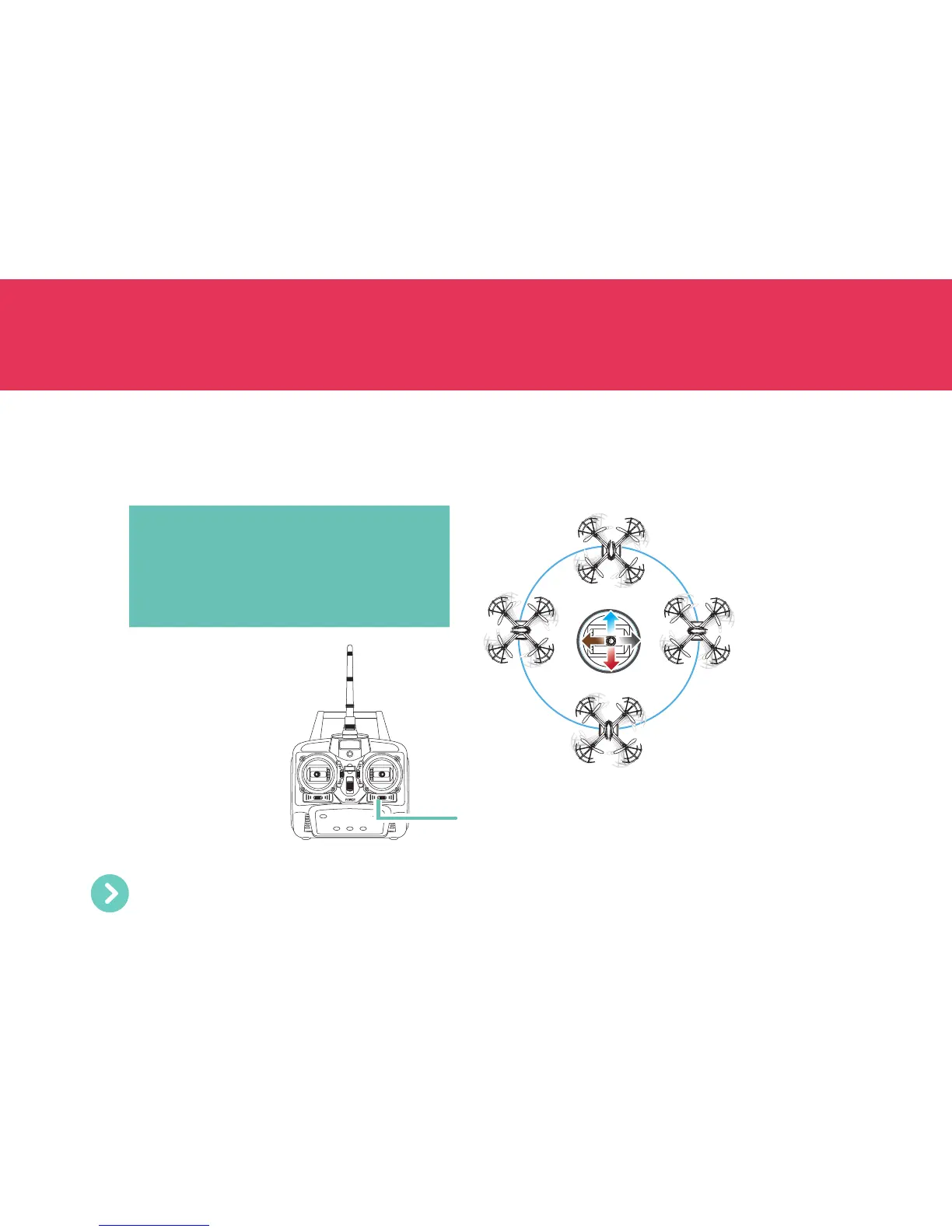
In Headless Flight Mode, the Drone will fly the direction you move the right stick, as seen from your viewpoint, no
matter which way the nose is pointed. Push the right stick forward, and the Drone will fly away from you, or push the
right stick backward and the Drone will head towards you. Push the right stick left or right and the Drone will move to
the left or right relative to you.
Headless Flight button
Face the Drone, then press the Headless Flight
button. The controller beeps continuously to
indicate you have activated Headless Flight
mode. To cancel this mode, press the Headless
Flight button again.
Right stick
It’s super easy to fly when you combine Hover with Headless Flight mode - no throttle control required!


 To Next Page