9
13. smart control
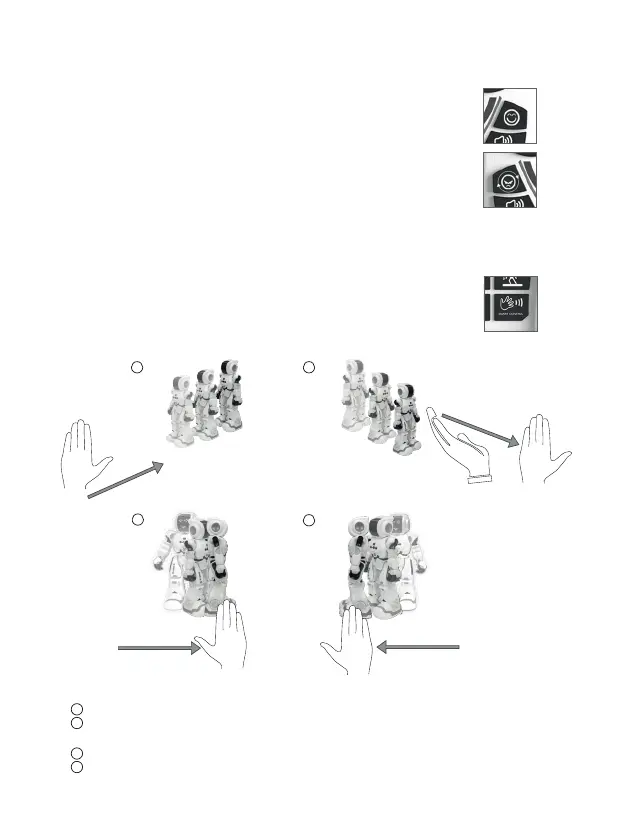
Press “Smart Control” buon to control Robbie with your hand movement.
Put your hand in front of the robot and approach it to his chest slowly. The robot will glide backward.
Put your hand in front of the robot and move away from him slowly.
Present your hand in front of the sensor from below. The robot will glide forward.
Move your hand in front of the robot from le to right and the robot will turn right.
Move your hand in front of the robot from right to le and the robot will turn le.
2
1
3
4
21
3
4
12. basic mood and extended mood
Press the “Basic Mood” buon on the transmier. The Robot will change the
facial expression and it will make a sound. By pressing it again its mood will
change sequenally: happy, sad, angry, surprise.
Press the “Extended Mood” buon on the transmier. The Robot will change
the facial expression randomly and it will make a sound.



 To Next Page