USE YOUR CAMERA
When you use the camera for the first me, please:
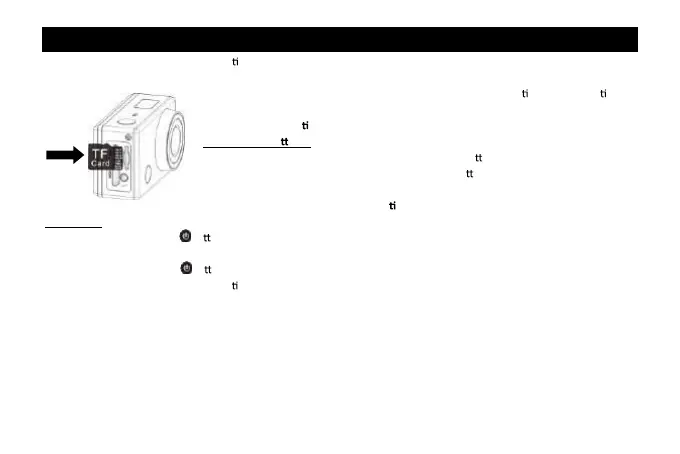
1. Insert a micro SD or micro SDHC card, as shown in the following picture.
High speed card at least Class 4 is recommended; when using me delay func on or
recording video in professional mode, the card of Class 10 is required. Turn off the
camera before inser
ng or removing the card.
Charging the ba
ery
The camera uses removable rechargeable lithium ba ery. When the camera is off,
connect it to the PC via USB cable to charge the ba ery. During charging, the status
indicator (red) will light on, and the indicator off when charging completes.
Note: When the camera is on, connec ng it to the PC will not charge.
Turn on/off
Turn on: press and hold the bu on for about 3 seconds, LCD displays “ON” and a beep can be heard from buzzer.
Turn off: press and hold the
bu on for about 3 seconds, LCD displays “OFF” and a beep can be heard from buzzer.
Note: The camera will turn off automa cally if it is idle for 5 minutes.
2



 To Next Page