Maintenance Manual XA41/XA42
AMM-XA42-0040-001 C.00
Page date: Page 11
25.09.2018 Chapter 28
28-20-04 Auxiliary/Boost Pump
If the engine-operated fuel pump does not operate correctly, an auxiliary/boost pump
supplies sufficient fuel to the engine.
The auxiliary/boost pump also operates as a primer during the start of the engine.
The switch for the auxiliary/boost pump is on the right side panel of the rear cockpit.
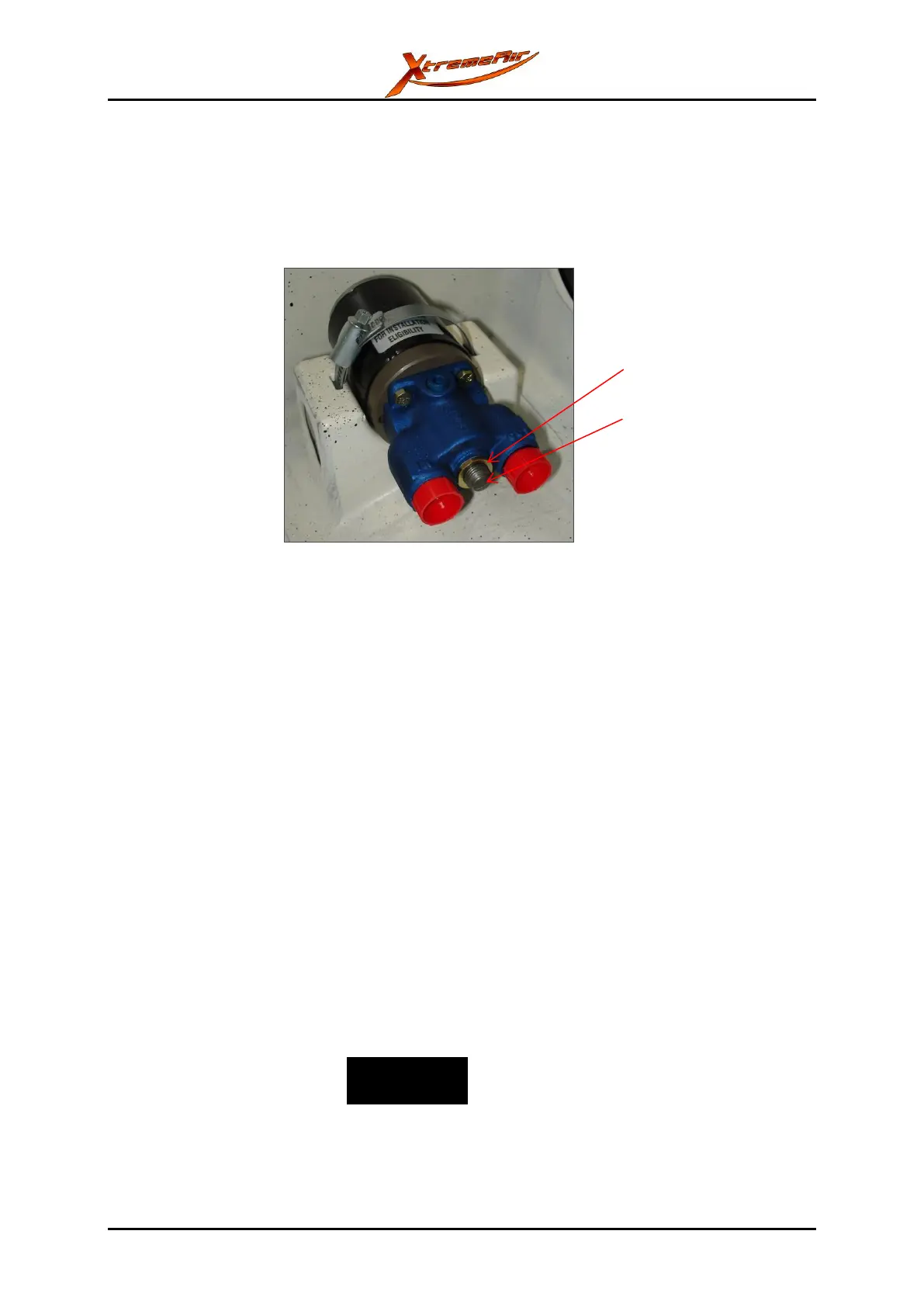
The auxiliary/boost pump is in the lower left forward fuselage compartment.
Figure 28-9: Installed auxiliary/boost pump
In case of replacing the auxiliary/boost pump, the new pump needs to be set correctly.
To set a new auxiliary/boost pump:
1 Loosen the counter nut on the setting screw. Refer to Figure 28-9.
2 Screw the setting screw all the way in without applying torque.
3 Loosen the setting screw by 270°.
4 Fix the setting screw in that position by torqueing the counter nut.
To remove the auxiliary/boost pump:
1 Set the fuel selector switch to OFF.
2 Remove the lower left forward fuselage compartment cover.
3 Disconnect the electric cables.
4 Disconnect the fuel lines and the vent line from the auxiliary/boost pump. Drain the
fuel into an applicable container.
5 Remove spilled fuel immediately.
6 Remove the clamp.
7 Remove the auxiliary/boost pump.
Make sure that you install the auxiliary/boost pump in the correct direction. Find the IN and
OUT markings on the pump (refer to Figure 28-9) to connect the auxiliary/boost pump
correctly. An incorrectly installed auxiliary/boost pump can cause accidents.



 To Next Page