10
Xtrend ET4000
2. Connecting the TV
ET4000 provides a variety of audio/video connection methods.
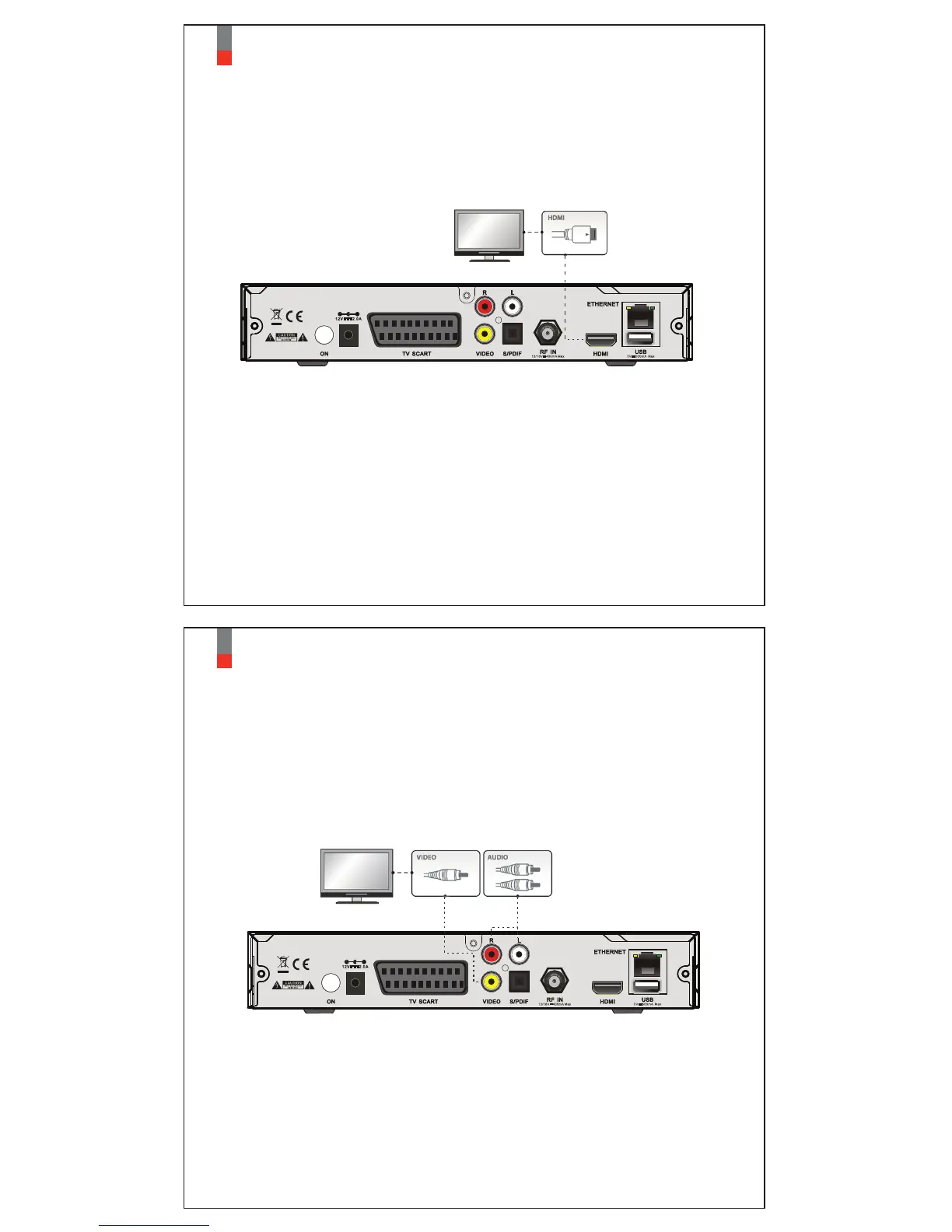
A. Connecting TV via HDMI Cable
For the sake of the best picture quality, especially for digital TV, HDMI connection is
recommended. Most HDTVs have HDMI connectors to ensure the highest picture quality.
In the rear panel of STB one HDMI connector is available for this purpose. Connect your
TV to STB using a HDMI cable as follows.
11
Xtrend ET4000
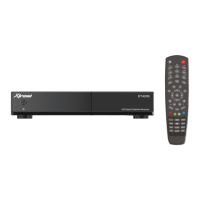
B. Connecting TV via RCA (Video) Cable
STB provides Composite video connection as well. Composite cable has normally three
connectors at the both end; one Video (Yellow) and two Audio (White/Red). Connect your
TV to STB as follows:


 To Next Page