2. USB port
Plug a USB storage device into the USB port.
1. HDMI port
Connect a device to the product using an optional appropriate HDMI cable or
adapter.
3. SD card slot
Insert an SD memory card into the SD card slot.
2
3
4
5
1
7
8
6
(Model: CM173HD)
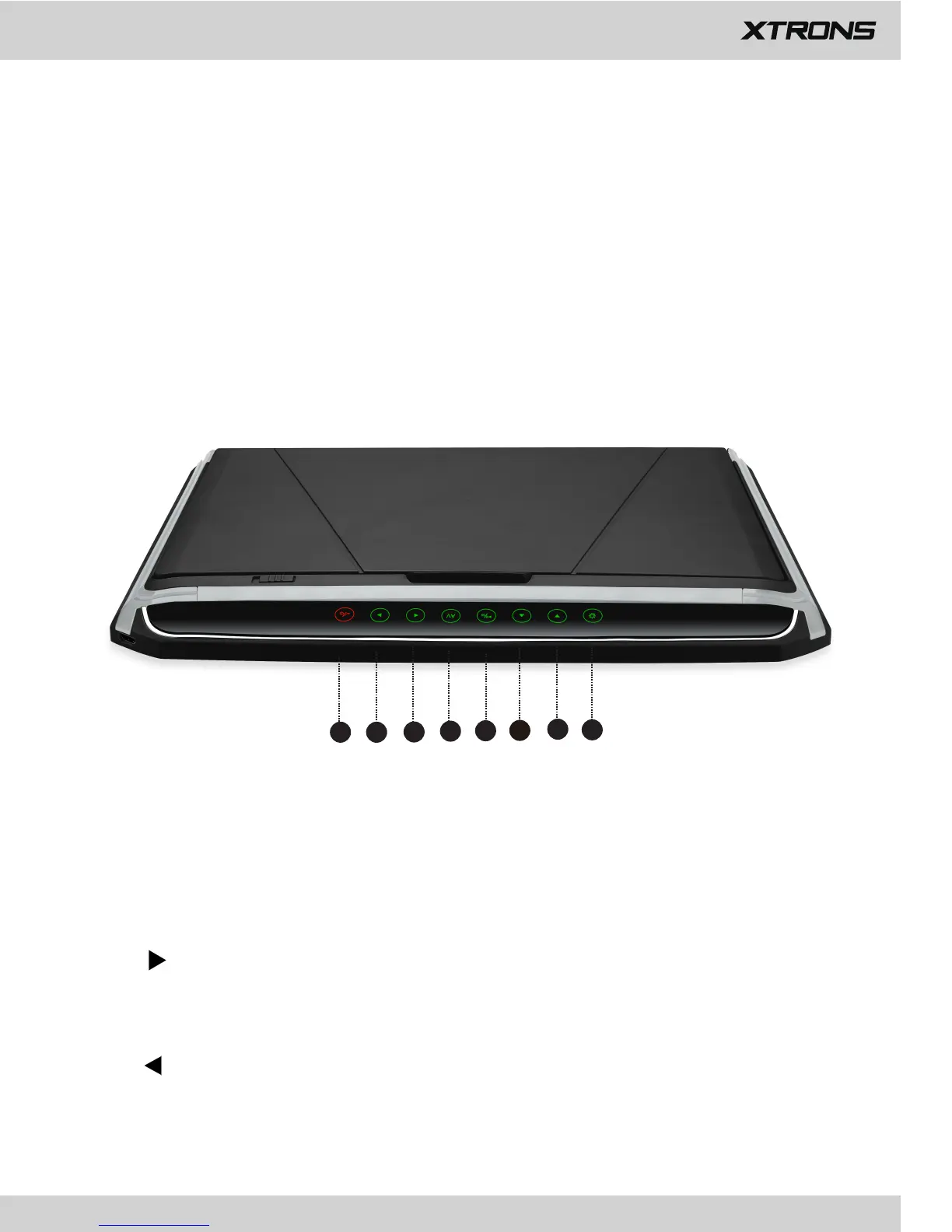
1. Back/Power
Touch to return to the previous screen.
Touch to turn on or turn off the power.
2.
Touch to move right when navigating through the menu.
Touch to turn the volume up.
3.
Touch to move left when navigating through the menu.
Touch to turn the volume down.



 To Next Page