17
1.
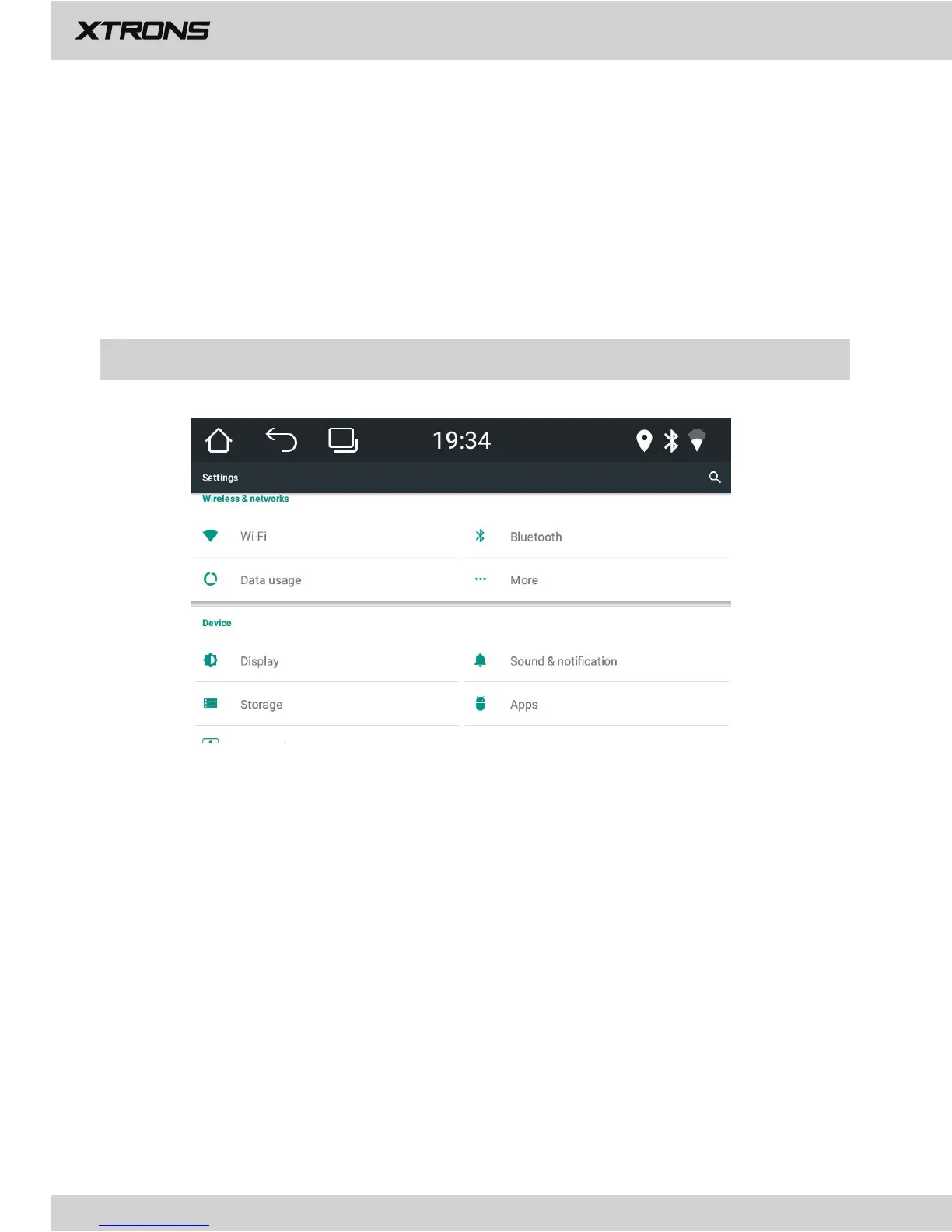
Wireless & networks
1.1 Wi-Fi
Turn Wi-Fi on or off.
Choose a network: Tap one of the listed networks, then enter the password, if
asked.
1.2 Bluetooth
Turn Bluetooth on or off.
Tap a device on the Paired devices or on the Available devices list to pair or unpair it.
1.3 Data Usage
Shows apps data usage.
1.4 More
You can set up Portable Wi-Fi hotspot or VPN.
More Settings
3.4 Reset
Tap "X" to restore to factory setting.
3.5 Factory Settings
Enter the password 7890 to go to Factory settings.
Power logo: Select one of the preinstalled car manufacturer logos as your start up screen.
3.6 Multicolor settings
This enables you to change the illumination color of the buttons to your personal
preference. You can choose from 7 colors.


 To Next Page