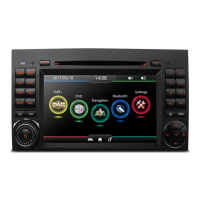
TV SYSTEM
AUTO PLAY
PASSWORD
RAT ING
DEFAULT
TV SYSTEM
NTSC
AUTO PLAY PAL
PASSWORD AUTO
RAT ING
DEFAULT
1.TV system(see figure 4)
(1)Press Setup key enter the setup system,select TV sys-
tem and press Enter key to confirm,then the screen will
display the picture as figure2.
(2)Enter the submenu,if you want to set the system to be
PAL,select PAL and press Enter key to confirm, then
press Setup key to exit the setup system.
Note:the video output system of TV set should be same
with the video output system of DVD player.
TV TYPE
TV TYPE


 To Next Page