Explanation
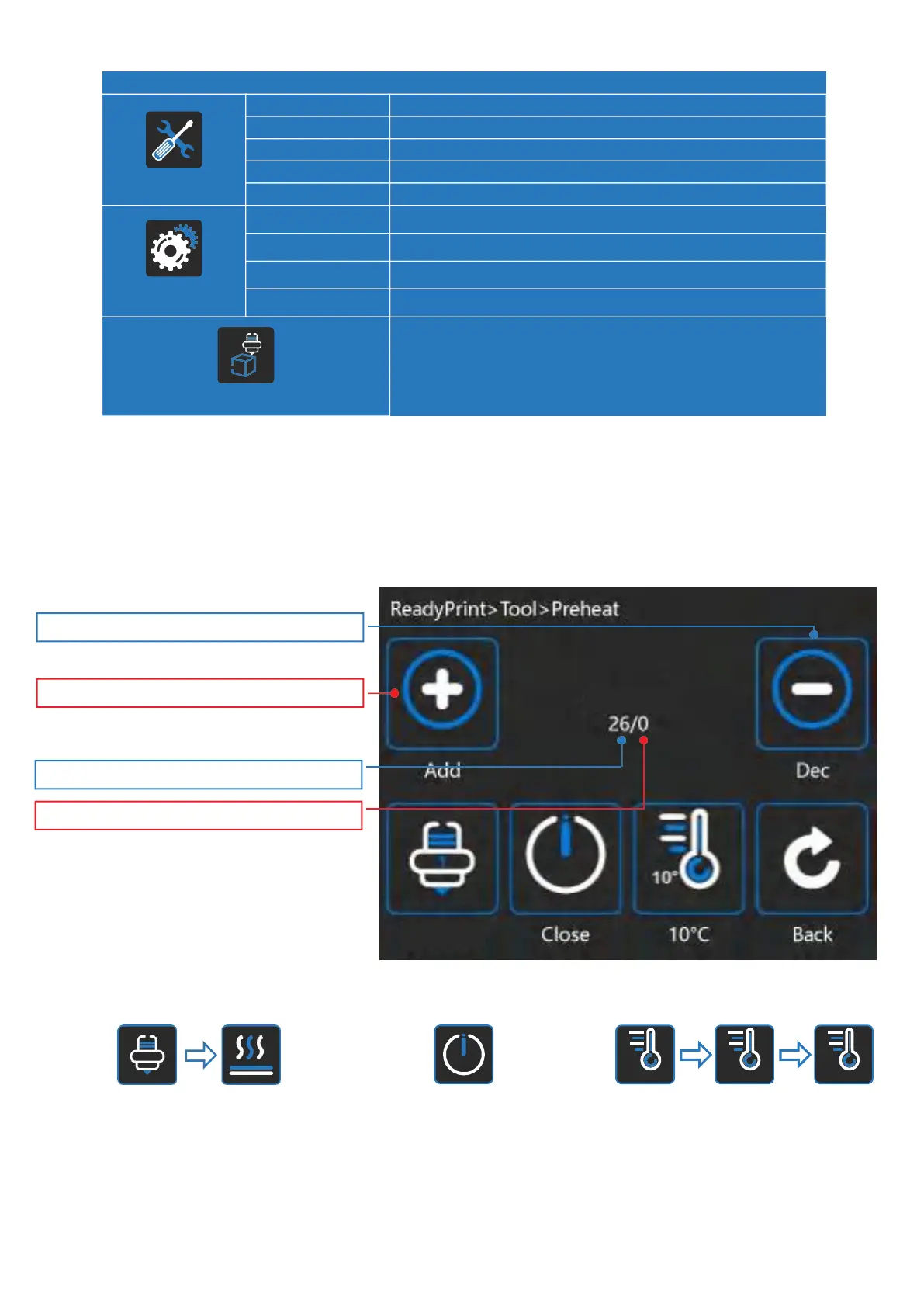
Heat the nozzle and the bed by given value
Change filament by given value
Moving X Y Z axis
X Y Z axis return to the origin
Adjust the height of printing platform
Choose language
Change fan speed by given value
Xvico system information
Turn off the motor
Sub Menu
Preheat
Extruder
Move
Home
Leveling
Language
Fan
About
OFF
Preheat
You can set the nozzle and hot bed temperature in the preheating interface.Click the nozzle icon to
switch to hot bed heating mode.
Click the nozzle icon to switch
to hot bed heating mode
Click to close the nozzle
or hot bed
Click switch to change the
temperature value
Set temperature of the Nozzle
Currenttemperatureofthe nozzle
Click to increase nozzle set temperature
Click to reduce nozzle set temperature


 To Next Page