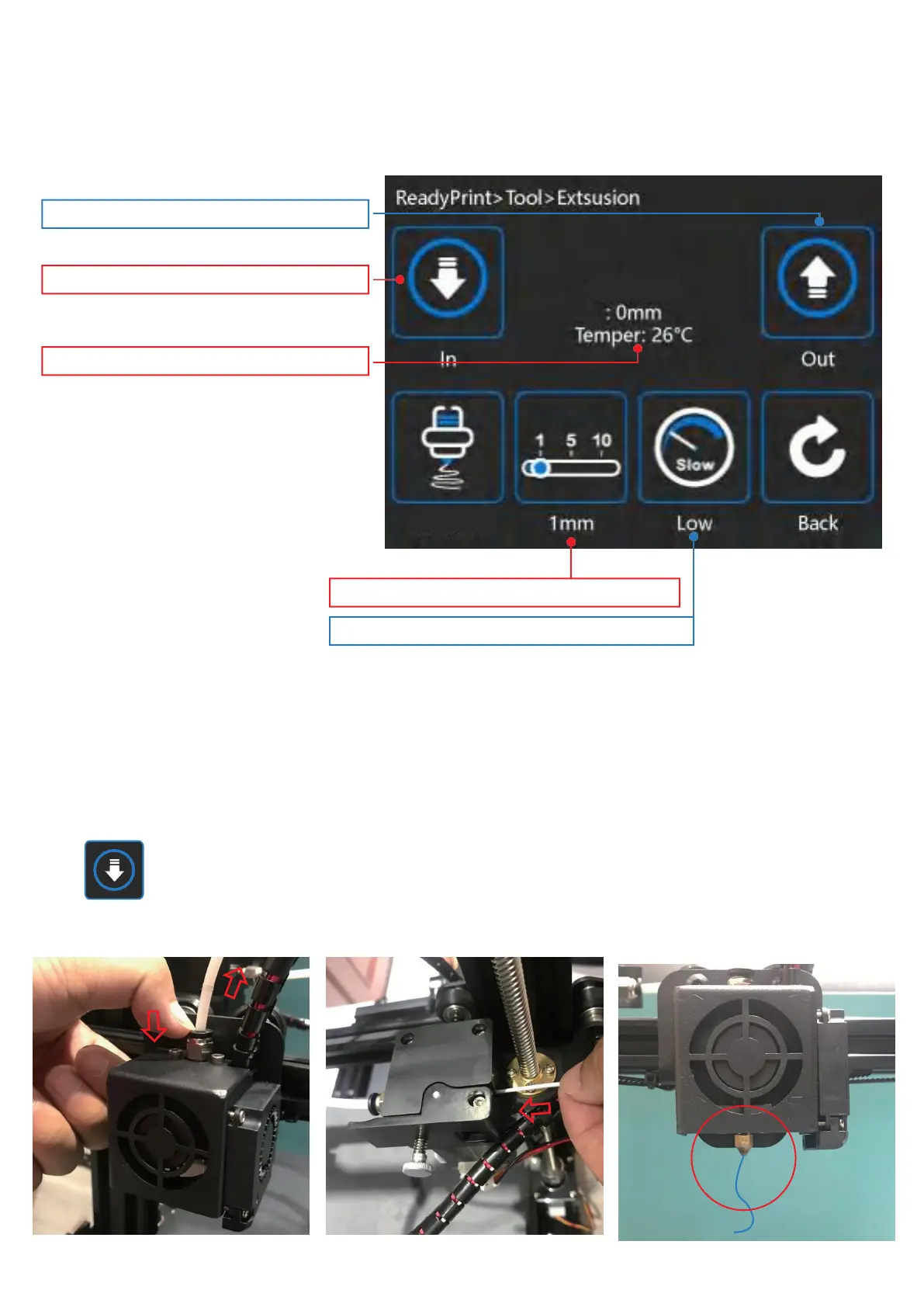
Click to change extrusion speed
Click the length of the single extrusion
Currenttemperatureofthe nozzle
Performasingleextrusionoperation
Perform a single pull back operation
Extruder
Press and hold the extruder lever then insert 1.75mm filament through the small hole of the extruder.
Continue feeding until you see filament come out of the nozzle.
Tip: replace consumables
1. The extruder needs to be heated to the corresponding temperature of consumables
2. Preheat the nozzle, after reaching the extrusion temperature, draw back the consumables until the
consumables come out of the extruder
(Note: the consumables can be extracted manually by pressing the black gas pipe connector)
3. Put 1.75mm consumables into the feeding port of extruder
click perform single extrusion operation.


 To Next Page