4
2.5 Turn the vehicles ignition on and the Dash Cam will
power ON and start recording automatically, you will hear an
audible tone and voice prompt says ‘recording’.
2.6 When recording the LED light indicator will flash red.
2.7 For the Dash Cam to work it must receive power from the
charging adapter. Once power is removed or turned off the
Dash Cam will save the current file and turn off.
NOTE: The Dash Cam power cable must be used to retain
date and time settings.
2.8 Rotate the camera direction to get the best view.
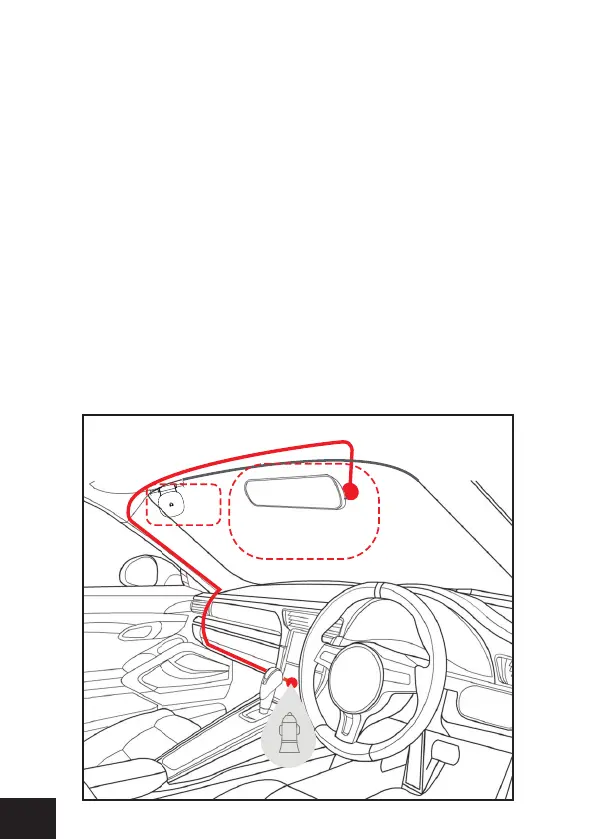
2.9 Once position of the camera is OK hide the cable like the
positioning diagram below.
Suggested
GPS


 To Next Page