5
3.1. Insert the rear camera cable into the video input of the
Dash Cam and test.
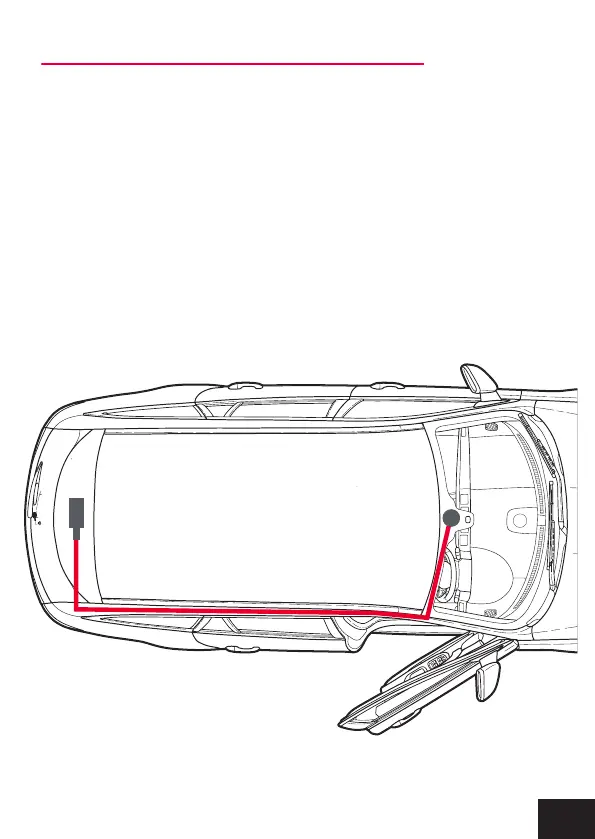
3.2. Then run the cable to the rear cameras location.
3.3. Fix the cable along the ceiling or A-pillar where it can be
safely hidden. (Drivers side see picture below)
3.4. Then mount the rear camera to the inside of the vehicles
window, with the cable input facing the drivers side.
3. INSTALLING THE REAR CAMERA (XV22DVR model)


 To Next Page