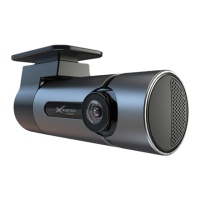
1. Clip on mirror design securely mounts on the existing rear
view mirror in the vehicle by stretching the bands at the back.
There are two positions based on thickness of existing mirror.
2. Insert Micro SD card into the Mirror Monitor
3. Insert power cable into the DC-in of the Mirror Monitor.
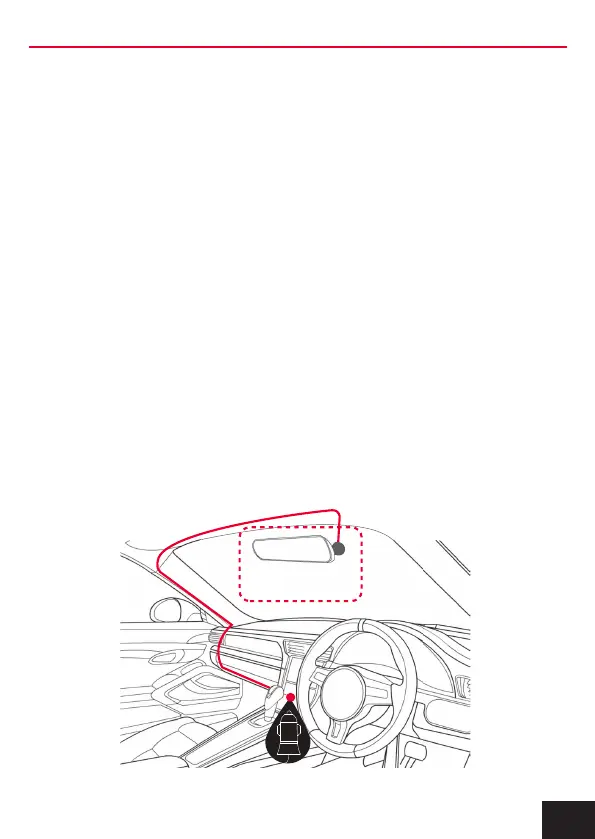
Connect the DC charging end of the power cable into the 12-24V
power socket of your vehicle. Hide cable as picture below.
4. Connect the rear camera to the input on the mirror. Test the
camera is working correctly and orientation before running the
cable and securing the camera mount on your vehicle.
5. Attach the red trigger wire to the reverse light of you vehicle to
engage parking guide lines when vehicle is put into reverse gear.
6. Turn vehicles ignition on, and the Mirror Monitor and it will
automatically start recording.
7. When recording the recording indicator LED will flash red.
8. For the Mirror Monitor to work it must receive power from the
charging adapter. Once power is removed or turned off the Mirror
Monitor will save the current file and turn off.
Suggested
6. INSTALLATION OF THE MIRROR MONITOR
7



 To Next Page