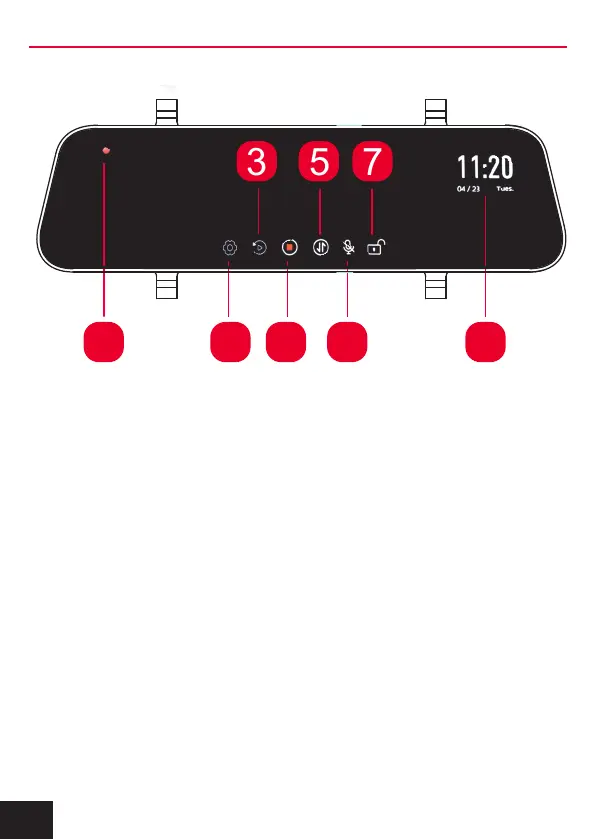
1) Recording indicator: Flashes red when recording.
2) Settings: Press to access the settings menu, see details on
page 10 (turn off recording function to access).
3) Playback: Press to access recorded video files (turn off
recording function to access).
4) Stop/Start Recording: Press to start or stop the recording
function.
5) Image Rotation: Press to rotate image (if recording, recorded
image will not rotate)
6) Microphone On/Off: Press to turn audio recording on or off.
7) Lock / Unlock Recorded Files: Press to securely save a
recorded file. Recording indicator will flash Yellow.
8) Date/Time: Displays the Date and Time.
1 82
3 5
4 6
7
7. TOUCH SCREEN FUNCTIONS
8



 To Next Page