QUICK START
6. SETTING UP THE CAMERA AND RECEIVER
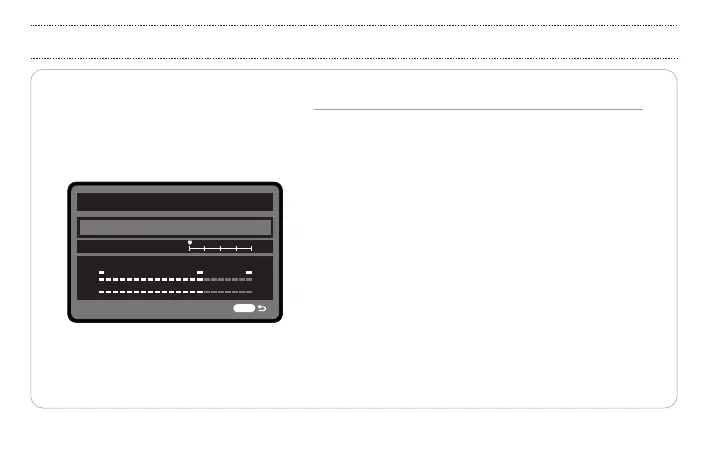
Sound recording
Sound record
Record level
Manual
MENU
-dB 40 12 0
L
R
• Open the DSLR camera menu and navigate to the sound
recording options.
• Set the audio input level control to “manual” mode.
• Adjust the record level.
Check the output level on the DSLR camera display.
Adjust the level so that the signal is strong,
but not so high that it sets o the clip light.
Input level too low?
Turn up the U5 receiver output level or the camera input
level
Left and right channel volumes imbalanced?
Mono mode: Adjust the two transmitter input gain
controls to balance.
Stereo mode: Adjust the two transmitter input gain
controls or adjust the receiver output level.
19


 To Next Page