EasyManua.ls Logo

XWOW R2 - Page 35

XWOW R2
48 pages
Print Icon
To Next Page IconTo Next Page
To Previous Page IconTo Previous Page
Loading...
32
MAINTENANCE
Cleaning and maintenance
Installation
1
󵽔
2
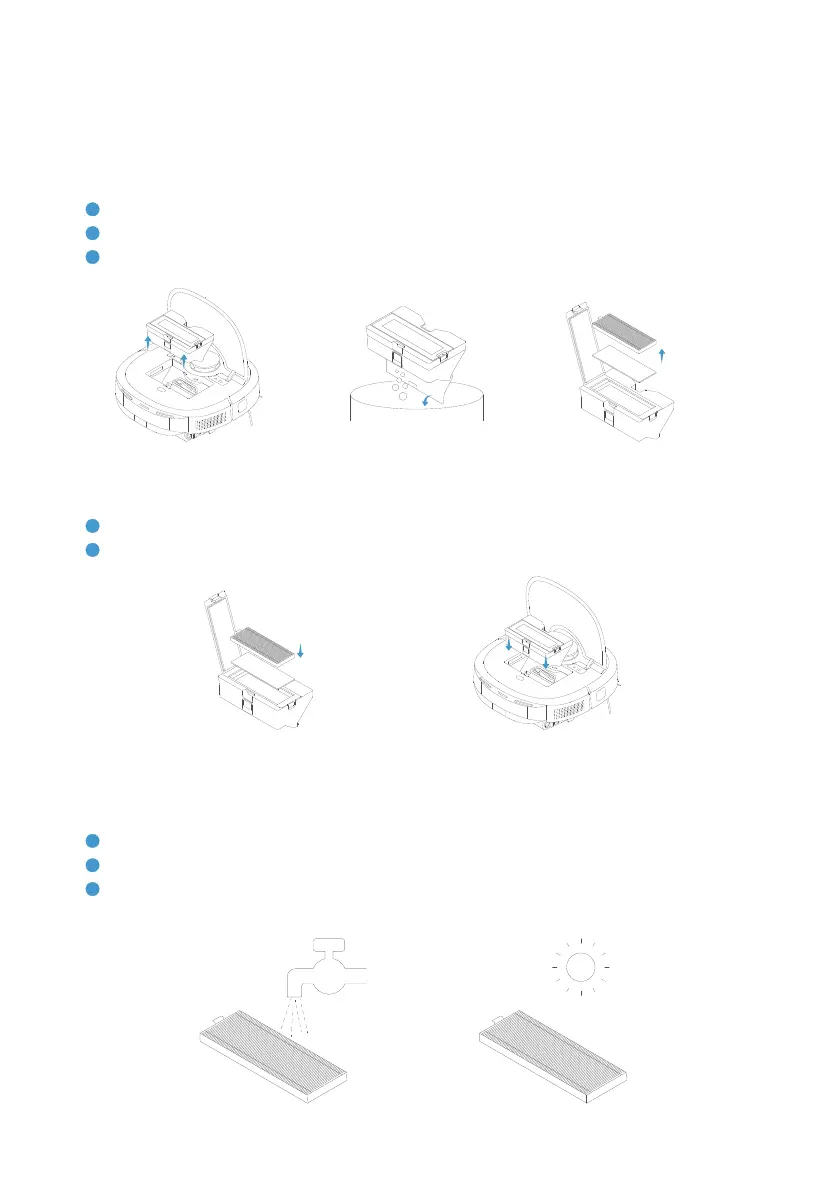
Open the robot upper cover, and put the dust bin back.
Removal
1
Press the dust bin buckle, and remove the dust bin from the top.
2
Press the release button of dust bin to dump garbage.
3
󵽔
Cleaning and maintenance
1
󵽕󵽔
2
󵽔
3
Replace it with a new one based on actual condition.
Robot | Dust bin & Dust bin lter