33
MAINTENANCE
Cleaning and maintenance
Installation
1
2
3
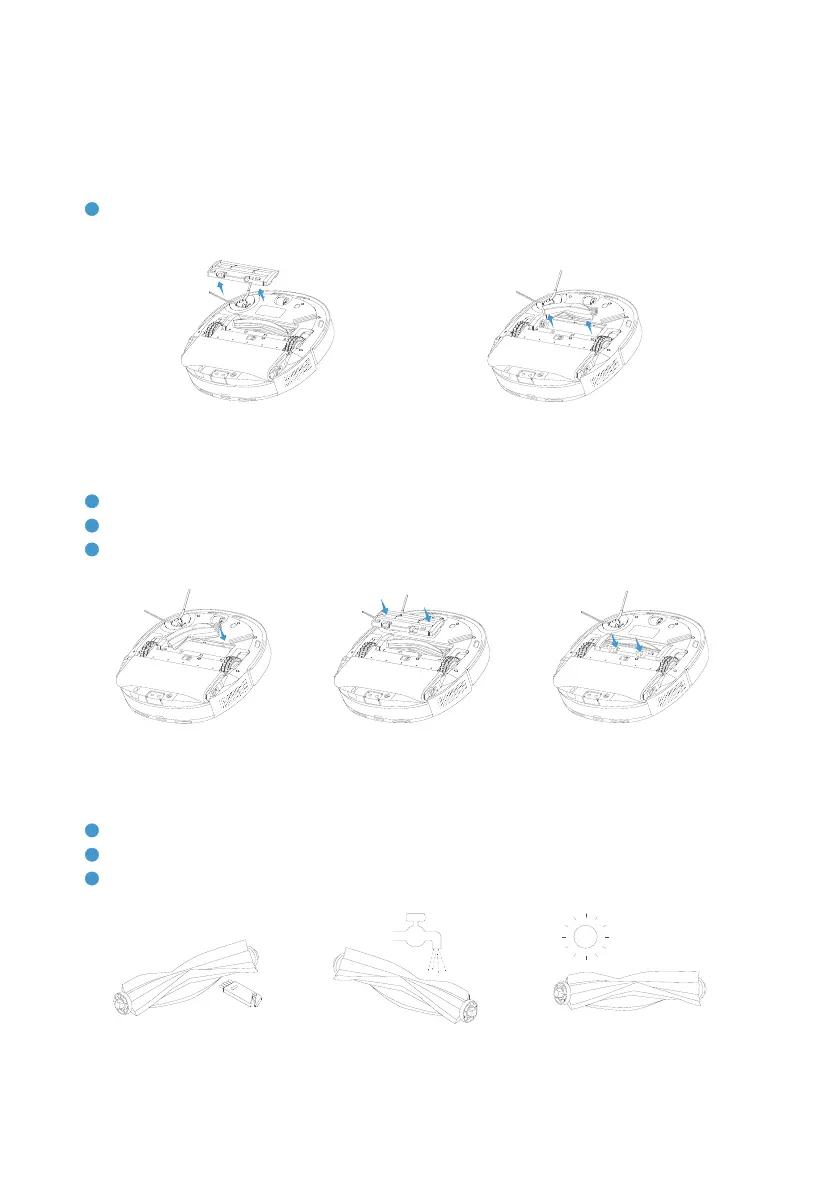
Press the release button tightly downwards.
Removal
1
Press the release button on mid brush upper cover with two hands. Remove the upper cover and
take out the mid brush.
Cleaning and maintenance
1
Use the small cleaning tool that comes with the robot to clean tangled hair.
2
3
Replace it with a new one based on actual condition.
Robot | Mid brush


 To Next Page