3
EN
Using the Create a Sticker
®
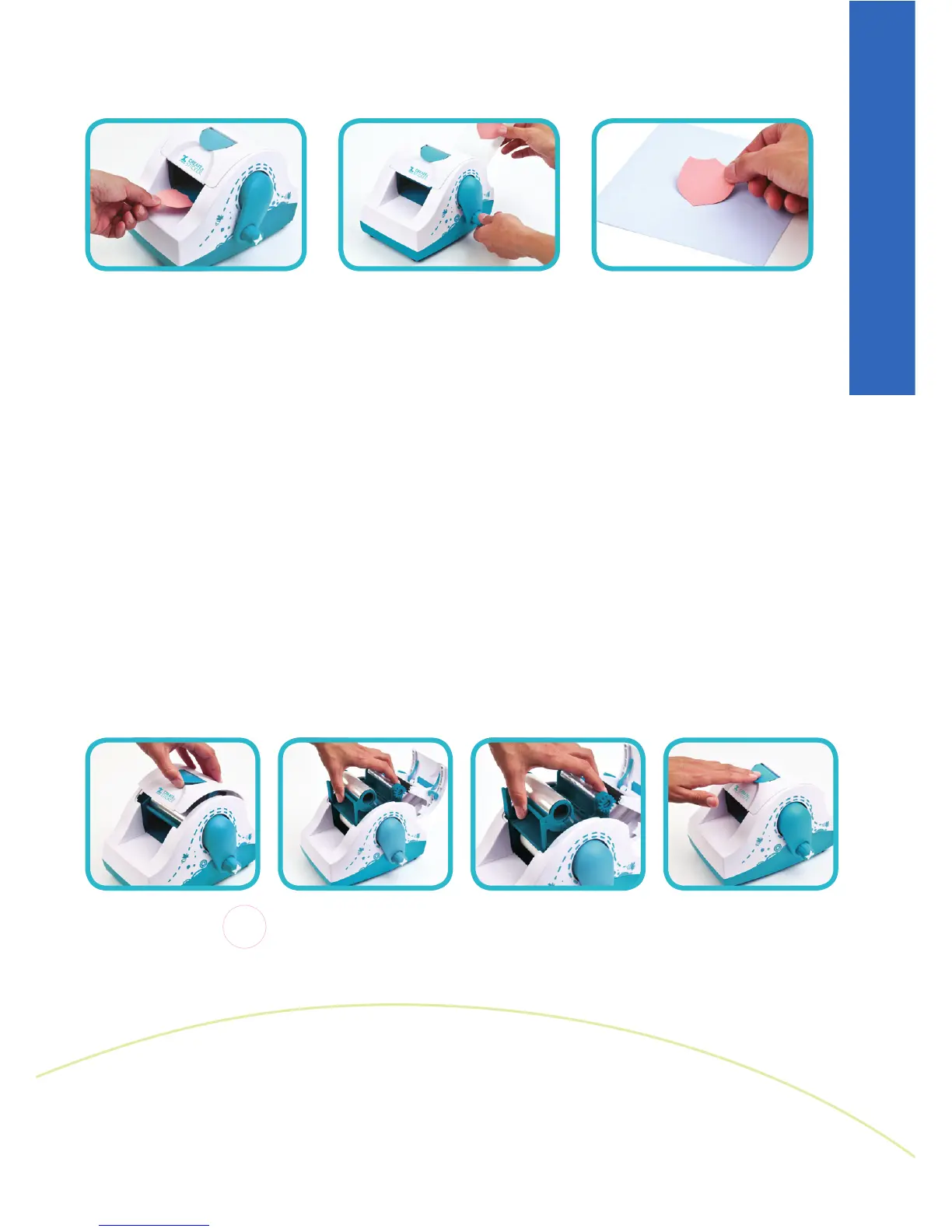
1 2 3
1 2 3 4
1. Place item on feed tray.
2. Gently guide item forward while turning handle clockwise.
Tear paper backing by lifting up and across the tear bar.
3. Burnish on and around item, peel sticker from paper backing
and apply.
Helpful Hints:
Arrange multiple small items on feed tray to maximize cartridge use.
If necessary, remove excess adhesive with your fingers or adhesive eraser.
Clean rollers with isopropyl alcohol.
Store your machine and cartridge in a cool, dry place.
1. Open cartridge compartment by lifting up on latch.
2. Pull cartridge up and out of machine.
3. To replace, guide cartridge into compartment using tracks on
the inside of machine.
4. Close lid by pressing down until it clicks into position.
Loading and Unloading Cartridges



 To Next Page