BOOT
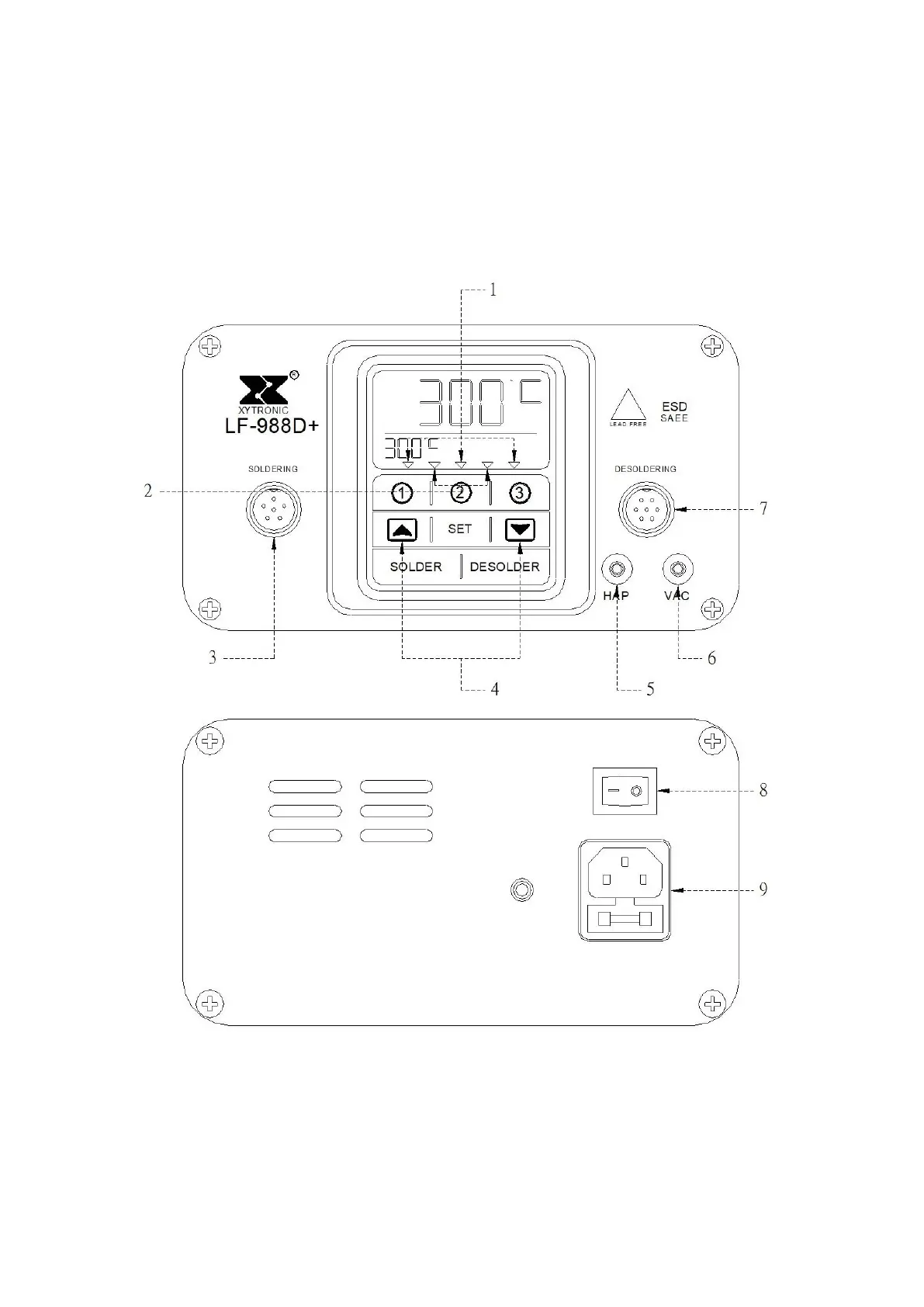
First insert the power cord connector into the power cord connector at the back
of the machine, and then insert the power cord plug into the power socket.
Turn on the power switch on the back of the machine
1.Temperature Control Optional 2. Function Key
3. Soldering iron connector 4. Temperature control key
5.Hot-Air Pencil connector 6.Vacuum Connector
7.De-soldering Iron connector 8 Switch 9.Power Cord connector
--- Page 2 -----



 To Next Page