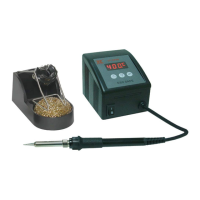
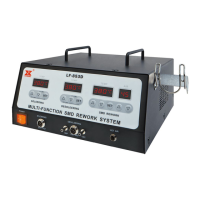
after selecting the function, please select the temperature setting selection key,
you can set three groups of temperatures. If you want to set the first group,
press 1 Then use the temperature adjustment button to adjust to the
temperature you want to set, and then press the SET button to save the
temperature you set,
When setting the second group, press 2 and then adjust to the temperature
you want and press SET to save the second group of temperatures, and the
third group will be SET in this way. When working with the set temperature, the
temperature you set will be displayed above the temperature set number you
set. After the three sets of temperature settings are completed, the settings
can be changed at any time as needed.
The factory setting is 150°C for the first group, 300°C for the second
group, and 450°C for the third group.
* SOLDER AND DESOLDER temperature display shares the same display
screen, you can only see the temperature display of one function at the top
at the same time. If you want to see the temperature of another function,
please use the SOLDER and DESOLDER keys at the bottom of the
screen to switch to read the temperature data
Time extension function in order to prevent the tin from staying in the tip of
the soldering iron after releasing the button too quickly after using the
soldering iron to remove the tin, this machine is equipped with the function of
removing the tin after a two-second delay after the switch is released.
Energy safe function If the machine is left to rest and not in use, it will enter a
sleep state after 30 minutes. Just pick up the soldering iron or press the
soldering button to wake up.
* Fahrenheit and Celsius conversion : Unplug the soldering iron on
SOLDER, then press the SOLDER key and the number 3 key to switch
---- Page 4 ----



 To Next Page