EasyManua.ls Logo

Yaber U2 - System Setup Menu; System Update Procedure

Yaber U2
27 pages
Print Icon
To Next Page IconTo Next Page
To Previous Page IconTo Previous Page
Loading...
=
aftersales@yabertech.com
Time
MODE
FUNCTION
MENU
OSDTime
|
ot
sse reses
s05ee
vt
o
St
f
g
o
wrocs
Steon Timer
|
osmirtsmimatmnsamin
se_|
Snaclfne
projcr
s
sotamt
ot
o
Standby
|
s
roushos
[E—
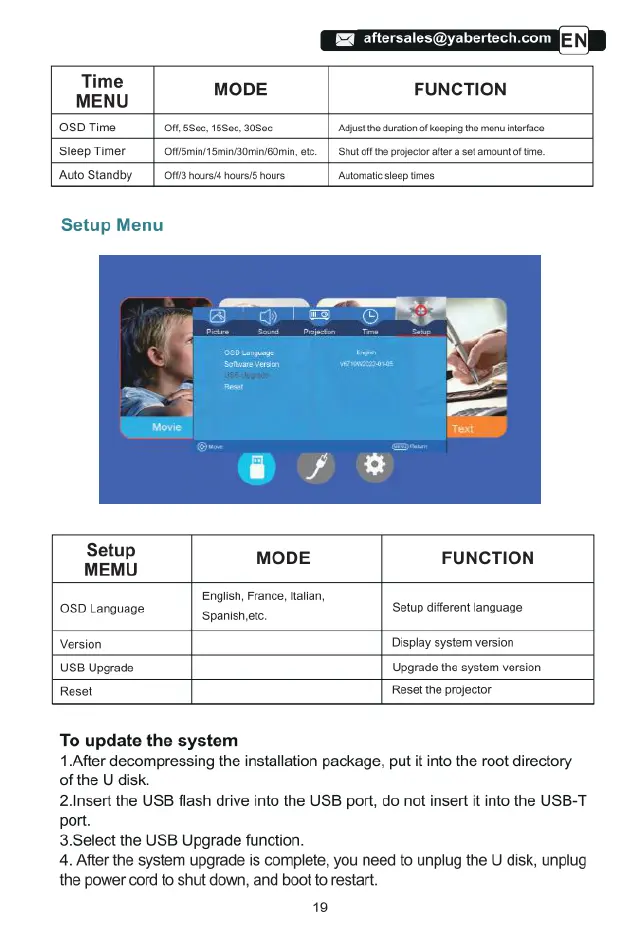
Setup
Menu
Setup
MEMU MODE
FUNCTION
English,
France,
Halian,
0SD
Language
Setup
different
language
‘Spanishetc.
Version
Display
system
version
USB
Upgrade Upgrade
the
system
version
Reset
Reset
the
projector
To
update
the
system
1.After
decompressing
the
installation
package,
put
it
into
the
root
directory
of
the
U
disk.
2.Insert
the
USB
flash drive
into
the
USB
port,
do
not
insert
it
into
the
USB-T
port.
3
Select
the
USB
Upgrade
function.
4.
After
the
system
upgrade
is
complete,
you
need
to
unplug
the
U
disk,
unplug
the
power
cord
to
shut
down,
and
boot
to
restart.
19

Related product manuals