EasyManua.ls Logo

Yaber U5 - SETTING UP THE PROJECTOR; 1. Select the Input Source

Yaber U5
31 pages
Print Icon
To Next Page IconTo Next Page
To Previous Page IconTo Previous Page
Loading...
e
ENJ
SETTING
UP
THE
PROJECTOR
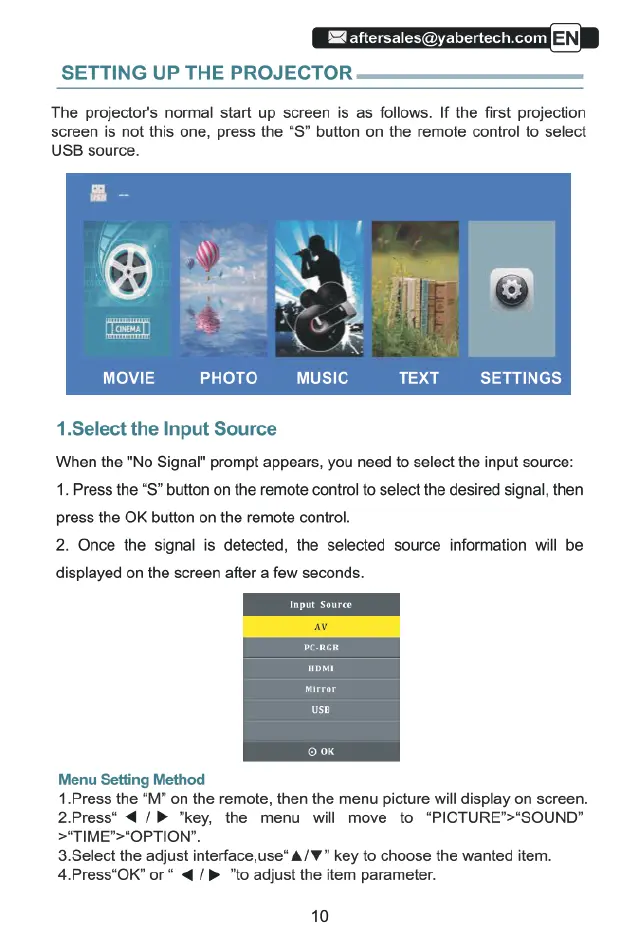
The
projector's
normal
start
up
screen
is
as
follows.
If
the
first
projection
screen
is
not
this
one,
press
the
“S”
button
on
the
remote
control
to
select
USB
source.
MOVIE
PHOTO
music
TEXT
SETTINGS
1.Select
the
Input
Source
When
the
"No
Signal”
prompt
appears,
you
need
to
select
the
input
source:
1.
Press
the
“S”
button
on
the
remote
control
to
select
the
desired
signal,
then
press
the
OK
button
on
the
remote
control.
2.
Once
the
signal
is
detected,
the
selected
source
information
will
be
displayed
on
the
screen
after
a
few
seconds.
Mirror
use
Menu
Setting
Method
1.Press
the
“M"
on
the
remote,
then
the
menu
picture
will
display
on
screen.
2Press*
€/
»
"key,
the
menu
wil
move
to
‘PICTURE’>*SOUND"
>*TIME">*OPTION".
3.Select
the
adjust
interface,use*
A/
¥
key
to
choose
the
wanted
item.
4.Press"OK”
or
*
4
/>
"to
adjust
the
item
parameter.
10

Related product manuals