EasyManua.ls Logo

Yaber U5 - 3. Connecting to the Speaker; (Note: Due to the Copyright issues...; WARRANTY

Yaber U5
31 pages
Print Icon
To Next Page IconTo Next Page
To Previous Page IconTo Previous Page
Loading...
ftersales@yabertech.com
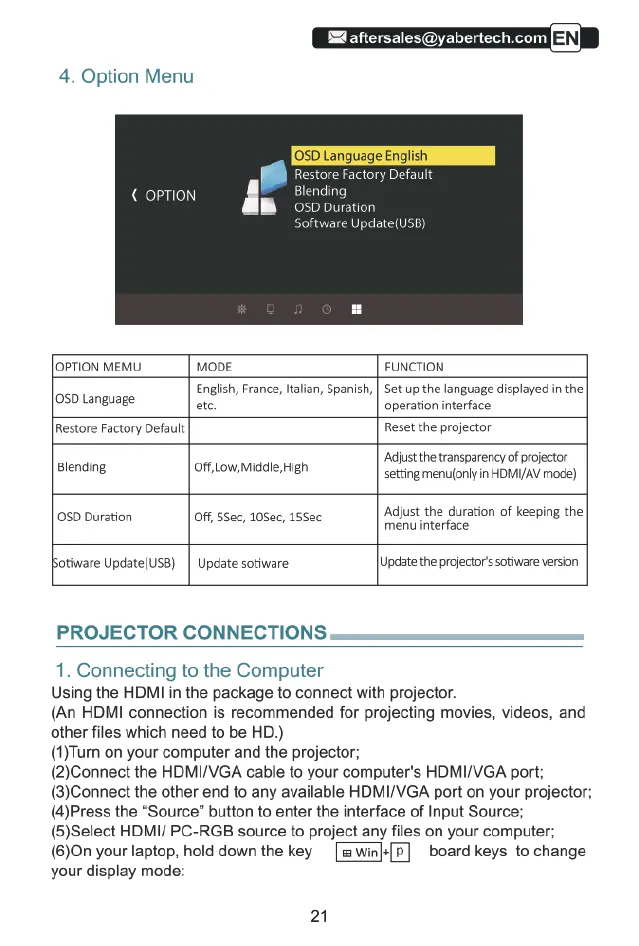
4.
Option
Menu
OPTION
MEMU
MODE
FUNCTION
English,
France,
ltalian,
Spanish,
|
Set
up
the
language
displayed
in
the
0D
Language
etc
operation
interface
Restore
Factory
Default Reset
the
projector
Adjust
the
transparency
of
projector
Blending
Off,Low,Middle,High
setting
menu(only
in
HDMIAY
mode)
0SD
Duration
Off,
5Sec,
105ec,
155ec
Adjust
the
duration
of
keeping
the
Ssec d05ec
menu
interface
otiware
Update(USB)
|
Update
sotiware
Update
the
projectorssotiware
version
PROJECTOR CONNECTIONS
1.
Connecting
to
the
Computer
Using
the
HDMI
in
the
package
to
connect
with
projector.
(An
HDMI
connection
is
recommended
for
projecting
movies,
videos,
and
other
files
which
need
to
be
HD.)
(1)Turn
on
your
computer
and
the
projector;
(2)Connect
the
HDMI/VGA
cable
to
your
computer's
HDMI/VGA
port;
(3)Connect
the
other end
to
any available
HDMI/VGA
port
on
your
projector;
(4)Press
the
“Source”
button
to
enter
the
interface
of
Input
Source;
(5)Select
HDMI/
PC-RGB
source
to
project
any
files
on
your
computer;
(6)On
your
laptop, hold
down
the
key
«[P]
board
keys
to
change
your
display
mode:
21

Related product manuals