3
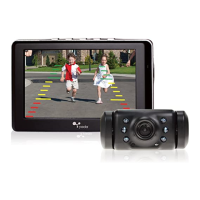
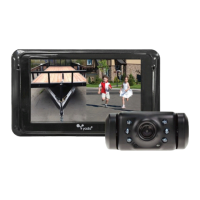
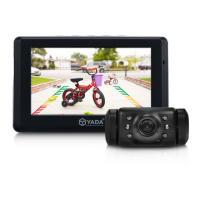
Digital Wireless Backup Camera with Dash Monitor
1. 4.3” TFT LCD Display
2. 2.4G Digital Wireless
3. Image sensor: CMOS
4. Operation range: 50 feet
5. Input Voltage DC12~24
6. Operation temperature: -10~50
7. Storage temperature: -20~60
8. Camera water resistance: IP67 Rating
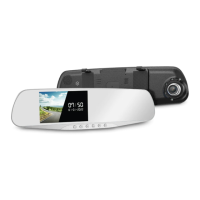
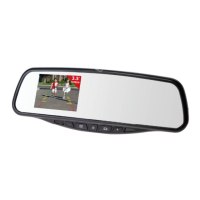
Digital Wireless Backup Camera with Mirror Monitor
1. 3.5” TFT LCD Display
2. 2.4G Digital Wireless
3. Image sensor: CMOS
4. Operation range: 50 feet
5. Input Voltage DC12~24
6. Operation temperature: -10~50
7. Storage temperature: -20~60
8. Camera water resistance: IP67 Rating
MIRROR MONITOR INSTALLATION
1. Attach black Hook and Loop straps to the back of the Yada mirror by sliding the metal clip into the mirror
brackets. Push in all the way until the straps are secure.
2. Make sure the connection for each strap is facing the same way- rather up or down- to allow for easy
adjusting of the mirror.
3. Open the Hook and Loop straps and allow them to hang freely in the FRONT of the mirror, so there is no
obstruction between the Yada mirror and your original rearview mirror.
4. Start by matching up the mirrors at the top, with the spring clamps wrapping around the original
rearview mirror.
5. Pull the Yada mirror down to allow the spring clamps on the bottom to snap into place around the
3. PRODUCT SPECIFICATIONS
4. INSTALLATION GUIDE


 To Next Page