EasyManua.ls Logo

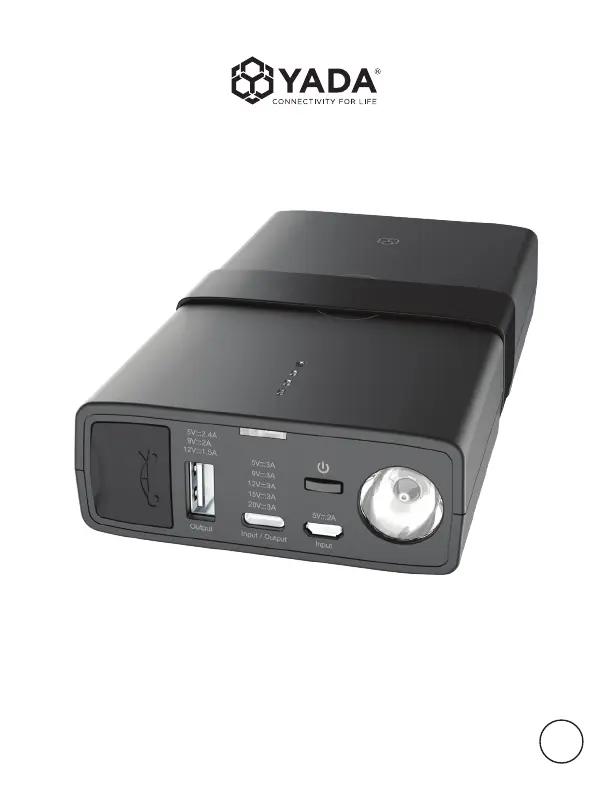
Yada Power Bank Pro - User Manual

Yada Power Bank Pro
16 pages
Print Icon
To Next Page IconTo Next Page
Loading...
User Manual
BC
IMPORTANT, RETAIN FOR FUTURE REFERENCE: READ CAREFULLY
POWER BANK PRO
WP ITM. AC532791

Questions and Answers

  • J
    Jason HendersonJul 29, 2025
    Why my Yada Power Bank Pro Accessories jump starter cannot jump start?
    • E
      Emily TaylorJul 29, 2025
      If your Yada Accessories unit fails to jump start your vehicle, there are a few potential reasons. First, ensure the red jumper cable is clamped to the positive (+) post and the black cable to the negative (-) post or car interior. Refer to Page 10 for details. Second, the jump starter has a 90-second timer. If it expires, disconnect and reconnect the cables. Finally, a low battery status can prevent jump-starting; recharge the unit via USB until it shows at least three solid lights or 51% charge.
  • S
    Sean TorresAug 13, 2025
    What to do if flashlight does not turn on on Yada Power Bank Pro Accessories?
    • R
      Ryan FernandezAug 13, 2025
      There are two common reasons why the flashlight on your Yada Accessories unit might not turn on. The first is a low battery. Try recharging the unit using a USB cable. The second is that the flashlight is disabled while the unit is charging as a safety measure. Unplug the unit or wait until charging is complete before using the flashlight.

Summary

Technical Specifications

Feature Overview

Detailed breakdown of product features and their locations.

Safety Warnings

Battery Disposal

Guidelines for proper disposal of the product's battery.

Important Safety Instructions

Essential safety measures to prevent hazards during product use.

Additional Safety Precautions

Further safety guidelines for handling and operating the device.

Package Contents and Power Level

Checking Power Level

How to determine the remaining battery capacity using indicator lights.

Charging Mobile Devices

Wireless Charging

Instructions for charging devices wirelessly using the power bank.

Charging the Jump Starter

Charging Methods

Various methods to recharge the internal battery of the jump starter.

Jump Starting Procedure

Preparation for Jump Start

Pre-operation checks and safety steps before jump starting a vehicle.

Connecting Clamps

How to connect the positive and negative clamps to the vehicle battery safely.

Disconnecting Cables

Safe procedure for disconnecting jumper cables after starting the vehicle.

Advanced Jump Start Features

Polarity Protection Status

Understanding the LED and sound indicators for safe jump starting.

Flashlight Operation

How to use the built-in flashlight modes.

Warranty Information

Limited Warranty Terms

Details of the limited warranty and conditions for claims.

Owners Responsibilities

User obligations and contact information for warranty service.

FCC Compliance Statement

Regulatory compliance information related to FCC rules.

Troubleshooting

Common Issues and Remedies

Solutions for common problems like jump start failure or indicator lights.

Yada Power Bank Pro Specifications

General IconGeneral
BrandYada
ModelPower Bank Pro
CategoryAccessories
LanguageEnglish

Related product manuals