EasyManua.ls Logo

Yada AC532791 - User Manual

Yada AC532791
16 pages
Print Icon
To Next Page IconTo Next Page
Loading...
User Manual
BC
IMPORTANT, RETAIN FOR FUTURE REFERENCE: READ CAREFULLY
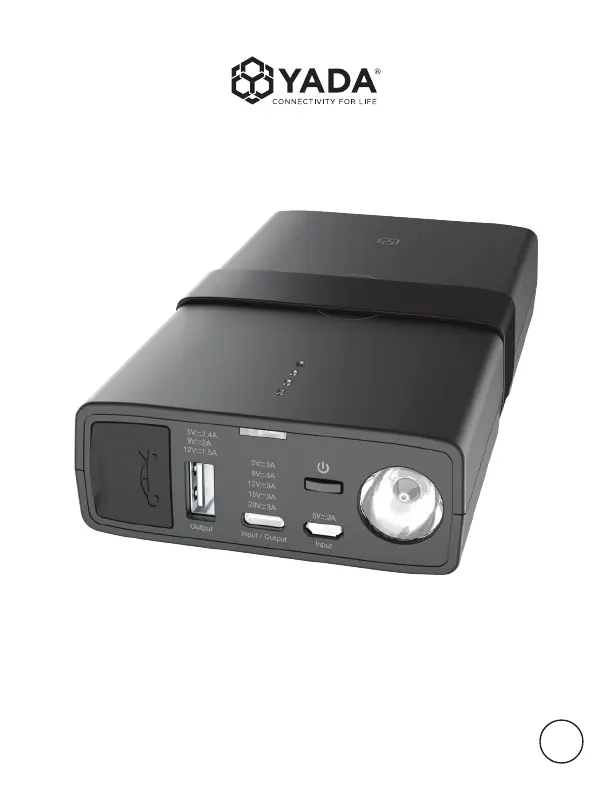
POWER BANK PRO
WP ITM. AC532791

Questions and Answers

  • M
    Marvin KlineAug 7, 2025
    Why my Yada AC532791 Accessories jump starter cannot jump start?
    • M
      Melissa MurphyAug 7, 2025
      If your Yada Accessories unit fails to jump start your vehicle, there are a few potential reasons. First, ensure the red jumper cable is clamped to the positive (+) post and the black cable to the negative (-) post or car interior. Refer to Page 10 for details. Second, the jump starter has a 90-second timer. If it expires, disconnect and reconnect the cables. Finally, a low battery status can prevent jump-starting; recharge the unit via USB until it shows at least three solid lights or 51% charge.
  • L
    Lauren Nguyen DDSAug 23, 2025
    What to do if flashlight does not turn on on Yada AC532791 Accessories?
    • J
      James SchmittAug 23, 2025
      There are two common reasons why the flashlight on your Yada Accessories unit might not turn on. The first is a low battery. Try recharging the unit using a USB cable. The second is that the flashlight is disabled while the unit is charging as a safety measure. Unplug the unit or wait until charging is complete before using the flashlight.

Summary

Safety and Warnings

General Safety Instructions

Essential safety guidelines to prevent fire, electric shock, and injury during product operation.

Important Safety Precautions

Personal Precautions

Safety measures to take when working near lead-acid batteries.

Charging Your Devices

Charging the Jump Starter

Jump Starting a Vehicle

Before You Jump Start

Preparatory steps and safety checks before attempting to jump start a vehicle.

Jump Starting Procedure

Detailed steps for connecting and initiating the jump start process.

Jump Starting Continuation

Connecting Clamps

Instructions for correctly connecting the RED and BLACK clamps to the battery.

Polarity Protection Status

Understanding the LED and sound indicators for polarity protection.

Troubleshooting

Yada AC532791 Specifications

General IconGeneral
BrandYada
ModelAC532791
CategoryAccessories
LanguageEnglish

Related product manuals