EasyManua.ls Logo

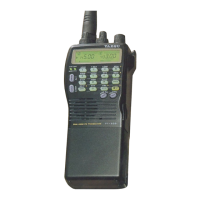
Yaesu FT-50 User Manual

Yaesu FT-50
61 pages
To Next Page IconTo Next Page
Page #1 background imageLoading...
Page #1 background image
FT-5OR
Dual-Band Amateur
I
I
Hand-Held Transceiver with
Digital Voice Recorder Option

Table of Contents

Question and Answer IconNeed help?

Do you have a question about the Yaesu FT-50 and is the answer not in the manual?

Yaesu FT-50 Specifications

General IconGeneral
BrandYaesu
ModelFT-50
CategoryTransceiver
LanguageEnglish

Summary

Description

Controls & Connectors

TOP & Front Panel

Identifies and explains controls on the top and front of the transceiver.

Sides

Identifies and explains controls located on the sides of the transceiver.

Controls & Connectors - Rear Battery Pack

Rear Battery Pack

Identifies and explains controls related to the rear battery pack.

Display Indications

Specifications

Safety Tips

RF Radiation Hazard Statement

Details FCC safety recommendations for RF exposure during transceiver use.

Getting Started

First Steps

Outlines initial procedures before operating the transceiver for the first time.

Powering On

Your first QSO

Squelch Setting

Details how to set the receiver squelch threshold for clear reception.

Tuning & Direct Frequency Entry

Explains methods for tuning frequencies and entering them directly via keypad.

Basic Operation

Sub Display Options, Tuning and Transmitting

Transmitting

Instructions on transmitting, including power levels and signal indicators.

VFO Duplex Mode

Memory Operation - Storing and Displaying Memories

Storing and Displaying Memories

Instructions on how to store current settings into memory slots.

VFO -> MR (copying a VFO into memory)

Guides on copying VFO settings into memory slots.

MR->VFO, HOME Memory, Custom Tx Offset, Memory Tuning

Scanning, Resume Modes, Memory Skip Scanning

Scanning

Explains how to initiate and perform memory or VFO scanning.

Advanced Operation - Dual Watch Modes

Dual Watch DW

Explains the Dual Watch feature for monitoring two channels simultaneously.

Memory-only Mode, Locking the Controls

Tone Squelch Modes - CTCSS and DCS

CTCSS Tone Squelch

Describes CTCSS for selective squelch and tone access.

CTCSS am

Explains CTCSS transmission for opening other stations' squelch.

DCS DCS (Digital Coded Squelch)

Describes DCS for digital coded squelch and privacy.

Tone/Code Scanning (CTCSS/DCS)

Tone/Code Scanning, Code Squelch and Paging Modes

DTMF Code Squelch/Paging Modes

Uses DTMF codes for paging and selective calling.

Introduction to DTMF Code Squelch

Explains DTMF code squelch for privacy and communication.

Programming and Selecting DTMF Paging Code Memories

DTMF Paging Operation - Sending and Receiving Page Calls

Receiving DTMF Paging Calls

How the transceiver responds to decoded private or group paging calls.

Sending DTMF Paging Calls

How to respond to page calls by sending specific DTMF sequences.

Trigger Paging and Auto-Respond Paging

Trigger Paging T.PAGE

Overcomes manual switching for QSOs after paging.

Auto-Respond Paging

Automatically pages back calling stations or forwards calls.

Paging Tx Delay, Playback Speed, and Paging Bell

ARTS (Auto Range Transpond System)

ARTS Modes, CW ID (Morse Identifier)

ARTS Modes

Explains RX and TX modes for ARTS operation.

ARTS Polling Speed, Beep, DTMF Autodial Features

DTMF Autodial Feature

Allows storing DTMF sequences for remote control or autopatch.

Autodialer Playback & DTMF Decoder

DTMF Decoder

Displays and stores DTMF sequences decoded off-air.

Digital Voice Recorder (requires FTT-12)

Digital Voice Recorder

Stores voice messages for manual/automatic playback or recording.

Microphone Recording

Guides on recording voice messages through the microphone.

Speaker and Tx Playback, Rx Recording, Record Protect

VMPS (Voice Mail Paging System)

Addendum - APO (Auto Power Off), Rx Battery Saver

Tx Battery Saver, Beeper Disable, LED Disable

Cloning

Related product manuals