
 Need help?
Do you have a question about the Yaesu FT-530 and is the answer not in the manual?
Details the receiver circuit type, IFs, sensitivity, selectivity, and AF output parameters.
Details transmitter power output, modulation, deviation, spurious emissions, microphone type, and burst tone.
Lists various Ni-Cd battery packs with voltage and capacity specifications.
Lists compact chargers designed for Ni-Cd battery packs.
Lists other accessories like quick chargers, battery cases, clips, and protective cases.
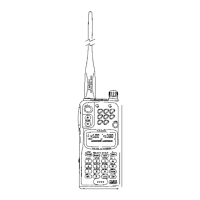
Details the antenna jack, EXT DC jack, EAR jack, MIC jack, and DIAL rotary selector.
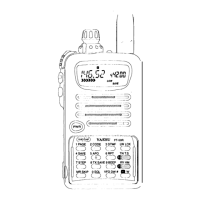
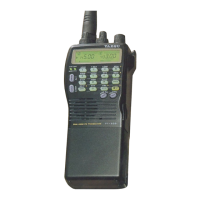
Describes power, PTT, lamp switches, battery release, indicators, display, and keypad.
Lists battery packs, compact chargers, and quick chargers for the transceiver.
Describes the dry-cell battery case and its usage with AA batteries.
Details various speaker/microphone options for improved convenience and range.
Describes the VOX headset for hands-free operation with boom microphone.
Discusses antenna types and impedance for optimal performance.
Outlines initial setup procedures before operating the transceiver for the first time.
Explains how to enter data and functions using the transceiver's keypad.
Describes the indicator for low battery voltage and its implications.
Explains the function and toggle for the keypad beep feedback.
Defines key terms and display elements for understanding operation.
Explains direct entry of frequencies using the keypad.
Details how to access 5-kHz splinter channels using keypad entry.
Covers general procedures for operating through repeaters.
Explains methods for setting split transmit/receive frequencies for repeaters.
Describes configuring the squelch override button for repeater monitoring.
Step-by-step guide for storing frequencies and data into memory channels.
Explains how to retrieve stored memory channels for operation.
Describes the special CALL channel memory and its usage.
Details how to start, stop, and manage scanning operations.
Allows skipping specific stored memories during scans.
Sets custom frequency range limits for scanning.
Automatically checks a designated memory channel for activity.
How to scan for unknown CTCSS tones used by other stations.
Alerts the user to incoming calls using CTCSS tones, with optional audible ringer.
Silently monitors channels until a matching DTMF code is received.
Allows selective calling of stations or groups via DTMF codes.
Automatically confirms receipt of a page.
Guides on storing DTMF sequences for autopatching or remote control.
Sets the ringer to alert repeatedly until a page is acknowledged.
Allows customization of ringer melodies for different channels.
Options to disable the DTMF Pager ringer or set the number of rings.
Switches keypad beeps between musical notes and DTMF tones.
Selects playback speed for DTMF tones or musical notes from memory.
Keeps transmitter keyed for a set time after key press for autopatch.
Prevents generation of one DTMF tone pair for security or testing.
How to set the internal 24-hour clock and alarm.
Configures timers to turn the radio on and off automatically.
Explains the Battery Saver system to reduce receive current drain.
Details transmitter power levels and the TX Save feature for conserving power.
Allows disabling BUSY LEDs to reduce battery drain.
Disables the keypad beeper to conserve battery power.
Enables quiet operation by using DTMF or CTCSS codes.
Explains VOX setup, gain, delay, and compatibility.
Provides guidance on battery usage, charging, and maintenance for longevity.
How to reset the transceiver to factory default settings.
Explains the lithium battery for memory backup and its replacement.
 General
| Frequency Range | 144-146 MHz / 430-440 MHz |
|---|---|
| Channel Capacity | 100 Channels |
| Voltage | 7.2 VDC |
| Current drain RX | 100 mA |
| Antenna Connector | BNC |
| Type | Handheld |
| Mode | FM |
| Battery | NiCd / NiMH |
| Receiver Sensitivity | 0.16 μV (12 dB SINAD) |







 To Next Page

