2-15
FEATURES & FUNCTIONS 2
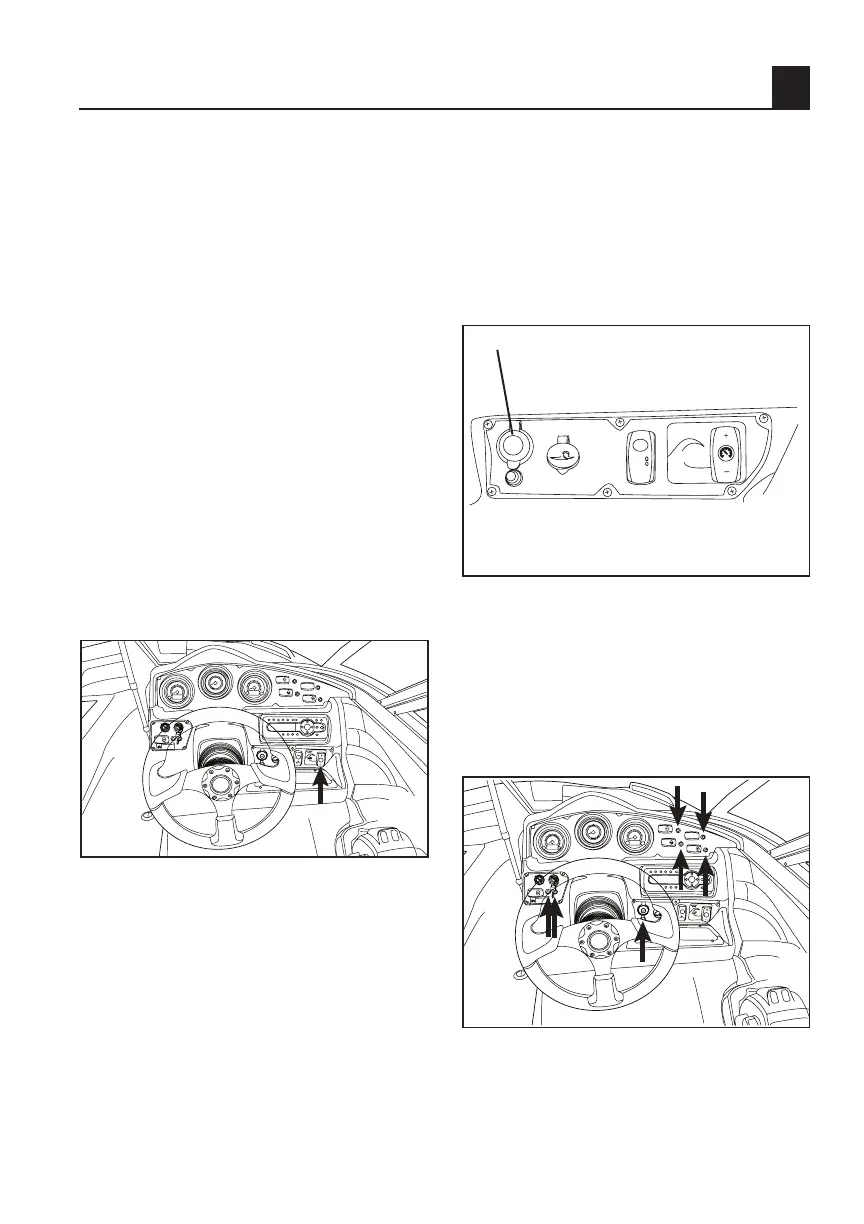
To Set No-Wake Mode:
Press the top, plus side, of the switch
once to set both engines in No Wake
Mode. A confirmation “No Wake 1”
will appear in the LCD screen. Engine
speed will initially be set at approxi-
mately 1600 rpm for very slow, no-wake
maneuvering. Pressing the plus side of
the switch again will increase engine
speed to approximately 1800 rpm (“No
Wake 2”) and another press will raise it
approximately 2100 rpm (No Wake 3”).
To decrease engine speed from No
Wake 2 or 3, press the bottom, minus
side, of the switch. From No Wake 1,
pressing the minus portion again will
cancel the No Wake Mode operation.
You may also cancel No Wake Mode by
moving the throttle levers above the idle
position.
TIP: The engines must be running at
idle speed for at least 5 seconds before
pressing the topside of the switch to ini-
tiate No Wake Mode operation.
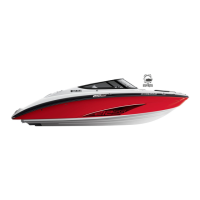
Accessory Outlet
There is a 12VDC outlet with resettable
circuit breaker located on the main
switch panel. NOTICE: Do not use an
automotive cigarette lighter or other
accessories with a plug that gets hot
because the outlet can be damaged.
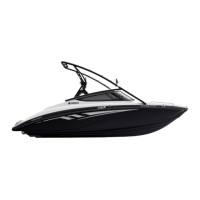
Switch Circuit Breakers
The electrical circuit for each switch
is protected by a circuit breaker. If the
button below a switch pops out, push
it back in with your finger. If it pops
out again, ask your Yamaha dealer to
inspect the electrical system.
TIP: There is also an accessory fuse at
the battery (see page
4-15).
1
2
3
4
5
6
7
8
0
M
T
M
T
RPM
x1000
10
20
30
0
MPH
40
50
60
1
2
3
4
5
6
7
8
0
RPM
x1000
BILGE
NAV/ANC
HORN
COURT
LTS
BLOWER
12V
AQUATIC AV
FILL
EMPTY
CRUISE
ASSIST
NO WAKE
MODE
12 VDC
1
2
3
4
5
6
7
8
0
M
T
M
T
RPM
x1000
10
20
30
0
MPH
40
50
60
1
2
3
4
5
6
7
8
0
RPM
x1000
BILGE
NAV/ANC
HORN
COURT
LTS
BLOWER



 To Next Page