33
Advanced Functions
Playing back Songs
2. Start playback.
Press the [PLAY/PAUSE] button to start playback.
Play and practice the part you just turned off while listening to the
playback part as a guide.
3. Stop playback.
The Song position reaches the end, playback stops automatically and the
Song position returns to the top. When you want to stop during playback,
press either the [STOP] button or the [PLAY/PAUSE] button. If you press
the [STOP] button, the play position returns to the top, but if you press the
[PLAY/PAUSE] button, it stops temporarily at the current position.
You can play a MIDI Song repeatedly by designating a specific range within the Song. This is convenient for
repeatedly practicing difficult phrases.
1. Start playback then specify the beginning (A) and end (B) of
Repeat Playback.
Select a Song then start playback.
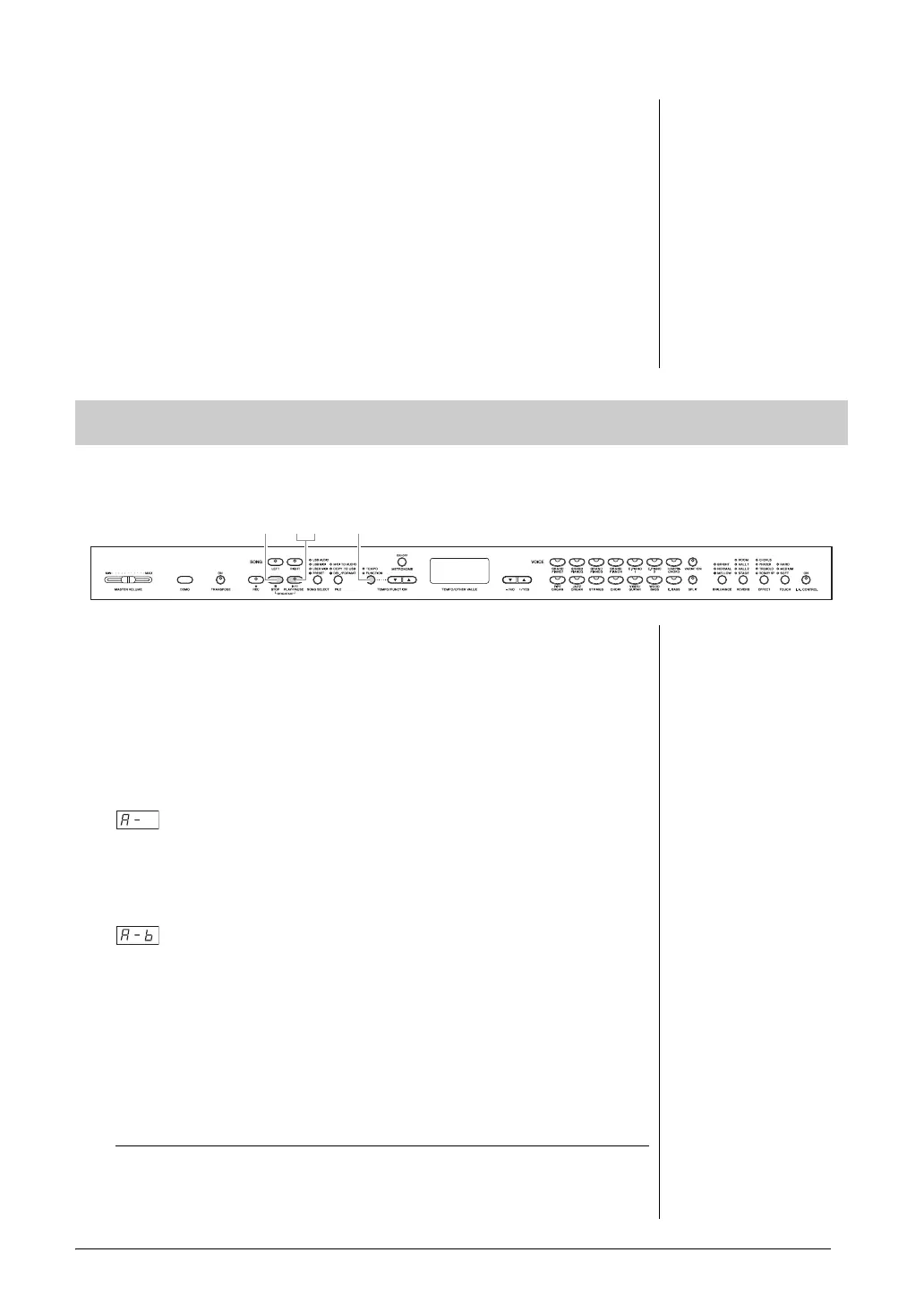
To specify the start (A) of the repeat range, hold down the [TEMPO/
FUNCTION] button and press the [PLAY/PAUSE] button at the desired
position of playback.
Hold down the [TEMPO/FUNCTION] button and press the [PLAY/
PAUSE] button at the beginning (A) of the phrase you want to repeat.
will appear on the display and the A point will be set.
To specify the end (B) of the repeat range, hold down the [TEMPO/
FUNCTION] button and press the [PLAY/PAUSE] again at the desired
position of playback.
will appear on the display and the B point will be set.
As soon as the B point is set, the Song position returns to the A point and
Repeat Playback starts.
2. Stop playback.
Press the [STOP] button to stop playback. In this condition, press the
[PLAY/PAUSE] button to start Repeat Playback between the A point and B
point.
Canceling the A and B points
Hold down the [TEMPO/FUNCTION] button and press the [PLAY/
PAUSE] button again to cancel the A and B points. You can also cancel the
points by selecting a different Song.
NOTE
• The parts can be turned on or
off even during playback.
• Both parts are automatically
turned on whenever a different
MIDI Song is selected.
A-B Repeat function (MIDI Songs)
NOTE
• To set the A point at the very
beginning of the Song, hold
down the [TEMPO/FUNCTION]
button and press the [PLAY/
PAUSE] button before starting
playback.
• To set the B point at the end of
the Song, wait until playback
reaches to the end of the Song
after setting the A point. This
sets the B point to the end of the
Song.
NOTE
When playback reaches the B
point, it returns to the A point
automatically to repeat the
phrase. The click sound is
produced to help you to get the
timing each time before the start
of the A point.



 To Next Page