EasyManua.ls Logo

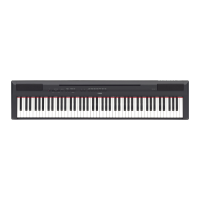
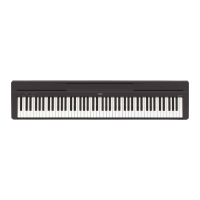
Yamaha P-45 - User Manual

Yamaha P-45
24 pages
Print Icon
To Next Page IconTo Next Page
Loading...
EN
Before using the instrument, be sure to read “PRECAUTIONS” on pages 5 – 6.
Owners Manual
D I G I T A L P I A N O
P
-
4 5

Questions and Answers

  • J
    Jimmy EvansJul 26, 2025
    Why is the volume low on my Yamaha P-45 Musical Instrument, or why is no sound heard?
    • A
      Amy PearsonJul 26, 2025
      If the overall volume of your Yamaha Musical Instrument is low, or no sound is heard, ensure that the Master Volume is set to an appropriate level using the [MASTER VOLUME] slider. Also, check if a pair of headphones or a conversion adaptor is connected to the headphones jack.
  • S
    Samuel MillerJul 30, 2025
    How to stop noise from Yamaha P-45 Musical Instrument speakers or headphones?
    • R
      Rhonda GrahamJul 31, 2025
      If you hear noise from the speakers or headphones of your Yamaha Musical Instrument, it may be due to interference caused by a mobile phone in close proximity. Try turning off the mobile phone or moving it further away from the instrument.
  • S
    susan57Aug 3, 2025
    What to do if the pedal has no effect on my Yamaha P-45?
    • T
      Tracy NguyenAug 4, 2025
      If the pedal of your Yamaha Musical Instrument has no effect, ensure that the pedal plug is securely inserted into the [SUSTAIN] jack.
  • D
    Dorothy RobinsonAug 8, 2025
    How to fix a Yamaha P-45 Musical Instrument that does not turn on?
    • C
      carol19Aug 8, 2025
      If your Yamaha Musical Instrument does not turn on, securely insert the female plug into the jack on the instrument, and the male plug into a proper AC outlet.
  • E
    Elizabeth SolomonAug 12, 2025
    Why does the footswitch produce the opposite effect on my Yamaha Musical Instrument?
    • H
      Heather FrancisAug 12, 2025
      If the footswitch (for sustain) on your Yamaha Musical Instrument produces the opposite effect, the polarity of the footswitch may be reversed because the footswitch was pressed when the power was turned on. Turn off the power and turn it on again to reset the function. Make sure not to press the footswitch when turning the power on.
  • W
    webbmichaelAug 16, 2025
    What to do if I hear noise when using my Yamaha P-45 Musical Instrument with an iPhone/iPad/iPod touch app?
    • F
      Frank CarterAug 16, 2025
      If you hear noise from the digital piano’s built-in speakers or headphones when using it with an iPhone, iPad, or iPod touch app, turn on the device’s Airplane Mode to eliminate the risk of noise from other communication.
  • J
    Joseph WilliamsAug 21, 2025
    Why does my Yamaha Musical Instrument automatically turn off?
    • M
      Mario LeonardAug 21, 2025
      The Yamaha Musical Instrument automatically turns off even if no operation is done because of the Auto Power Off function. This is normal.

Summary

Safety and Precautions

AC Adaptor Safety

Essential safety guidelines for using the AC adaptor correctly.

Instrument Safety Warnings

Critical warnings for preventing injury, fire, and damage to the P-45.

Operational Safety Guidelines

Precautions for power, location, handling, and connections.

Panel Controls and Terminals

Main Controls Overview

Explains the primary buttons and sliders on the instrument panel.

Connection Terminals

Details the various jacks and ports for connecting peripherals.

Setting Up

Power Requirements

Instructions for connecting the AC adaptor and power requirements.

Turning Power On;Off

Step-by-step guide for powering the instrument on and off.

Selecting & Playing Voices

Selecting a Voice

Guide to choosing different instrument sounds (voices) available on the piano.

Setting Touch Sensitivity

Adjusting how playing dynamics affect volume and expression.

Playing Back Songs

Using the Metronome

Starting and Stopping Metronome

How to activate and deactivate the metronome function.

Adjusting Metronome Tempo

Setting and adjusting the speed (tempo) of the metronome.

Connecting Other Equipment

Troubleshooting

Common Problems and Solutions

Solutions for common issues encountered with the instrument.

Quick Operation Guide

Yamaha P-45 Specifications

General IconGeneral
Sound effectsReverberation
Pedals quantity1
RMS rated power6 W
Target audienceChildren & adults
Speaker diameter120 mm
Number of speakers2
Metronome tempo range32 - 280 bpm
Maximum polyphony (notes)64
Reverberation effects quantity4
AC input voltage12 V
Power source typeDC
Keys quantity88 keys
Headphone connectivity3.5 mm
Product colorBlack
Tuning frequency414.8 - 446.8 Hz
Weight and Dimensions IconWeight and Dimensions
Depth295 mm
Width1326 mm
Height154 mm
Weight11500 g

Related product manuals