EasyManua.ls Logo

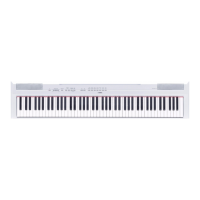
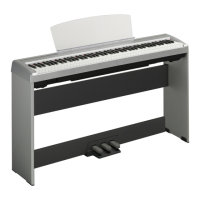
Yamaha P-95S - User Manual

Yamaha P-95S
36 pages
Print Icon
To Next Page IconTo Next Page
Loading...
RU
ES
DE
FR
EN
ENGLISHDEUTSCH FRANÇAISESPAÑOL
Owner’s Manual
Mode d'emploi
Bedienungsanleitung
Manual de instrucciones
P-95B/P-95S
DIGITAL PIANO

Questions and Answers

  • D
    Daniel HernandezJul 30, 2025
    Why is there noise coming from my Yamaha Musical Instrument speakers?
    • R
      Ryan SampsonJul 31, 2025
      If you are experiencing noise from the speakers or headphones when using your Yamaha Musical Instrument, it might be due to interference from a nearby mobile phone. Try turning off the mobile phone or moving it further away from the instrument.
  • A
    Amber KellyAug 5, 2025
    What to do if footswitch is reversed on Yamaha P-95S Musical Instrument?
    • D
      Dale WatsonAug 5, 2025
      If the footswitch seems to have the opposite effect (e.g., pressing it cuts off the sound), it's likely that the polarity of the footswitch is reversed because it was pressed when the power was turned on. To fix this, turn off the power, and then turn it on again without pressing the footswitch during startup. This should reset the function.
  • W
    William DavisAug 11, 2025
    How to fix a Yamaha Musical Instrument that won't turn on?
    • K
      kingalexandriaAug 11, 2025
      If your Yamaha Musical Instrument isn't turning on, ensure that the power cord is properly connected. Securely insert the female plug into the jack on the instrument and the male plug into a working AC outlet.
  • B
    Bradley DavisAug 18, 2025
    What to do if Yamaha P-95S pedal has no effect?
    • C
      Charles SparksAug 18, 2025
      If the pedal isn't working with your Yamaha Musical Instrument, it might not be properly connected. Make sure the pedal plug is securely inserted into the SUSTAIN/PEDAL UNIT jack.
  • K
    Kevin PearsonAug 23, 2025
    Why is the volume low on my Yamaha P-95S Musical Instrument?
    • M
      Mrs. Stacey Carlson MDAug 23, 2025
      If the overall volume is low or no sound is heard from your Yamaha Musical Instrument, there are a few things you can check: * Ensure that the Master Volume isn't set too low; adjust it to an appropriate level using the [MASTER VOLUME] control. * Make sure headphones are not connected to the headphone jack. * Verify that Local Control is turned ON.

Summary

Special Message Section

Battery Notice

Information about batteries used in the product.

Disposal Notice

Instructions for disposing of the product.

Name Plate Location

Location of model, serial number, power requirements, etc.

FCC Information (USA)

USA FCC Compliance

Guidelines for FCC compliance in the USA.

United Kingdom Notice

Plug and Cord Connection

Instructions for connecting the mains plug and cord.

Precautions

Safety Warnings

Essential safety warnings for electrical shock, fire, and damage.

Handling Cautions

Precautions to avoid physical injury or damage to the instrument.

Notices

Handling and Maintenance

Guidelines for handling and maintaining the instrument.

Saving Data

Information on saving and backing up instrument data.

Copyright Information

Copyright information regarding software and content.

About This Manual

Explanations about the manual's content and conventions.

Environmental Disposal Information

Old Equipment Disposal

Guidelines for disposing of old electrical and electronic equipment.

Introduction

Main Features

Key features of the Yamaha P-95B/P-95S digital piano.

Accessories

List of included and optional accessories for the instrument.

Panel Controls and Terminals

Control and Terminal Overview

Description and function of all buttons, jacks, and indicators.

Before Using

Turning the Power On

Step-by-step guide to powering the instrument on and off.

Setting the Volume

Instructions for adjusting the master volume level.

Before Using

Using the Pedal

How to connect and use the sustain and pedal unit.

Before Using

Using Headphones

Instructions for connecting and using headphones.

Music Rest

How to attach and use the included music rest.

Listening to Demo Songs

Playing Demo Songs

How to select and listen to demo songs for each voice.

Demo Song List

A list of demo songs, their titles, and composers.

Listening to Piano Preset Songs

Playing Piano Preset Songs

How to select and play the built-in piano preset songs.

Using the Metronome

Metronome On;Off

How to activate and deactivate the metronome.

Setting Time Signature

How to choose the time signature for the metronome.

Adjusting Tempo

How to set the metronome's tempo.

Using the Metronome

Adjusting Metronome Volume

How to adjust the volume of the metronome sound.

Selecting & Playing Voices

Selecting Voices

How to choose and activate different instrument sounds (voices).

Selecting & Playing Voices

Combining Voices (Dual)

How to layer two voices simultaneously for a richer sound.

Selecting & Playing Voices

Adding Variations with Reverb

How to apply and adjust reverb effects for added depth.

Selecting & Playing Voices

Transposition

How to shift the keyboard's pitch to different keys.

Fine Tuning Pitch

How to make subtle adjustments to the instrument's pitch.

Selecting & Playing Voices

Touch Sensitivity

How to adjust how key pressure affects volume and sound.

Recording Your Performance

Recording a Performance

Step-by-step guide to recording your keyboard playing.

Recording Your Performance

Playback of Recorded Performance

How to listen to your recorded performances.

Recording Your Performance

Changing Recorded Data Settings

How to modify recorded performance settings after recording.

Connecting MIDI Instruments

About MIDI

Explanation of MIDI technology and its use with the instrument.

Connecting to a Personal Computer

How to connect the instrument to a computer via MIDI.

Connecting MIDI Instruments

Transferring Backup Data

How to save and load instrument data to/from a computer.

Initializing Settings

How to reset the instrument to factory default settings.

MIDI Functions

MIDI Transmit;Receive Channel

How to set MIDI channels for data transfer.

Local Control ON;OFF

How to manage the interaction between keyboard and internal tone generator.

MIDI Functions

Program Change ON;OFF

How to enable/disable program change message reception/transmission.

Control Change ON;OFF

How to enable/disable control change message reception/transmission.

Troubleshooting

Common Problems and Solutions

Solutions for common issues encountered with the instrument.

Optional Equipment

List of Optional Accessories

A list of recommended optional accessories for the instrument.

Preset Song List

List of Built-in Songs and Composers

A comprehensive list of preset songs and their composers.

Specifications

Technical Specifications of the P-95

Detailed technical data, dimensions, weight, and features.

Quick Operation Guide

Quick Reference for Operations

Visual guide for quick access to common functions and settings.

Guarantee Information

European Economic Area and Switzerland

Details on guarantee information for customers in the EEA and Switzerland.

Yamaha Representative Offices in Europe

Contact Information by Country

Directory of Yamaha representative offices across Europe.

Yamaha Representatives Worldwide

North America

Contact details for Yamaha representatives in North America.

Central & South America

Contact details for Yamaha representatives in Central & South America.

Europe

Contact details for Yamaha representatives in Europe.

Africa & Middle East

Contact details for Yamaha representatives in Africa & Middle East.

Asia

Contact details for Yamaha representatives in Asia.

Oceania

Contact details for Yamaha representatives in Oceania.

Head Office

Contact information for Yamaha's Head Office.

Yamaha P-95S Specifications

General IconGeneral
MIDI-keyboard number of keys88 keys
I/O ports2 x 3.5mm
Interface-
DC-in jackYes
Dimensions (WxDxH)1326 x 295 x 151.5 mm
Power requirements12V DC
Product colorBlack, Silver
Weight and Dimensions IconWeight and Dimensions
Weight12000 g

Related product manuals