EasyManua.ls Logo

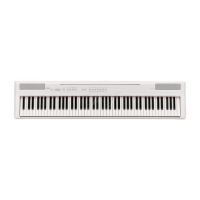
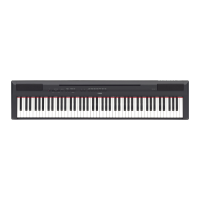
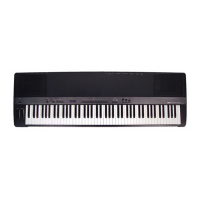
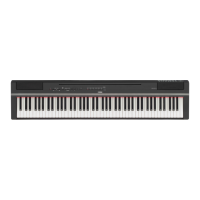
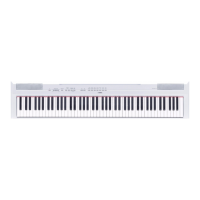
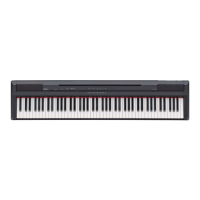
Yamaha P-145 - User Manual

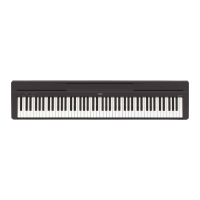
Yamaha P-145
40 pages
Print Icon
To Next Page IconTo Next Page
Loading...
FR
EN
Owner’s Manual
Mode d’emploi
CLP
-
725
EnglishFrançais
Before using the instrument, be sure to read “PRECAUTIONS” on pages 5-6.
For information on assembling the instrument, refer to the instructions on page 31.
Avant d’utiliser l’instrument, lisez attentivement la section « PRÉCAUTIONS D’USAGE »
aux pages 5 et 6.
Pour plus d’informations sur l’assemblage de l’instrument, reportez-vous aux instructions
figurant en page 31.
Questo manuale d’istruzione è fornito da trovaprezzi.it. Scopri tutte le offerte per Yamaha Pianoforte digitale
P-145 Nero o cerca il tuo prodotto tra le migliori offerte di Strumenti Musicali

Questions and Answers

  • H
    Hannah CowanJul 29, 2025
    Why is the volume low or no sound on my Yamaha Musical Instrument?
    • J
      Johnny BakerJul 29, 2025
      If the overall volume of your Yamaha Musical Instrument is low, or no sound is heard, there are several possible causes: * The Master Volume may be set too low. Adjust it to an appropriate level using the [MASTER VOLUME] knob. * A pair of headphones or a conversion adapter might be connected to the [PHONES] jack. Disconnect them. * The Speaker setting might be 'Off.' Change the Speaker setting to 'Normal' or 'On.' * Local Control may be off. Make sure that Local Control is On.
  • J
    Joanne MaxwellAug 3, 2025
    How to fix a Yamaha Musical Instrument that won't turn on?
    • M
      Melissa WoodAug 3, 2025
      If your Yamaha Musical Instrument does not turn on, the plugs may not be properly connected. Make sure that the DC plug is securely inserted into the DC IN jack on the instrument, and that the AC plug is securely inserted to the AC outlet.
  • M
    Michael OrtegaAug 8, 2025
    What to do if I hear noise from the speakers of my Yamaha Musical Instrument?
    • A
      Adam DavisAug 9, 2025
      If you hear noise from the speakers or headphones of your Yamaha Musical Instrument, it may be due to interference caused by the use of a mobile phone in close proximity to the instrument. To resolve this, turn off the mobile phone or move it further away from the instrument.
  • R
    Rachael RiveraAug 13, 2025
    Why does my Yamaha Musical Instrument power off suddenly?
    • L
      Lisa PruittAug 13, 2025
      If your Yamaha Musical Instrument suddenly and unexpectedly turns off, this is normal and the Auto Power Off function may have been activated. If you prefer, you can disable the Auto Power Off function.
  • T
    Timothy MillsAug 18, 2025
    What to do if pedals do not function on Yamaha Musical Instrument?
    • L
      laura13Aug 18, 2025
      If the pedals on your Yamaha Musical Instrument do not function, the pedal cord may not be securely connected to the [TO PEDAL] jack. Be sure to insert the pedal cord all the way until the metal part of the cord plug disappears from view.
  • A
    Ashley HobbsAug 22, 2025
    Why isn't the damper pedal working correctly on my Yamaha Musical Instrument?
    • O
      Omar HullAug 22, 2025
      If the damper pedal on your Yamaha Musical Instrument does not function as expected, it might be because the damper pedal was pressed when the power was turned on. This is not a malfunction; release the pedal and press it again to reset the function.

Summary

FCC Information (U.S.A.)

Compliance Information Statement

Supplier's declaration of conformity procedure for FCC regulations.

Important Safety Instructions

Precautions

AC Adaptor Precautions

Safety guidelines for AC adaptor use and connection.

Instrument Safety and Usage Guidelines

Precautions for instrument operation, warnings, and safe handling.

Notices and Product Information

Handling and Maintenance

Guidelines for proper instrument handling, cleaning, and care.

Data Saving and Copyrights

Advice on saving data, copyright information, and product details.

Manuals and Accessories

Manuals Overview

Description of Owner's Manual, Quick Guide, and PDF manuals.

Included Accessories

List of items packaged with the instrument.

Panel Controls and Terminals

Basic Operations

Setting Up the Instrument

Instructions for preparing the instrument, key cover, and music rest.

Power On and Auto Power Off

Steps for powering on and configuring Auto Power Off feature.

Headphones and Sound Optimization

Using headphones and optimizing sound with Binaural Sampling/Stereophonic Optimizer.

Playing the Piano

Using the Pedals

Explanation and function of the damper, sostenuto, and soft pedals.

VRM Effect Control

How to enable or disable the Virtual Resonance Modeling effect.

Intelligent Acoustic Control (IAC)

Automatic sound adjustment based on volume for clearer frequencies.

Grand Expression Modeling

Simulating piano touch response and subtle sound nuances.

Operation Confirmation Sounds

Enabling or disabling sounds that confirm operations.

Touch Sensitivity Settings

Adjusting how key presses affect sound volume and response.

Using the Metronome

Features and settings for the built-in metronome for practice.

Advanced Operations

Selecting Musical Instrument Sounds (Voices)

How to choose and switch between different instrument voices.

Listening to Demo Songs

Playing demonstration songs to showcase instrument voices.

Adding Reverb Variations

Adjusting reverb types and depth for realistic ambience.

Pitch Transposition

Shifting the keyboard's pitch up or down in semitones.

Fine-Tuning the Pitch

Adjusting instrument's pitch in small increments (0.2 Hz).

Layering Voices (Dual Mode)

Combining two voices to play simultaneously for a richer sound.

Playing in Duo Mode

Enabling a duet mode for two players on the same keyboard.

Song Playback and Practice

Listening to Preset Songs

Playing the 50 preset songs included with the instrument.

Playing Songs Loaded from Computer

Transferring and playing MIDI songs from a computer.

One-Hand Part Practice

Practicing individual left or right hand parts of songs.

Quick Play Feature

Controlling song playback start behavior, including silence.

Recording Your Performance

Recording Methods

Instructions for quick recording and recording individual parts of a performance.

Editing Recorded Song Settings

Modifying initial settings for recorded songs after completion.

Deleting Recorded Data

Procedures for deleting entire songs or specific recorded parts.

Using with Computer or Smart Device

Smart Device App Integration

Connecting and using smart device apps like Smart Pianist.

Audio Playback and Recording

Using the USB Audio Interface for audio data playback and recording.

Data Management and Initialization

Saving User Song Data

Backing up user song data to a computer.

Initializing Instrument Settings

Resetting instrument to factory default settings.

Confirming Firmware Version

Checking the current firmware version of the instrument.

Appendix

Troubleshooting Common Issues

Solutions for common problems encountered with the instrument.

Glossary of Terms

Definitions of technical terms like VRM and Grand Expression Modeling.

Keyboard Stand Assembly

Attaching Main Stand Components

Step-by-step guide to assembling primary parts of the keyboard stand.

Securing and Mounting Components

Instructions for attaching keyboard support and other parts securely.

Securing Stand Parts

Tightening screws and attaching caps to secure assembled stand components.

Mounting and Connecting the Unit

Placing the main unit onto the stand and connecting pedal cord and AC adaptor.

Final Connections and Checks

Connecting power, checking assembly, and attaching accessories.

Transporting the Instrument

Guidelines for safely moving the instrument.

Specifications

Yamaha P-145 Specifications

General IconGeneral
TypeDigital Piano
Touch SensitivityHard/Medium/Soft/Fixed
Voices10
Sound BoostYes
MetronomeYes
Transpose-6 to 0, 0 to +6
Amplifiers7 W x 2
Auto Power OffYes
Keyboard88 keys
Polyphony64
EffectsReverb
Preset Songs10 Piano Songs
FunctionsDual, Duo
Tempo Range280
Tuning414.8 - 440.0 - 466.8 Hz
ConnectivityUSB TO HOST
Speakers12cm x 2
Power Consumption9W
Power SupplyPA-150
Dimensions1, 326 mm (52-3/16 inch) x 295 (D) mm
Included AccessoriesMusic Rest

Related product manuals