EasyManua.ls Logo

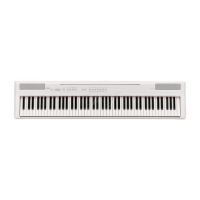
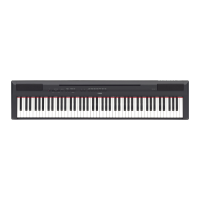
Yamaha P-155 - User Manual

Yamaha P-155
72 pages
Print Icon
To Next Page IconTo Next Page
Loading...
ES
FR
DE
EN
Owner’s Manual
Bedienungsanleitung
Mode d’emploi
Manual de instrucciones
ENGLISHDEUTSCHFRANÇAISESPAÑOL
PIANO NUMERIQUE
DIGITAL PIANO

Table of Contents

Other manuals for Yamaha P-155

Questions and Answers

  • S
    Sally MartinAug 12, 2025
    Why is the volume low or no sound is heard on my Yamaha P-155 Musical Instrument?
    • A
      Amy ReillyAug 13, 2025
      If the overall volume is low, or no sound is heard, it may be due to several reasons: * The Master Volume may be set too low. Adjust it to an appropriate level using the [MASTER VOLUME] dial. * Headphones might be connected to the headphones jack. Ensure that headphones are not connected. * Local Control might be OFF. Ensure that Local Control is ON.
  • P
    Patricia ColeAug 16, 2025
    How to stop noise from speakers on Yamaha Musical Instrument?
    • L
      Lauren LeeAug 16, 2025
      The noise you hear from the speakers or headphones might be due to interference from a mobile phone used close to the instrument. To resolve this, turn off the mobile phone or move it further away from the instrument.
  • J
    Jessica JohnsonAug 19, 2025
    How to turn on Yamaha P-155 Musical Instrument?
    • P
      Pamela MckayAug 20, 2025
      If your instrument doesn't turn on, ensure it's properly plugged in. Securely insert the female plug into the socket on the instrument and the male plug into a working AC outlet.
  • J
    Jennifer DixonAug 25, 2025
    What to do if Yamaha P-155 Musical Instrument doesn't recognize USB storage device?
    • J
      Joshua TaylorAug 25, 2025
      If your Yamaha Musical Instrument isn't recognizing the USB storage device, it might be due to the timing of the device connection. Try this: If the [USB] indicator is already lit by pressing of the [SONG SELECT] button, re-select the [USB] indicator after turning the [USB] indicator off by pressing the [SONG SELECT] button. If it still doesn't work, the device might not be supported by Yamaha.
  • L
    Lindsey PierceAug 27, 2025
    Why sustain pedal has no effect on Yamaha P-155?
    • S
      Sandra BryantAug 28, 2025
      If the sustain pedal has no effect, the pedal cable/plug may not be properly connected. Make sure to securely insert the pedal plug into the proper jack.
  • L
    Lisa LopezAug 31, 2025
    What to do if foot pedal produces the opposite effect on Yamaha Musical Instrument?
    • B
      brauncarolineAug 31, 2025
      If the foot pedal seems to produce the opposite effect, the type of the foot pedal may be reversed. If this happens, use F5.6 or F5.7 to correct the pedal type.
  • B
    Brian RuizSep 4, 2025
    What to do if USB storage device has hung up on Yamaha P-155?
    • A
      adam81Sep 4, 2025
      If the USB storage device has hung up (stopped), it could be due to a compatibility issue or improper operation. Use only devices whose compatibility has been confirmed by Yamaha. You can also try disconnecting the device and connecting it to the instrument again.
  • E
    Erin WilliamsSep 7, 2025
    Why are the three LEDs flashing when connecting USB to Yamaha P-155?
    • C
      Carl HartSep 8, 2025
      If the three LEDs of “SAVE TO USB,” “LOAD TO USER” and “DEL./FORMAT” at the [FILE] button flash simultaneously when a storage device is connected, the USB storage device is not compatible with the instrument. Only use devices whose compatibility has been confirmed by Yamaha.

Summary

PRECAUTIONS

WARNING

Essential safety warnings regarding electrical shock, water exposure, and fire hazards.

CAUTION

Important cautions for safe operation, placement, and electrical connection to prevent injury or damage.

Introduction

Main Features

Overview of the instrument's key features, including keyboard action and sampling technology.

Accessories

Lists the items included with the instrument, such as the manual, power adapter, and foot switch.

Panel Controls and Terminals

Front panel controls

Identification and function of all controls located on the front panel of the instrument.

Rear panel terminals

Before Using the Instrument

Turning the Power On

Step-by-step guide on how to connect the power adapter and turn on the instrument.

Setting the Volume

Instructions on adjusting the master volume for a comfortable listening experience.

Instrument Setup and Operation

Using the Pedals

Explains how to connect and use sustain and auxiliary pedals for enhanced performance.

Using Headphones

Instructions for connecting headphones for private practice and speaker muting.

Music Rest

Instructions on how to attach and use the included music rest.

Listening to the Demo Songs

Using the 50 Piano Preset Songs

Practicing a One-Hand Part

A-B Repeat for Preset Songs

Selecting & Playing Voices

Selecting Voices

Guide to selecting different instrument sounds (voices) available on the P-155.

Combining Voices (Dual)

Splitting the Keyboard Range

Adding Sound Variations

[BRILLIANCE] and [REVERB]

How to adjust the tone's brilliance and add reverb effects for sonic expression.

[EFFECT] and Damper Resonance

Details on applying effects like chorus/phaser and simulating damper resonance.

Touch Sensitivity - [TOUCH]

Transposition - [TRANSPOSE]

Using the Metronome

Recording Your Performance

Recording a performance quickly

Simple method to record performances automatically to the right part.

Re-recording Songs

Recording to RIGHT;LEFT

Handling Recorded Songs with a USB Storage Device

About Save and Load

Explains saving, loading, and managing recorded songs using a USB storage device.

Saving a Song

Loading a Song

Deleting Song Files

Formatting the USB Storage Device

Playing Back USER and USB Songs

Specify the Song Part (Channel) and Play the Song

How to select song parts and play back songs from internal memory or USB.

Detailed Settings - [FUNCTION]

Function List

A comprehensive list of all available functions and their parameters for detailed instrument configuration.

Basic Procedure in Function

F1. Fine Tuning of the Pitch

F2. Selecting a Scale

F3. Dual Functions

F4. Split Functions

F5. Other Functions

F6. Metronome Volume

F7. MIDI Functions

F8. Backup Functions

Connections

Connectors

Identifies and describes the purpose of all connection terminals on the instrument.

MIDI and Pedal Connections

MIDI [IN];[OUT] Terminals

Explains connecting external MIDI devices for data transfer and control.

Sustain and Aux Pedal Jacks

Details the connection and function of sustain and auxiliary pedal jacks.

Connecting to USB Storage Device

Backing up data to Computer

How to back up instrument data to a computer for archiving and organization.

Connecting a Personal Computer

Transmitting Song Data between Computer and Instrument

Data Backup Using a Computer

USB [TO DEVICE] Terminal Precautions

Troubleshooting

Preset Voice List

Preset Song List

Factory Setting List

MIDI Data Format

CONTROL CHANGE

Explains MIDI control change messages for instrument parameter control.

PROGRAM CHANGE

Details MIDI program change messages used for voice selection.

SYSTEM EXCLUSIVE MESSAGES

Covers Yamaha and Universal System Exclusive messages for advanced MIDI control.

MIDI Implementation Chart

Specifications

Environmental Disposal Information

Yamaha P-155 Specifications

General IconGeneral
TypeDigital Piano
Keyboard88-key Graded Hammer (GH) keyboard
Polyphony128
Amplifier12W x 2
ChorusYes
MetronomeYes
TransposeYes
Touch SensitivityHard/Medium/Soft/Fixed
Power Consumption20W
Sound SourceAWM Dynamic Stereo Sampling
Weight18.6 kg
ReverbYes
EffectsBrilliance
Sequencer/Recorder2-track recorder
ConnectivityMIDI In/Out, USB to Host
Power SupplyPA-300 or equivalent
Included AccessoriesMusic Rest
Sound EngineAdvanced Wave Memory (AWM) Dynamic Stereo Sampling
Speakers12cm x 2

Related product manuals