EasyManua.ls Logo

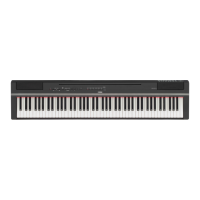
Yamaha P-115 - User Manual

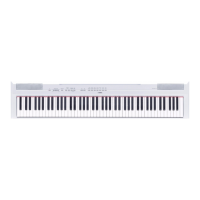
Yamaha P-115
32 pages
Print Icon
To Next Page IconTo Next Page
Loading...
P
-
1 1 5
D I G I T A L P I A N O
EN
Owners Manual
Before using the instrument, be sure to read “PRECAUTIONS” on pages 5 – 6.

Questions and Answers

  • M
    Michael OrtizJul 26, 2025
    What to do if the overall volume is low or no sound is heard on my Yamaha P-115 Musical Instrument?
    • B
      Brian NelsonJul 26, 2025
      If the overall volume of your Yamaha Musical Instrument is low, or no sound is heard, there might be several reasons. First, the Master Volume could be set too low, so adjust it to an appropriate level. Second, the digital piano’s speakers might be turned off, so turn them back on. Also, ensure that headphones or a conversion adapter are not connected to the headphones jack. Finally, verify that Local Control is ON.
  • C
    Christine BartonJul 31, 2025
    Why is there noise coming from the speakers of my Yamaha Musical Instrument?
    • J
      jacob29Jul 31, 2025
      If you're hearing noise from the speakers or headphones of your Yamaha Musical Instrument, it could be due to interference from a mobile phone used nearby. Try turning off the mobile phone or moving it further away from the instrument.
  • M
    melissaallenAug 5, 2025
    How to fix a Yamaha Musical Instrument pedal that has no effect?
    • T
      Terry WatsonAug 5, 2025
      If the pedal of your Yamaha Musical Instrument isn't working, it might be due to an improperly connected pedal cable/plug. Ensure that you securely insert the pedal plug into the [SUSTAIN] or [PEDAL UNIT] jack.
  • R
    Ronnie WalkerAug 10, 2025
    What to do if the [MASTER VOLUME] slider doesn't change the headphone volume on my Yamaha Musical Instrument?
    • C
      Crystal KimAug 10, 2025
      If moving the [MASTER VOLUME] slider doesn't change the volume of the headphones on your Yamaha Musical Instrument, check if you have set the external speaker volume to “Fixed”. If so, change the external speaker volume to “Variable.”
  • M
    Mark JarvisAug 15, 2025
    Why does my Yamaha Musical Instrument footswitch have the opposite effect?
    • K
      Karla LeeAug 15, 2025
      If the footswitch on your Yamaha Musical Instrument seems to produce the opposite effect (pressing cuts off the sound, releasing sustains), the polarity of the footswitch may be reversed. This can happen if the footswitch was pressed when the power was turned on. To fix this, turn off the power and turn it on again to reset the function, making sure not to press the footswitch during power-up.
  • L
    lisa34Aug 21, 2025
    What to do if I hear noise coming from the digital piano’s built-in speakers when using it with an iPhone/iPad/iPod touch app on my Yamaha Musical Instrument?
    • S
      srodriguezAug 21, 2025
      We recommend turning on the device’s Air- Plane Mode.

Summary

PRECAUTIONS

For AC adaptor

Safety precautions specific to the AC adaptor.

Power supply;AC adaptor

Guidelines for safe use of the power supply and AC adaptor.

Do not open

Warning against opening the instrument and modifying internal components.

Water warning

Precautions regarding exposure to water or moisture.

Fire warning

Precautions to prevent fire hazards.

If you notice any abnormality

Actions to take when the instrument malfunctions.

Handling caution

Precautions for safe handling and operation of the instrument.

Setting Up

Power Requirements

Instructions for connecting the AC adaptor.

Turning the Power On;Off

Steps for powering the instrument on and off.

Selecting & Playing Voices

Selecting a Voice

How to select and switch between instrument voices.

Adding Accompaniment to Your Performance (Pianist Styles)

Recording Your Performance

Quick Recording

A simple method for recording your keyboard performance.

Recording Independently to Two Parts

Records the left and right hand parts separately.

Connecting Other Equipment

Data Backup and Initializing

Data Backup and Initializing

Saving backup data and resetting to factory initial settings.

Troubleshooting

Quick Operation Guide

Yamaha P-115 Specifications

General IconGeneral
TypeDigital Piano
Voices14
Damper ResonanceYes
Intelligent Acoustic Control (IAC)Yes
Dual/LayersYes
SplitYes
DuoYes
Number of Preset Songs50
Compatible Data Format PlaybackSMF (format 0, format 1)
Recording FormatSMF (format 0)
MetronomeYes
Tempo Range5 - 280
Transpose-6 to 0, 0 to +6
Tuning414.8 - 440.0 - 466.8 Hz
Touch SensitivityHard/Medium/Soft/Fixed
Amplifiers7 W x 2
Speakers12 cm x 2
Weight11.8 kg
Auto Power OffYes
Keyboard88-key Graded Hammer Standard (GHS) keyboard
Polyphony192 notes
EffectsReverb, Chorus
Recording2-track
Data CapacityApprox. 100 KB per song (Approx. 11, 000 notes)
Dimensions1, 326 mm x 295 mm x 163 mm
Power SupplyPA-150B or an equivalent recommended by Yamaha
Power Consumption6 W (using PA-150 power adapter)
ConnectivityUSB TO HOST, Sustain Pedal
Included AccessoriesMusic Rest, Pedal/Footswitch, AC Adaptor
HeadphonesStandard stereo phone jack (x 2)

Related product manuals