EasyManua.ls Logo

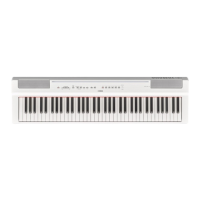
Yamaha P-125a - User Manual

Yamaha P-125a
32 pages
Print Icon
To Next Page IconTo Next Page
Loading...
DIGITAL PIANO
Owners Manual
EN
Appendix IntroductionReference
Before using the instrument, be sure to read “PRECAUTIONS” on pages 5 – 6.

Other manuals for Yamaha P-125a

Questions and Answers

  • L
    lhernandezAug 16, 2025
    Why is the volume low or no sound heard on my Yamaha Musical Instrument?
    • V
      Valerie BrownAug 16, 2025
      If you are experiencing low volume or no sound from your Yamaha Musical Instrument, ensure the Master Volume isn't set too low by adjusting the [MASTER VOLUME]. Also, check if the digital piano’s speakers are turned off and turn them back on. Verify that headphones or a conversion adaptor are not connected to the headphones jack. Finally, make sure that Local Control is ON; for details, refer to 'MIDI Reference' on the website.
  • J
    Jessica BarrettAug 19, 2025
    How to fix noise from Yamaha P-125a speakers or headphones?
    • A
      Allen MeyerAug 19, 2025
      If you hear noise from the speakers or headphones of your Yamaha Musical Instrument, it may be due to interference from a nearby mobile phone. Try turning off the mobile phone or moving it further away from the instrument.
  • M
    mirandavargasAug 22, 2025
    What to do if the pedal has no effect on my Yamaha P-125a?
    • A
      Alexandra BlankenshipAug 22, 2025
      If the pedal is not working with your Yamaha Musical Instrument, make sure the pedal plug is securely inserted into the [SUSTAIN] or [PEDAL UNIT] jack.
  • G
    george12Aug 26, 2025
    Why does the footswitch have the opposite effect on my Yamaha Musical Instrument?
    • B
      barajasmonicaAug 26, 2025
      If the footswitch seems to produce the opposite effect on your Yamaha Musical Instrument, it's likely that the polarity is reversed. Turn off the power and turn it back on again to reset the function. Make sure you do not press the footswitch while turning the power on.
  • A
    April NelsonAug 28, 2025
    How to stop noise when using Yamaha Musical Instrument with iPhone/iPad?
    • A
      Ashley NavarroAug 28, 2025
      If you are using your Yamaha Musical Instrument with a smart device like an iPhone/iPad and are experiencing noise, it is recommended to turn on 'Airplane Mode' on your smart device to avoid communication-related noise.
  • K
    kelly63Aug 31, 2025
    What to do if my Yamaha Musical Instrument does not turn on?
    • J
      joshuawhiteAug 31, 2025
      If your Yamaha Musical Instrument does not turn on, ensure that the AC adapter is securely connected to the DC IN jack on the instrument and to the AC outlet.
  • C
    carol83Sep 3, 2025
    Why does my Yamaha P-125a turn off suddenly?
    • B
      benjaminphillipsSep 3, 2025
      If the power of your Yamaha Musical Instrument turns off suddenly and unexpectedly when turned on, it might be due to using an incorrect AC adapter. Ensure you are using the specified AC adapter.
  • S
    Sandra MartinezSep 6, 2025
    Why does my Yamaha P-125a Musical Instrument make a popping sound when turned on/off?
    • J
      Julie MckinneySep 6, 2025
      This is normal and indicates that the Yamaha Musical Instrument is receiving electrical power.
  • K
    Kevin GonzalezSep 9, 2025
    Why doesn't the master volume slider change headphone volume on my Yamaha Musical Instrument?
    • E
      Erin SavageSep 9, 2025
      If moving the [MASTER VOLUME] slider does not change the volume of the headphones on your Yamaha Musical Instrument, check if you have set the external speaker volume to “Fixed”. Change the external speaker volume to “Variable”.
  • S
    sherryhallSep 12, 2025
    Why does my Yamaha Musical Instrument automatically turn off?
    • K
      kathleen64Sep 12, 2025
      This is normal and occurs due to the Auto Power Off function.

Summary

PRECAUTIONS

WARNING

Safety warnings covering electrical hazards, fire, product misuse, and essential precautions.

CAUTION AND NOTICE

Handling, Maintenance, and Data

Covers safe handling, maintenance procedures, data management, copyrights, and manual usage.

Manuals and Key Operations

Product Documentation and Resources

Lists manuals, guides, and online resources for instrument operation and support.

Key Operation Guide

Explains how to use keyboard keys in conjunction with buttons for settings and operations.

Panel Controls and Terminals

Component Identification and Function

Identifies and describes all buttons, jacks, and terminals on the instrument panel.

Setting Up: Power and Auto Power Off

Power Connection and Operation

Guides on connecting the AC adaptor, turning the unit on/off, and managing auto power off.

Setting Up: Volume and Headphones

Volume Control and Sound Optimization

Details adjusting master volume and using Intelligent Acoustic Control for sound quality.

Headphone Use and Optimizer

Guides on connecting headphones and using the Stereophonic Optimizer for enhanced listening.

Setting Up: Pedals

Pedal Functions and Connection

Explains sustain pedal features and how to connect the optional pedal unit.

Selecting & Playing Voices

Voice Selection and Features

Guides on choosing instrument voices, using EQ, and sound boost.

Layering Voices (Dual)

Dual Mode Operation

Guides on combining two voices for a richer sound, including balance and octave adjustment.

Keyboard Split and Duo Modes

Split and Duo Mode Setup

Explains keyboard splitting and setting up for two players with pedal functions.

Using the Metronome

Metronome Controls and Settings

Details how to start/stop the metronome, confirm tempo, and adjust tempo, beat, and volume.

Setting Performance Items

Pitch and Effect Settings

Covers pitch tuning, transposition, reverb effects, and touch sensitivity adjustments.

Playing Back Songs

Song Listening and Playback

Explains how to play demo, preset, and external songs, and their playback controls.

Song Practice Features

Quick Play and Part Practice

Covers song playback options and practicing individual song parts.

Adding Accompaniment (Rhythm)

Rhythm Selection and Control

Guides on selecting rhythms, adjusting tempo/volume, and using intro/ending features.

Recording Your Performance

Recording Techniques

Guides on recording performances, including quick recording and recording parts independently.

Managing Recorded Songs

Deleting and Modifying Songs

Provides instructions on deleting songs and changing initial recording settings.

Connecting Other Equipment

External Connections and Devices

Guides on connecting external speakers and smart devices for expanded functionality.

Data Management

Computer Connection and Data Backup

Details connecting to a computer and managing data backup and initialization.

Troubleshooting

Voice List (Detailed)

Yamaha P-125a Specifications

General IconGeneral
TypeDigital Piano
Touch SensitivityHard/Medium/Soft/Fixed
Polyphony (Maximum)192
Number of Voices24
Damper ResonanceYes
Sound BoostYes
Intelligent Acoustic Control (IAC)Yes
Stereophonic OptimizerYes
MetronomeYes
Tempo Range5 - 280
Transpose-6 to 0, 0 to +6
USB to HostYes
USB to DeviceNo
Amplifiers7 W x 2
BluetoothNo
Auto Power OffYes
Keyboard88-key, Graded Hammer Standard (GHS) keyboard
Reverb4 types
Number of Preset Songs21 demo songs + 50 piano songs
Recording2-track MIDI recording
Data CapacityApprox. 100 KB per song
Speakers12 cm x 2 + 4 cm x 2
Dimensions (W x D x H)1, 326 mm (52-3/16 inch) x 295 mm (11-5/8 inch)
Weight11.8 kg (26 lbs)
Power SupplyPA-150B or an equivalent recommended by Yamaha
Included AccessoriesAC adaptor, Music rest, Footswitch
ConnectivityUSB to Host

Related product manuals