EasyManua.ls Logo

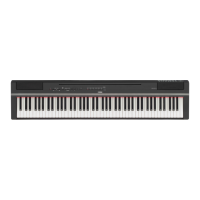
Yamaha P-95B - User Manual

Yamaha P-95B
36 pages
Print Icon
To Next Page IconTo Next Page
Loading...
RU
ES
DE
FR
EN
ENGLISHDEUTSCH FRANÇAISESPAÑOL
Owner’s Manual
Mode d'emploi
Bedienungsanleitung
Manual de instrucciones
P-95B/P-95S
DIGITAL PIANO

Other manuals for Yamaha P-95B

Questions and Answers

  • M
    Matthew BurtonAug 11, 2025
    Why is there noise coming from my Yamaha P-95B speakers?
    • M
      Madison RobertsAug 11, 2025
      If you are experiencing noise from the speakers or headphones when using your Yamaha Musical Instrument, it might be due to interference from a nearby mobile phone. Try turning off the mobile phone or moving it further away from the instrument.
  • V
    Vickie RomeroAug 16, 2025
    What to do if footswitch is reversed on Yamaha Musical Instrument?
    • L
      Lauren CookAug 16, 2025
      If the footswitch seems to have the opposite effect (e.g., pressing it cuts off the sound), it's likely that the polarity of the footswitch is reversed because it was pressed when the power was turned on. To fix this, turn off the power, and then turn it on again without pressing the footswitch during startup. This should reset the function.
  • D
    David ParkerAug 22, 2025
    How to fix a Yamaha P-95B that won't turn on?
    • L
      Laura CrawfordAug 22, 2025
      If your Yamaha Musical Instrument isn't turning on, ensure that the power cord is properly connected. Securely insert the female plug into the jack on the instrument and the male plug into a working AC outlet.
  • A
    Antonio MillerAug 28, 2025
    What to do if Yamaha P-95B pedal has no effect?
    • S
      Shane BarnesAug 29, 2025
      If the pedal isn't working with your Yamaha Musical Instrument, it might not be properly connected. Make sure the pedal plug is securely inserted into the SUSTAIN/PEDAL UNIT jack.
  • J
    james30Sep 3, 2025
    Why is the volume low on my Yamaha Musical Instrument?
    • D
      Dr. Sandra RhodesSep 3, 2025
      If the overall volume is low or no sound is heard from your Yamaha Musical Instrument, there are a few things you can check: * Ensure that the Master Volume isn't set too low; adjust it to an appropriate level using the [MASTER VOLUME] control. * Make sure headphones are not connected to the headphone jack. * Verify that Local Control is turned ON.

Yamaha P-95B Specifications

General IconGeneral
Touch SensitivityHard/Medium/Soft/Fixed
Sound SourceAWM Stereo Sampling
Dual/LayersYes
MetronomeYes
Amplifiers6W x 2
Speakers12 cm x 2
Keyboard88 keys, Graded Hammer Standard (GHS) keyboard
Polyphony64 notes
Voices10
EffectsReverb, Chorus
Demo Songs50 Songs
Transpose-6 to 0 to +6
TuningYes
ConnectivityMIDI In/Out
Dimensions (W x D x H)1326 x 295 x 154 mm
PedalsSustain pedal included

Related product manuals