EasyManua.ls Logo

Yamaha AVX-S30 - User Manual

Yamaha AVX-S30
24 pages
Print Icon
To Next Page IconTo Next Page
Loading...
BAL
OWNER’S MANUAL
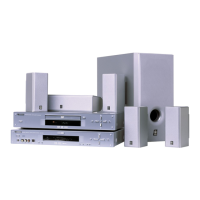
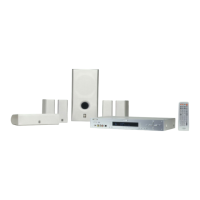
HOME THEATER SOUND SYSTEM
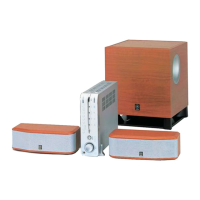
(AVC-S30 + NX-S30 + NX-SW30)
AVX-S30

Questions and Answers

  • T
    theresajonesJul 31, 2025
    What to do if the remote control doesn't work for my Yamaha Home Cinema unit?
    • J
      jessica69Jul 31, 2025
      If the remote control isn't working with your Yamaha Home Cinema unit, consider these potential issues: You might be operating the unit outside of the remote control's operational range. The remote control sensor on the unit might be exposed to direct sunlight or strong lighting. The batteries in the remote control might be worn out; try replacing them.
  • S
    Sarah HerreraAug 4, 2025
    Why does my Yamaha Home Cinema speaker power turn on and immediately shut off?
    • T
      Timothy SandersAug 4, 2025
      Your Yamaha Home Cinema speaker might be shutting off immediately after turning on due to a few reasons. First, ensure the power cable is properly and firmly connected to the outlet. A shorted speaker cable could also be the cause, so verify that all speaker cables are correctly connected. Finally, if the unit experienced a strong electrical shock, set it to Standby mode, disconnect the power cable for 30 seconds, then reconnect and turn it on.
  • A
    April CastroAug 8, 2025
    What to do if my Yamaha AVX-S30 make no sound?
    • R
      Regina WhiteAug 8, 2025
      If your Yamaha Home Cinema speakers aren't producing any sound, there are several things to check. Ensure that the volume isn't set to the minimum level and that the Mute function is disabled. Also, verify that you've selected the correct input source and that all cables are properly connected.
  • S
    Sylvia MurphyAug 12, 2025
    How to fix Yamaha Home Cinema speaker channels if they make no sound (other than front)?
    • A
      Amanda GregoryAug 12, 2025
      If speaker channels other than the front ones are silent on your Yamaha Home Cinema system, it might be because you're listening to stereo sounds without the sound field effect enabled. Try pressing the CINEMA DSP button to enable the sound field effect. Alternatively, you might be listening to an audio source (Dolby Digital or DTS) that doesn't contain any special effect signal; in this case, select another sound field program.
  • S
    Sarah CurryAug 17, 2025
    Why does my Yamaha Home Cinema subwoofer make no sound?
    • D
      Daniel RichardsonAug 17, 2025
      If your Yamaha Home Cinema subwoofer isn't producing sound, check a few things. First, ensure that the subwoofer volume isn't set to the minimum level. Also, make sure all cables are connected properly. Finally, the audio source may not contain any low tone signal, as the subwoofer does not support signals outside the specified range.
  • D
    Dr. Theresa JacobsAug 21, 2025
    What to do if the center speaker channel makes no sound on my Yamaha Home Cinema?
    • G
      greenemelissaAug 21, 2025
      If the center speaker channel on your Yamaha Home Cinema isn't producing sound, the volume of the center speaker channel may be set to the minimum level. Adjust the volume level of the center speaker channel using test tones. Also, Dolby Digital and DTS audio sources do not contain a center speaker signal.
  • J
    Jose GonzalezAug 26, 2025
    How to stop noises from digital or high-frequency equipment on Yamaha Home Cinema?
    • T
      Timothy RobbinsAug 26, 2025
      If your Yamaha Home Cinema system is producing noises due to digital or high-frequency equipment, it might be placed too close to that equipment. Try placing the unit further away from such equipment.

Summary

Preparation and Setup for Yamaha AVX-S30

Speaker Placement Guidelines

Instructions for positioning satellite speakers and the subwoofer for optimal sound.

Speaker Connection Procedure

Step-by-step guide for connecting speakers to the AV amplifier.

Operation and Sound Mode Selection

Utilizing Sound Programs and DSP Features

How to use CINEMA DSP, Dolby Pro Logic II, and DVS for enhanced audio experiences.

Configurations and Audio Adjustments

Speaker Balance Adjustment

How to adjust speaker volume levels using test tones or during playback.

Virtual Surround Speaker Orientation Settings

Setting the orientation of virtual surround speakers for optimal acoustic field.

Additional Information and Troubleshooting

Troubleshooting Common Issues

Solutions for common problems like no sound, poor audio, or unit malfunctions.

Yamaha AVX-S30 Specifications

AVC-S30

Power Output IconPower Output
Min RMS output power30 W × 6 (1 kHz, 6 Ω, 1% THD)
Max power (Front L/R)35 W × 6 (6 Ω, 10% THD)
Standby power consumption0.4 W or less
Power Supply IconPower Supply
Power supply (Australia model)AC 240 V, 50 Hz
Power supply (Taiwan model)AC 110-120 V, 60 Hz
Power supply (Korea model)AC 220 V, 60 Hz
Weight and Dimensions IconWeight and Dimensions
Dimensions (W × H × D)215 × 70 × 305 mm
Weight2.6 kg
Power consumption (Taiwan model)44 W

NX-S30

Driver and Type IconDriver and Type
TypeFull range acoustic suspension magnetic shielding type
Driver5 cm (2”) cone magnetic shielding type × 3
Input impedance6 Ω
Weight and Dimensions IconWeight and Dimensions
Dimensions (W × H × D)240 × 80 × 105 mm
Weight1.4 kg
Power consumption (Other models)35 W

NX-SW30

Driver and Type IconDriver and Type
TypeAdvanced YAMAHA Active Servo Technology System
Driver16 cm (6 1/2”) cone magnetic shielding type
Input impedance12 kΩ
Power Supply IconPower Supply
Power supply (U.K. model)AC 230 V, 50 Hz
Power supply (Australia model)AC 240 V, 50 Hz
Power supply (Korea model)AC 220 V, 60 Hz
Weight and Dimensions IconWeight and Dimensions
Dimensions (W × H × D)280 x 325 x 289 mm
Weight8.2 kg
Power consumption40 W

Related product manuals