EasyManua.ls Logo

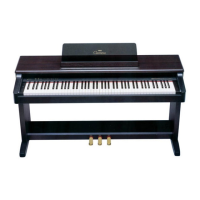
Yamaha Clavinova CLP-320 - User Manual

Yamaha Clavinova CLP-320
44 pages
Print Icon
To Next Page IconTo Next Page
Loading...
EN
CLP-320
OWNER’S MANUAL
IMPORTANT
—Check your power supply—
Make sure that your local AC mains voltage matches the voltage specified on the name plate on the bottom panel. In some areas a voltage selector may
be provided on the bottom panel of the main keyboard unit near the power cord. Make sure that the voltage selector is set for the voltage in your area.
The voltage selector is set at 240V when the unit is initially shipped. To change the setting use a "minus" screwdriver to rotate the selector dial so that the
correct voltage appears next to the pointer on the panel.
For information on assembling the keyboard stand, refer to the instructions at the end of this manual.

Other manuals for Yamaha Clavinova CLP-320

Questions and Answers

  • M
    Matthew CarterJul 26, 2025
    Why is the volume low or no sound on my Yamaha Clavinova CLP-320 Musical Instrument?
    • T
      Teresa BradleyJul 26, 2025
      If the overall volume of your Yamaha Musical Instrument is low, or you're not hearing any sound, ensure the Master Volume isn't set too low; adjust it to an appropriate level using the [MASTER VOLUME] control. Also, make sure headphones aren't connected to the headphones jack. Finally, verify that Local Control is ON.
  • A
    Amanda EvansAug 2, 2025
    What to do if I hear noise from the speakers of Yamaha Clavinova CLP-320 Musical Instrument?
    • T
      Todd CollierAug 2, 2025
      If you're hearing noise from the speakers or headphones of your Yamaha Musical Instrument, it might be due to interference from a nearby mobile phone. Try turning off the mobile phone or moving it further away from the instrument.
  • S
    Samantha AlvarezAug 10, 2025
    How to fix Yamaha Clavinova CLP-320 that does not turn on?
    • N
      Nancy WelchAug 10, 2025
      If your Yamaha Musical Instrument isn't turning on, make sure it's properly plugged in. Securely insert the female plug into the socket on the instrument and the male plug into a working AC outlet.
  • D
    Debra FloresAug 17, 2025
    What to do if the damper pedal has no effect on my Yamaha Musical Instrument?
    • R
      Robert JenkinsAug 17, 2025
      If the damper pedal of your Yamaha Musical Instrument isn't working, ensure the pedal cord is securely inserted into the [PEDAL] jack.

Summary

Special Message Section

Product Safety Markings

Explains safety graphics and warnings on the product enclosure.

Important Safety Instructions

Explanation of Graphical Symbols

Clarifies symbols indicating dangerous voltage and important instructions.

Precautions

General Warnings

Lists essential warnings to avoid injury, damage, or fire hazards.

Features

AWM Dynamic Stereo Sampling

Explains the tone generation system and its sound quality benefits.

Before Using

Connecting the Power Cord

Step-by-step instructions for connecting the power cord and outlet.

Selecting and Playing Voices

Selecting Voices

Details how to choose different instrument sounds (tones).

Using the Pedals

Explains the function and use of Damper, Sostenuto, and Soft pedals.

Recording your Performance

Playing Back Recorded Performance Data

How to listen to previously recorded performances.

Connecting Instruments and Computers

Connecting MIDI Instruments

Details how to connect MIDI devices to the instrument.

Troubleshooting

Common Problems and Solutions

Lists common issues and their possible causes and solutions.

Keyboard Stand Assembly

Assembly Procedure

Step-by-step guide for assembling the keyboard stand.

Yamaha Clavinova CLP-320 Specifications

General IconGeneral
Number of Keys88
Voices14
Sound SourceAWM Stereo Sampling
EffectsReverb, Chorus
Reverb Types4
Chorus Types4
Built-in Songs50
Speakers12cm x 2
Amplifier20W x 2
Headphone Jacks2
Touch SensitivityHard/Medium/Soft/Fixed
Polyphony128
ConnectivityMIDI In/Out, USB to Host
Included AccessoriesOwner's Manual
Key ActionGraded Hammer Standard (GHS)

Related product manuals