Using CP1 Performances
32 CP1 Owner’s Manual
Quick Start Guide
TIP
Button Lighting Patterns
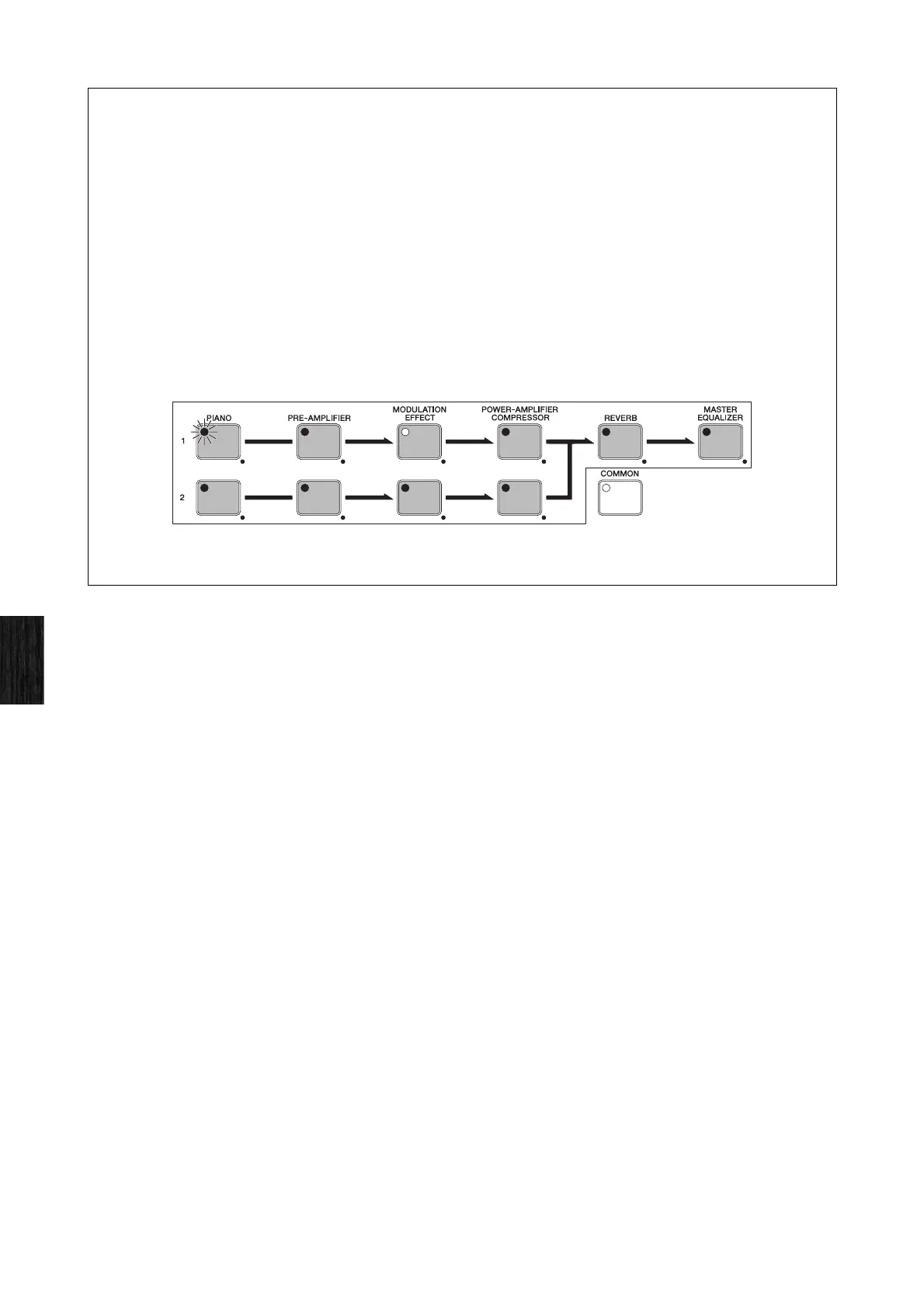
As shown below, the way in which the buttons for each of the elements making up a Performance (with the
exception of the Common Settings area) light up and turn off depends on the current CP1 setting condition. (The
buttons in question are [PIANO 1], [PIANO 2], [PRE-AMPLIFIER 1], [PRE-AMPLIFIER 2], [MODULATION EFFECT 1],
[MODULATION EFFECT 2], [POWER-AMPLIFIER/COMPRESSOR 1], [POWER-AMPLIFIER/COMPRESSOR 2],
[REVERB], and [MASTER EQUALIZER].)
• Not lit: The corresponding block or unit is turned off (i.e., deactivated).
• Lit: The corresponding block is turned on (i.e., activated).
• Flashing with longer lit period: The corresponding block or unit is turned on and its parameter setting screen is
being displayed.
• Flashing with shorter lit period: The corresponding block or unit is turned off, but its parameter setting screen is
being displayed.
NOTE With certain piano types, the corresponding Pre-Amplifier unit will continue to function even if its button is not lit or is flashing with a shorter
lit period. For details, see Turning Performance Blocks On & Off above.
NOTE The lighting behavior of the [COMMON] button differs from that of the block and unit buttons. Specifically, this button lights up when the
Common Settings screen is displayed, and it remains off at all other times.


 To Next Page