EasyManua.ls Logo

Yamaha D-85 - A-B-C Function and Bass Patterns; Separate A-B-C Functionality; Multi-Bass Patterns and Operation

Yamaha D-85
36 pages
Print Icon
To Next Page IconTo Next Page
To Previous Page IconTo Previous Page
Loading...
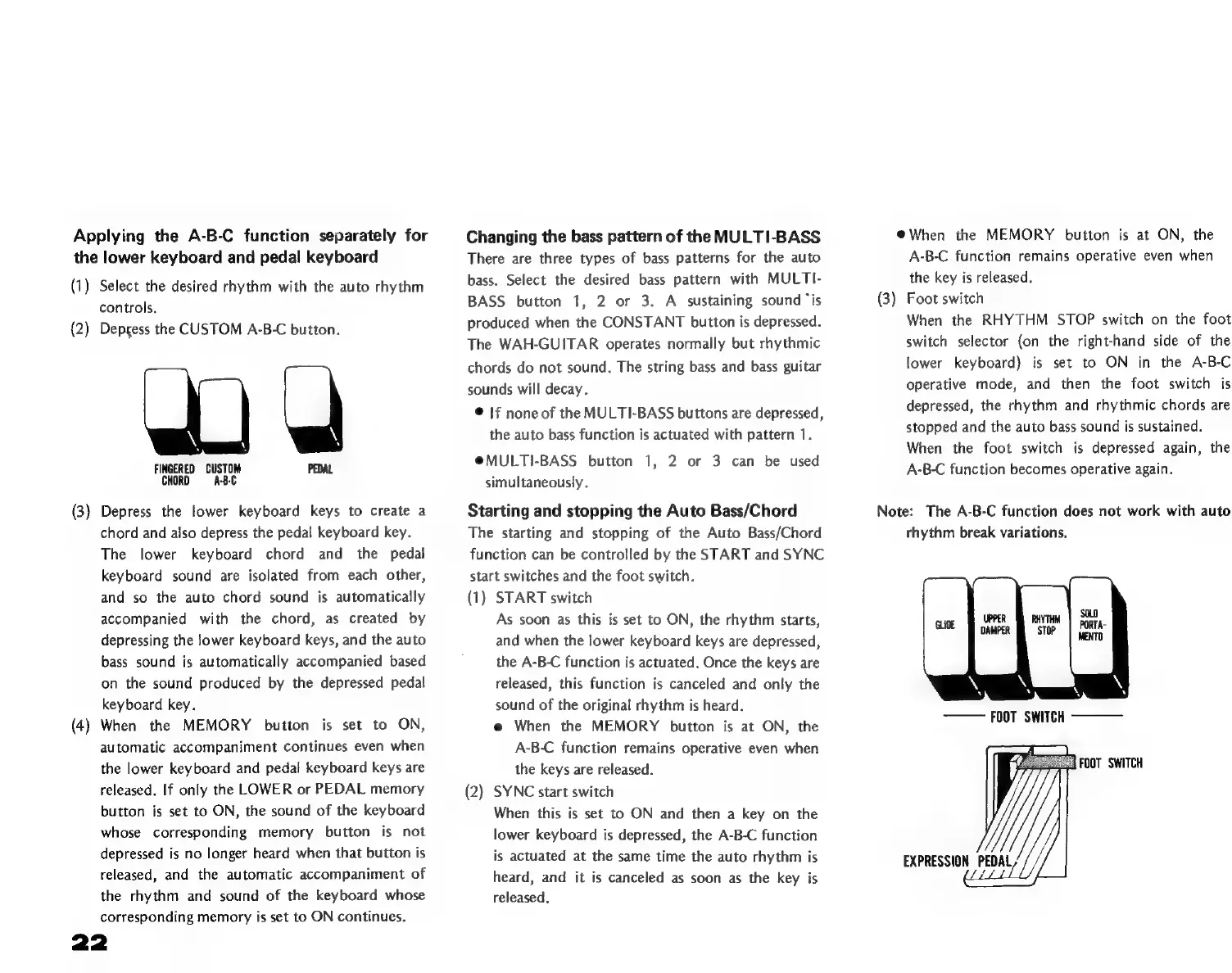
Applying
the
A-B-C
function
separately
for
the
lower
keyboard
and
pedal
keyboard
(1)
Select
the
desired
rhythm
with
the
auto
rhythm
controls.
(2)
Depress
the
CUSTOM
A-B-C
button.
FINGERED
CUSTOM
PEDAL
CHORD
ABC
(3)
Depress
the
lower
keyboard
keys
to
create
a
chord
and
also
depress
the
pedal
keyboard
key.
The
lower
keyboard
chord
and
the
pedal
keyboard
sound
are
isolated
from
each
other,
and
so
the
auto
chord
sound
is
automatically
accompanied
with
the
chord,
as
created
by
depressing
the
lower
keyboard
keys,
and
the
auto
bass
sound
is
automatically
accompanied
based
on
the
sound
produced
by
the
depressed
pedal
keyboard
key.
(4)
When
the
MEMORY
button
is
set
to
ON,
automatic
accompaniment
continues
even
when
the
lower
keyboard
and
pedal
keyboard
keys
are
released.
If
only
the
LOWER
or
PEDAL
memory
button
is
set
to
ON,
the
sound
of
the
keyboard
whose
corresponding
memory
button
is
not
depressed
is
no
longer
heard
when
that
button
is
released,
and
the
automatic
accompaniment
of
the
rhythm
and
sound
of
the
keyboard
whose
corresponding
memory
is
set
to
ON
continues.
Changing
the
bass
pattern
of
the
MULTI-BASS
There
are
three
types
of
bass
patterns
for
the
auto
bass.
Select
the
desired
bass
pattern
with
MULTI-
BASS
button
1,
2
or
3.
A
sustaining
sound
“is
produced
when
the
CONSTANT
button
is
depressed.
The
WAH-GUITAR
operates
normally
but
rhythmic
chords
do
not
sound.
The
string
bass
and
bass
guitar
sounds
will
decay.
*
|f
noneof
the
MULTI-BASS
buttons
are
depressed,
the
auto
bass
function
is
actuated
with
pattern
1.
@MULTI-BASS
button
1,
2
or
3
can
be
used
simultaneously.
Starting
and
stopping
the
Auto
Bass/Chord
The
starting
and
stopping
of
the
Auto
Bass/Chord
function
can
be
controlled
by
the
START
and
SYNC
start
switches
and
the
foot
switch.
(1)
START
switch
As
soon
as
this
is
set
to
ON,
the
rhythm
starts,
and
when
the
lower
keyboard
keys
are
depressed,
the
A-B-C
function
is
actuated.
Once
the
keys
are
released,
this
function
is
canceled
and
only
the
sound
of
the
original
rhythm
is
heard.
e
When
the
MEMORY
button
is
at
ON,
the
A-B-C
function
remains
operative
even
when
the
keys
are
released.
(2)
SYNC
start
switch
When
this
is
set
to
ON
and
then
a
key
on
the
lower
Keyboard
is
depressed,
the
A-B-C
function
is
actuated
at
the
same
time
the
auto
rhythm
is
heard,
and
it
is
canceled
as
soon
as
the
key
is
released.
*
When
the
MEMORY
button
is
at
ON,
the
A-B-C
function
remains
operative
even
when
the
key
is
released.
(3)
Foot
switch
When
the
RHYTHM
STOP
switch
on
the
foot
switch
selector
(on
the
right-hand
side
of
the
lower
keyboard)
is
set
to
ON
in
the
A-B-C
operative
mode,
and
then
the
foot
switch
is
depressed,
the
rhythm
and
rhythmic
chords
are
stopped
and
the
auto
bass
sound
is
sustained.
When
the
foot
switch
is
depressed
again,
the
A-B-C
function
becomes
operative
again.
Note:
The
A-B-C
function
does
not
work
with
auto
rhythm
break
variations.
EXPRESSION
PEDAL

Related product manuals