DM3 Owner’s Manual
10
Controls and functions
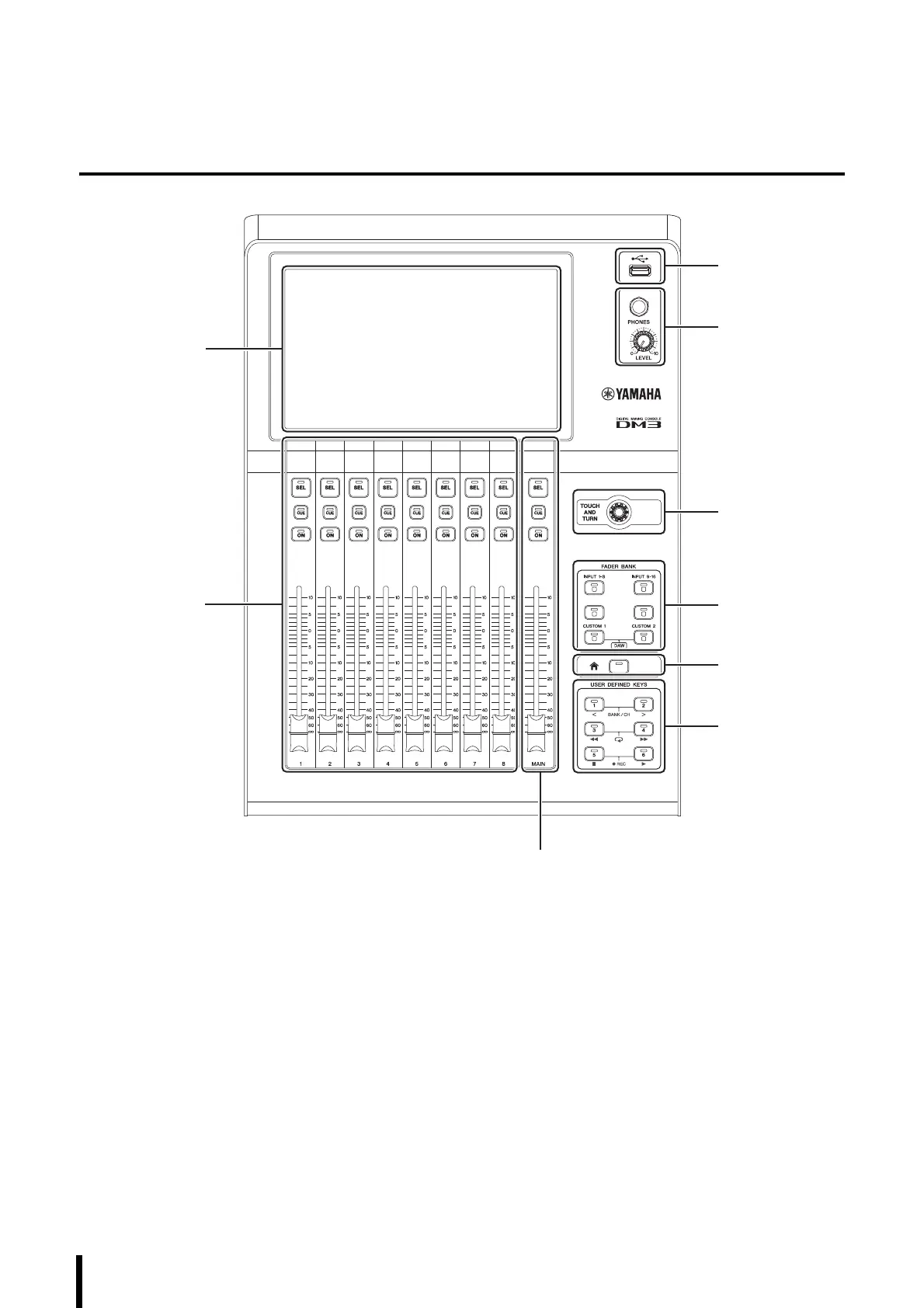
Top Panel
a Display
The display is operated by directly touching the screen.
b [TOUCH AND TURN] Knob
Used when adjusting the selected parameter(s).
c Channel Strip Section
This part corresponds to the channel module in a
traditional analog mixer. It operates the main
parameters of the currently selected channel.
d [MAIN] Section
This section is primarily for operating STEREO channel
parameters.
e [USER DEFINED KEYS] Section
These keys are for operating functions assigned by the
user according to his/her needs. Some commonly used
functions, such as tap tempo and bookmarks, are
assigned as defaults.
f [HOME] Key
This key returns to the HOME screen.
g [FADER BANK] Section
Switches the allocation of faders on the panel.
h [PHONES] Section
For monitoring the signal selected with MONITOR
select, or the CUE signal, via headphones.
i USB Connector
This connector is for connecting to USB memory.



 To Next Page