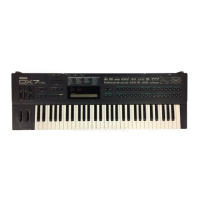
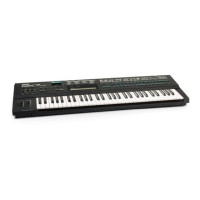
This document serves as a user manual and installation guide for the E! system, an enhancement for the Yamaha DX7II and DX7s series synthesizers, developed by Grey Matter Response Inc. The E! system significantly expands the capabilities of the DX7II/DX7s, transforming it into a more powerful performance instrument and a comprehensive MIDI studio.
Function Description:
The E! system introduces a range of innovative features, primarily categorized into two main parts: ENGINE and SE!quencer.
Part I: ENGINE
ENGINE is a 16-track DX/MIDI-event-processor that allows the user to control the DX synthesizer and an entire MIDI setup directly from the DX's keyboard. It treats the DX and all connected MIDI gear as different parts of the same instrument.
- Voice Modes: E! expands the DX's voice capabilities with four modes:
- Single Mode: Standard DX voice mode.
- Dual Mode: Layers two DX voices (Voice A and Voice B) simultaneously, reducing polyphony to 8 notes. Includes a Dual Detune parameter to shift the pitch of both voices in equal increments.
- Split Mode: Splits the keyboard into two sections, allowing Voice A to play on one part and Voice B on the other. Also reduces polyphony to 8 notes. A Split Point parameter defines the split location.
- Octal Mode: The most significant enhancement, allowing up to 8 internal DX Voices to be played simultaneously. Each Octal mode voice can have its own Track assignment, adjustable Volume, Transpose, Velocity Curve/Level, Polyphony, Note Shift, and Tuning.
- Track Assign Menu: This is the main ENGINE menu where users can assign any instrument (DX or MIDI) to any of the 16 Tracks. Each Track can have a separate transpose value and velocity response.
- Velocity Curves: Four curves (NORM, POS1, POS2, NEG) determine the overall character of velocity response for internal DX or MIDI patches. POS1 and POS2 extend the MIDI velocity output range to 127.
- Velocity Level: Acts as a volume/brightness control for any internal DX or MIDI patch, allowing scaling down or "overdriving" sounds.
- Tonal Processor: Used to program tonal patterns in Chords and Player modes, enabling complex chord progressions and auto-accompaniment.
- Dynamic Voice Allocation (DVA): An exclusive E! feature that enhances the DX's polyphony by dynamically distributing notes only when a Voice is actually playing. This helps conserve polyphony, especially in Octal mode.
- Direct MIDI Input Mode: Allows the DX to receive MIDI data directly, bypassing the ENGINE's processing for specific applications.
- Poly-unison and Random Pitch: Parameters that subtly alter the sound, making it richer and more natural.
- Panning Octal Mode Voices (DX7IIFD only): A "pseudo-Pan" feature allows specifying which audio channel an Octal mode DX Voice will be output to, by allocating notes using the DX Polyphony menu.
- Performance Modes: E! offers 8 Performance modes that leverage ENGINE's 16-track MIDI event processing capabilities:
- Normal1: Original DX7II/DX7s performance mode, with the addition of Foot Switch (2) to switch between Track 1 and Track 2.
- Normal2: Similar to Normal1, but Foot Switch (2) or the ENGINE button cycles through all 16 Tracks.
- Track HI: All notes played by Track 1, with the highest current note also played by Track 2.
- FloatSplit: A dynamic split mode where the split point moves up and down the keyboard based on playing.
- 8 Way Split: Allows playing up to 8 separate Tracks on the DX keyboard, with 7 different split points.
- SE!quencer: Used to play or store Songs.
- Chords: Utilizes the Tonal Processor for auto-accompaniment with complex chord progressions.
- Player: Utilizes the Tonal Processor for auto-accompaniment with arpeggios, ostinato patterns, and complex rhythms.
Part II: SE!quencer
SE!quencer is a 16-track MIDI recorder built into the E! system, allowing users to record up to 16 Tracks per Pattern and combine Patterns into Songs. It also functions as an entire MIDI studio.
- Record Mode:
- Patterns: The basic building block of SE!quencer, each with up to 16 Tracks. Up to 32 Patterns can be stored internally. Patterns can be 1 to 64 bars long and have custom time signatures.
- Songs: Created by combining any number of Patterns in real-time. Up to 10 Songs can be stored internally, each with up to 256 steps (Pattern changes).
- Step Record: Allows recording notes with amazing precision by advancing the clock in "ticks" or "notes."
- Play Mode: Allows playback of Patterns or Songs, with continuous looping for Patterns.
- Edit Mode: Enables modification of Patterns and Songs, including:
- Event Editing: Editing individual MIDI events (notes, velocity, aftertouch, pitch bend, modulation, sustain, etc.).
- Quantize Track: Corrects timing by moving notes to the nearest beat without affecting duration.
- Erase Lead-in: Removes the lead-in set for a Pattern.
- Strip Controllers: Removes all controller data from a selected Track, leaving only key on/off commands and velocity information.
- Utility Mode: Provides functions for erasing Songs, initializing or copying Patterns, and modifying Tracks.
- Song Utilities: Initialize (erase) Songs.
- Pattern Utilities: Initialize, copy, and tempo initialize Patterns.
- Track Utilities: Initialize, quantize, strip controllers, and copy Tracks.
- "Click Track": Provides timing for recording Patterns.
- Live Performance with SE!quencer: Allows playing Patterns or Songs within the SE!quencer program or as part of a Performance, with the ability to play along live on the DX keyboard.
- MIDI Sync: Supports external MIDI clock synchronization (EXT) or internal tempo generation (INT) for syncing with other sequencers and drum machines.
Voyeur the MIDI Monitor:
A MIDI monitor program that displays all incoming MIDI data on the DX7II screen. It allows filtering of specific MIDI data types or channels.
Expanded Micro Tuning:
E! includes an expanded memory for up to 32 separate 12-tone microtunings. It also features a 12 Tone Scale Compiler for creating global scale adjustments.
DX7IIFD: Storing Data to Disk:
E! introduces three new disk storage formats for the DX7IIFD:
- MDR 2: An enhanced MIDI Data Recorder format with a file size increased to 128K bytes.
- ERAM: Stores the entire state of E!'s internal memory (Voices, Performances, microtunings, ENGINE, and SE!quencer data) onto one disk.
- SE!: Stores Songs and Patterns to disk.
Important Technical Specifications:
- Polyphony: Reduced to 8 notes in Dual and Split modes. In Octal mode, polyphony can be dynamically allocated across 8 voices.
- Tracks: 16 tracks for ENGINE and SE!quencer.
- Patterns: Up to 32 internal Patterns, each with up to 16 tracks.
- Songs: Up to 10 internal Songs, each with up to 256 steps.
- Performances: 128 programmable Performances.
- MIDI Channels: Supports all 16 MIDI channels.
- Tempo Range: 77 to 204 beats per minute for Player or SE!quencer mode Songs.
- Note Resolution (Quantize): From 1/4 note to 1/32 note (including triplets).
- Memory Capacity (SE!quencer): Up to 22,000 events.
- Disk Storage (DX7IIFD): MDR 2 (128K bytes), ERAM (entire E! state), SE! (Songs and Patterns).
Usage Features:
- Intuitive Interface: Access to ENGINE and SE!quencer menus via dedicated buttons (27, 28, 29, 30, 59, 60, 61) and data entry controls.
- Real-time Control: Many parameters can be adjusted in real-time during performance, including DX Volumes and other ENGINE settings.
- Performance Recall: Storing ENGINE settings, Songs, and Patterns into Performances allows for instant recall of complex setups.
- MIDI Integration: Seamless control of external MIDI devices alongside the DX's internal voices.
- "Help" Screens: Display useful information and choices within SE!quencer.
- Keyboard Control: Direct control of various functions from the DX's keyboard, including track switching, pattern selection, and tonal processing.
Maintenance Features:
- Troubleshooting Guide: Provides suggestions for common issues such as no sound, strange-sounding patterns, or incorrect song playback.
- Initialization Procedures: Instructions for properly initializing the E! system, including loading RAM cartridges and erasing SE!quencer memory.
- Data Backup: Strong recommendation to back up all voices before E! installation, as the process will erase existing data.
- Memory Management: Advice on conserving SE!quencer memory by limiting controller data usage and using the Strip Controllers Utility.
Installation Guide:
The installation guide provides detailed steps for installing the E! board into the Yamaha DX7IID & FD. It emphasizes that improper installation can void the warranty and recommends deferring installation to a qualified service technician. The process involves:
- Unplugging the DX7II and removing the metal bottom.
- Removing screws and disconnecting ribbon cables from the DM board.
- Placing rubber bumpers beneath the E! board.
- Placing the E! board onto the DM board, flipping it over, and connecting wires (Green, Brown, Orange, Black, Red) to specific IC pins (IC 40, IC 12, IC 25, IC 30).
- Removing IC 23 and installing E!'s ribbon cable into the socket.
- Inspecting all connections and solder points.
- Properly initializing the E!quipped DX7II by loading a RAM 4 Cartridge, entering SE!quencer, and using the Global Utilities to erase all SE!quencer memory.
The E! system significantly enhances the Yamaha DX7II/DX7s, providing advanced sequencing, performance, and sound design capabilities that were not originally available on the instrument.

 Need help?
 General

 To Next Page