EasyManua.ls Logo

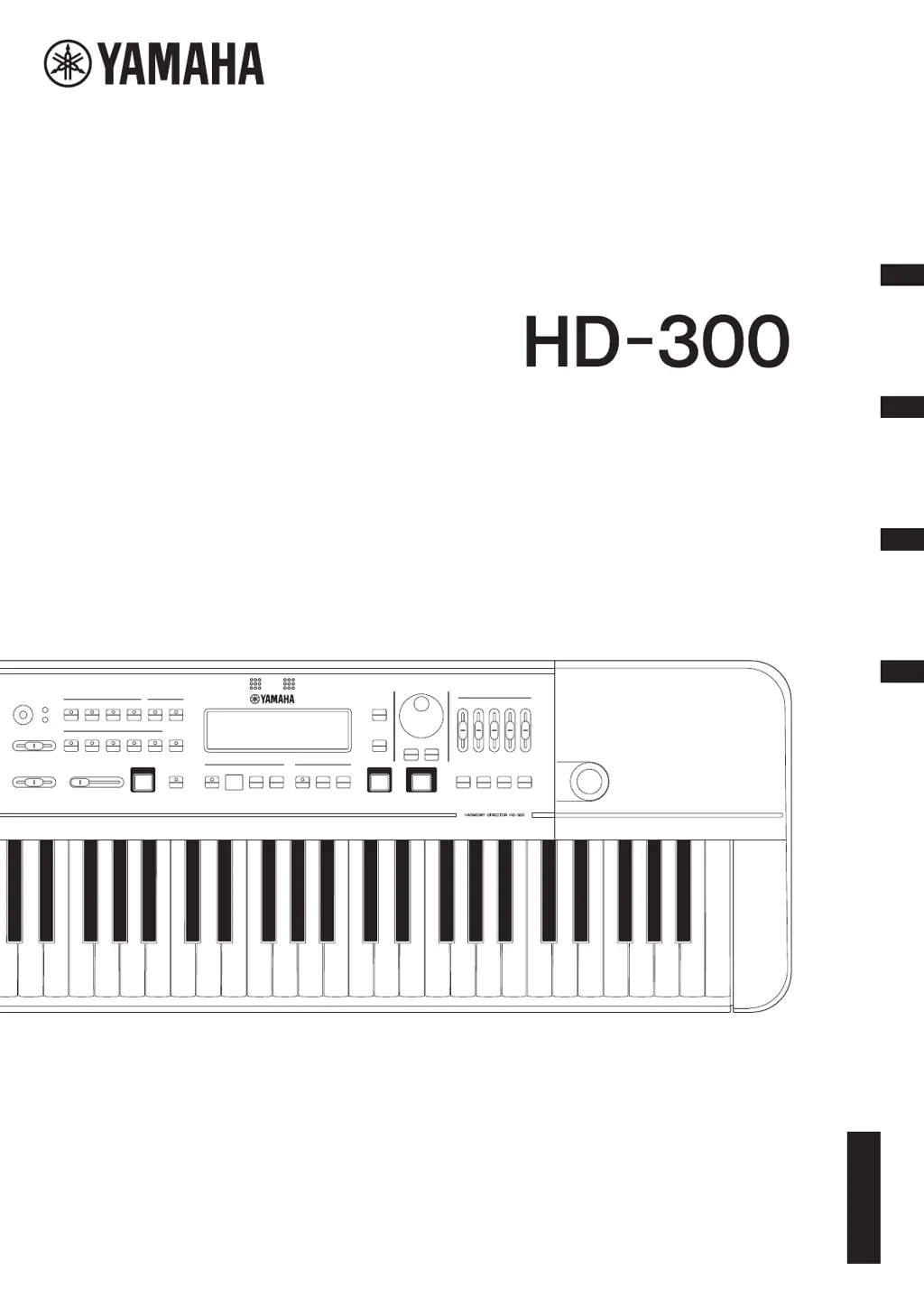
Yamaha Harmony Director HD-300 - User Manual

Yamaha Harmony Director HD-300
48 pages
Print Icon
To Next Page IconTo Next Page
Loading...
DE
ES
FR
EN
Owners Manual
Mode d’emploi
Manual de instrucciones
Benutzerhandbuch
EnglishFrançaisEspañolDeutsch
HARMONY DIRECTOR™

Table of Contents

Questions and Answers

Summary

FCC INFORMATION (U.S.A.)

COMPLIANCE INFORMATION STATEMENT (Suppliers declaration of conformity procedure)

Details the supplier's declaration of conformity with FCC rules.

IMPORTANT SAFETY INSTRUCTIONS

Explanation of Graphical Symbols

Explains the meaning of graphical symbols used in the manual for safety.

PRECAUTIONS

For AC adaptor

Safety warnings and guidelines specific to the AC adaptor.

For the instrument

General safety precautions to prevent injury or damage to the instrument.

NOTICE

Handling

Precautions regarding instrument handling and environmental exposure.

Maintenance

Guidelines for cleaning and maintaining the instrument.

Saving data

Information about data saving and potential data loss.

Information

Details on copyrights, bundled functions, and manual usage.

Precautions when using the USB

[TO DEVICE] terminal

Important precautions for using USB flash drives with the instrument.

[TO HOST] terminal

Precautions for connecting the instrument to a computer via USB.

Introduction

Included Accessories

Lists all accessories provided with the HD-300.

About this Manual

Explains the content and purpose of the owner's manual.

Component Names

Front Panel

Identifies and explains the controls and indicators on the front panel.

Rear Panel

Identifies and explains the ports and connectors on the rear panel.

Setting Up

Power Requirements

Information on how to power the instrument using AC adaptor or batteries.

Using an AC Adaptor

Step-by-step instructions for connecting the AC adaptor.

Using Batteries

Instructions for inserting and using batteries in the instrument.

Turning the Power On;Off

Detailed procedure for powering the instrument on and off.

Auto Power Off Function

How to enable or disable the automatic power-off feature.

Adjusting the Volume and Screen Contrast

How to adjust audio volume and LCD screen contrast.

Screen Configuration and Basic Operation

Home Screen

Explains the elements and basic operation of the Home screen.

Producing Reference Tones for Playing Harmony (Voice, Temperament, Hold, Octave, Transpose)

Selecting a Voice

How to choose and use different instrument sounds (voices).

Setting the Temperament

Configuring temperament modes like Equal, Pure, and Individual.

Setting Hold On;Off

Instructions for activating or deactivating the note hold function.

Selecting an Octave

How to adjust the octave range of the keyboard notes.

Setting Transpose

How to set the transpose function for playing with transposing instruments.

Changing the standard pitch

How to adjust the instrument's standard tuning pitch.

Setting the Root Key

How to set the root key for temperament and chord detection.

Selecting and Setting a Temperament

Detailed settings for individual temperament modes.

Setting the Individual Volume and Pitch

Adjusting volume and pitch for each note in individual temperament.

Demonstrating Tempo and Rhythm (Metronome, Rhythm Style)

Starting and Stopping

How to start and stop rhythm playback (metronome or rhythm style).

Changing the Tempo

Adjusting the tempo using the TEMPO/TAP button and dial.

Tap Function

Using the tap tempo feature to set the metronome speed.

Metronome (Simple)

Instructions for using the simple metronome mode.

Setting the Beat

How to set the beat count for the metronome.

Adjusting the Metronome Volume

How to adjust the volume of different metronome sounds.

Metronome (Beat • Tempo Memory)

Using the Beat • Tempo Memory function for irregular meters.

Rhythm Style

How to select and use different rhythm styles.

Sharing Performances (Recording;Playback)

Recording

How to record performances using the internal microphone.

Playing Back the Most Recent Recordings

How to play back recently recorded audio files.

Deleting the Most Recent Recording Results

How to delete recorded audio files from the instrument.

Recording a Particular Section (Time Shift Recording)

Using the Time Shift Recording function to capture previous audio.

Enhancing Basic Practice (Sound Back, Training)

Training Your Ability to Imagine the Correct Pitch (Sound Back)

Using the Sound Back function to improve pitch accuracy.

Playing Training Examples and Accompaniments (Training)

Using the Training mode for practice songs and accompaniments.

Restoring Factory Settings

How to reset the instrument to its default factory settings.

Advanced Settings (Settings)

Bluetooth

Configuring Bluetooth connectivity for audio and MIDI.

Auto Power Off

Enabling or disabling the automatic power-off feature.

LCD Contrast

Adjusting the brightness and contrast of the LCD screen.

Connecting External Devices

Connecting Amplifiers or Other Equipment (OUTPUT [L;MONO], [R] jacks)

How to connect external audio devices like amplifiers and speakers.

Connecting a Microphone (MIC [INPUT] jack, MIC [GAIN] knob)

How to connect an external microphone to the instrument.

Using a Pedal ([FOOT PEDAL] jack)

Connecting and assigning functions to a foot pedal.

Connecting a USB Flash Drive (USB [TO DEVICE] terminal)

Instructions for connecting a USB flash drive for recording.

Connecting to a Computer (USB [TO HOST] terminal)

How to connect the instrument to a computer via USB.

Using the HD-300 Assistant iPhone;iPad App (Bluetooth)

Using the companion app for remote control and features.

Listening on the HD-300 to Audio Playback from an iPhone;iPad (Bluetooth)

Streaming audio from an iPhone/iPad to the HD-300 via Bluetooth.

Appendix

Error Messages

Lists potential error messages and their solutions.

Troubleshooting

Common problems and their solutions for the instrument.

About the Temperaments Used in This Instrument

Explains the musical intervals and tuning concepts used.

Temperaments

Details on Equal, Pure, and other temperament settings.

Specifications

Product Name

Product identification and basic details.

Keyboard

Specifications related to the instrument's keyboard.

Voices

Details on the available instrument sounds.

Bluetooth

Technical specifications for Bluetooth connectivity.

Power Supply

Information on power requirements and consumption.

Size;Weight

Physical dimensions and weight of the instrument.

Data List

Voice List

A comprehensive list of instrument voices and their program numbers.

Rhythm Style List

Details of available rhythm styles, tempo, and time signatures.

Training Contents (JBC Band Method) List

List of training songs and their corresponding page numbers.

MIDI Messages

Program Change

How to change instrument voices using MIDI Program Change messages.

System Exclusive Messages

Details on system exclusive MIDI messages for advanced control.

Individual pitches

MIDI messages for setting individual note pitches.

Individual volumes

MIDI messages for setting individual note volumes.

Beat, Tempo memory

MIDI messages for beat and tempo memory operations.

LIMITED 1-YEAR WARRANTY ON HD-300 HARMONY DIRECTOR

Coverage

Details the warranty coverage and limitations.

In Order to Obtain Warranty Service

Steps to follow to get warranty service for the product.

FCC and IC Information

For U.S.A.

FCC compliance statements for radio frequency exposure.

For CANADA

Compliance statements for Canadian radio frequency regulations.

For EU countries

EU Declaration of Conformity

Simplified EU Declaration of Conformity in various languages.

Yamaha Harmony Director HD-300 Specifications

General IconGeneral
BrandYamaha
ModelHarmony Director HD-300
CategorySynthesizer
LanguageEnglish

Related product manuals