EasyManua.ls Logo

Yamaha K-903 - User Manual

Yamaha K-903
32 pages
Print Icon
To Next Page IconTo Next Page
Loading...
K-903
OWNER’S MANUAL
MODE D’EMPLOI
Natural Sound Stereo Cassette Deck
Platine à cassette stéréo de la série “Natural Sound”
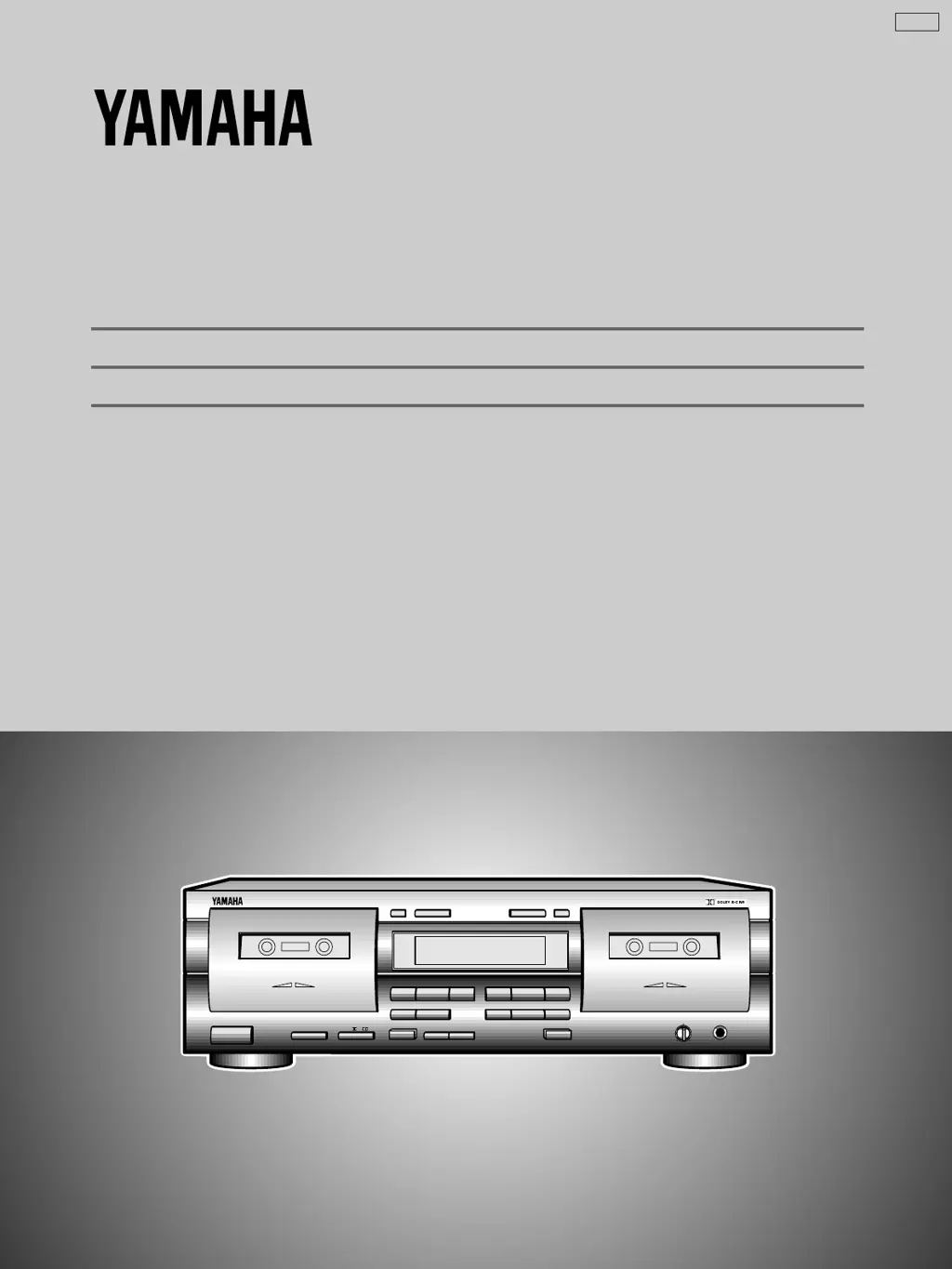
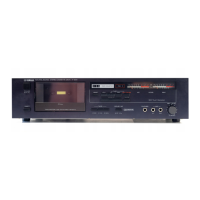
NATURAL SOUND CASSETTE DECK K-903
DOLBY NR
OFF/ B/ C
REC LEVEL
PHONES
STANDBY/ON
MODE
O / p / / RELAY
PLAYBACK
DECK A
RECORD/PLAYBACK
DECK B
MIN MAX
DIRECTION RESETRESET DIRECTION
!
&
SEARCH
!⁄
&
MUTE/SEARCH
REC/PAUSE
EJECT EJECT
NORMAL HIGH
DUBBING A # B
CLOSE % % CLOSE
PLAYPLAY
U C A

Questions and Answers

  • K
    Katrina DiazAug 19, 2025
    Why is there excessive noise coming from my Yamaha K-903?
    • C
      Calvin WilsonAug 19, 2025
      Excessive noise in your Yamaha Cassette Player can stem from several factors. The head may be dirty or magnetized; in this case, clean the head or demagnetize it using a head demagnetizer. The tape might be worn out or of poor quality, so try a better tape. Improperly made connections can also cause noise; check and reinsert your input and output connections properly. Finally, external electrical noise from appliances like TVs or electric blankets can interfere; move the deck away from these sources.
  • R
    Ronald StricklandAug 21, 2025
    Why is the recorded sound distorted on my Yamaha K-903?
    • R
      Robert GainesAug 21, 2025
      If the recorded sound from your Yamaha Cassette Player is distorted, it could be due to a bad tape (stretched or deformed); try replacing it with a fresh tape. A warped cassette shell can also cause distortion, and in this case, you'll need to replace the tape. Additionally, if the recording level is too high, check the input level with the signal level meter and lower the recording level when recording.
  • C
    Claudia PowellAug 25, 2025
    Why is the playback sound muffled on my Yamaha K-903 Cassette Player?
    • P
      Peter MillerAug 25, 2025
      If the playback sound from your Yamaha Cassette Player is muffled and high frequencies are inaudible, ensure that a normally-recorded tape is played back in OFF position. If not, clean the heads and demagnetize them with a head demagnetizer.
  • M
    Morgan WongAug 26, 2025
    How to fix a Yamaha K-903 Cassette Player when the tape doesn’t move?
    • L
      Leah WhiteAug 26, 2025
      If the tape doesn’t move in your Yamaha Cassette Player during recording or playback, ensure the power plug is properly plugged in by reinserting it correctly. Also, avoid playing warped or damaged cassette tapes.
  • D
    dawnrogersAug 28, 2025
    Why do the sounds become faint on my Yamaha K-903?
    • J
      Jack HermanAug 28, 2025
      If the sounds from your Yamaha Cassette Player become faint and sometimes inaudible, the head may be dirty, so clean it. Alternatively, the head may be magnetized, requiring you to demagnetize it using a head demagnetizer. Also, the tape may be damaged or of poor quality; in that case, change to a different tape.
  • Z
    zcortezAug 30, 2025
    What causes excessive wow on my Yamaha K-903 Cassette Player?
    • E
      Emily Hernandez MDAug 30, 2025
      If you are experiencing excessive wow (wavering of the sound) on your Yamaha Cassette Player, it could be due to a dirty capstan, pinch roller, or poor tape. Try cleaning the capstan and pinch roller, or switch to a better tape. Also, if the tape is wound unevenly, rewind it.
  • M
    matthewowensSep 1, 2025
    What to do if my Yamaha Cassette Player fails to record?
    • R
      Robert ReedSep 1, 2025
      If your Yamaha Cassette Player fails to record, adjust the REC LEVEL control if it is set too low. Also, if the protective tabs are broken off the cassette tape, change the tape or cover the protective hole with adhesive tape.
  • L
    longcandiceSep 3, 2025
    Why is my Yamaha Cassette Player playing but there is no sound?
    • M
      Matthew FisherSep 3, 2025
      If your Yamaha Cassette Player is playing back, but no sound is heard, check and secure the connections between the deck and your stereo amplifier/receiver.
  • S
    Scott MitchellSep 5, 2025
    Why doesn't the REC/PAUSE button work on my Yamaha Cassette Player?
    • C
      carpenterdianeSep 6, 2025
      If the REC/PAUSE button on your Yamaha Cassette Player fails to function, ensure that a cassette tape is loaded. If it is, check if the protective tabs on the tape are broken off; if so, change the tape or cover the protective hole with adhesive tape.
  • C
    Cheryl WilliamsSep 7, 2025
    Why does my Yamaha Cassette Player stop in the middle of the tape?
    • M
      Melinda BishopSep 8, 2025
      If your Yamaha Cassette Player stops in the middle of recording or playback, there may be slack tape or tape spillage wound around the capstan. Insert a pencil in the hole in the cassette shell and turn it to take up the slack.

Summary

SAFETY INSTRUCTIONS

General Safety Precautions

Contains vital safety guidelines for correct and secure operation.

FCC Information

General Operating Precautions

Provides essential instructions for safe and proper unit usage.

CONNECTIONS

Rear Panel Connections

Explains physical connections between the deck and audio systems.

PLAYBACK

Basic Playback Steps

Detailed steps for playing cassette tapes on both deck units.

Selection Search

Relay Playback

RECORDING

Basic Recording Operation

Outlines the fundamental procedure for recording audio.

Dubbing

MAINTENANCE

SPECIFICATIONS

Yamaha K-903 Specifications

General IconGeneral
Track System4-track, 2-channel stereo
Tape Speed4.8 cm/s
Frequency Response20Hz to 20kHz (Metal tape)
Total Harmonic Distortion0.8%
TypeStereo Cassette Deck
Heads1 x record/playback, 1 x erase
MotorDC servo motor
Tape TypeType I, CrO2, Metal
Wow and Flutter0.05%
Dimensions435 x 116 x 285 mm

Related product manuals