5
Step 3
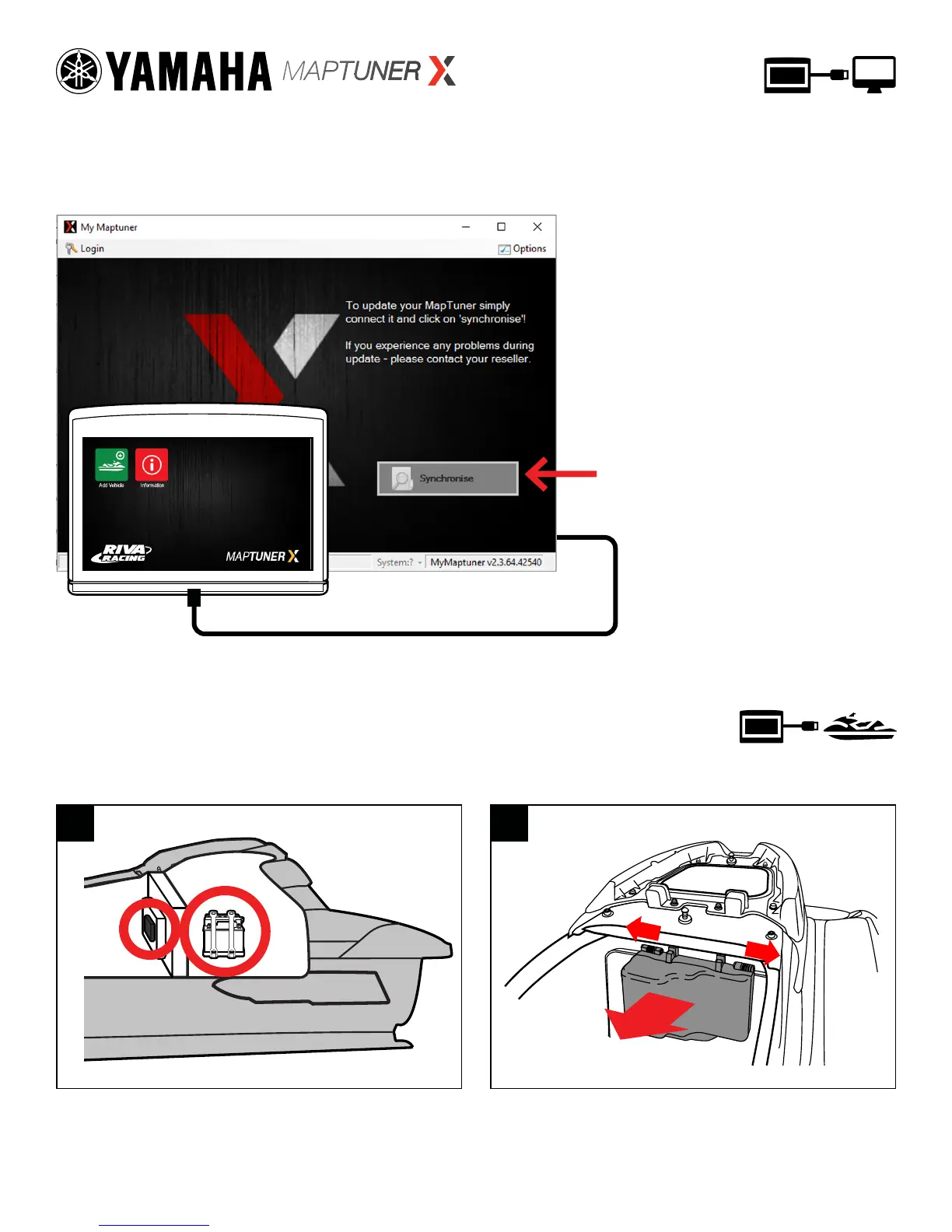
Plug MaptunerX in to your computer and click the
Synchronize button. MaptunerX will now go online
and update rmware.
Unplug MaptunerX from computer.
To update MaptunerX press
the Synchronise button
Step 4
Remove the Seat of your watercraft and locate the Electrical box &
Battery (Fig. 1). Remove electrical box cover to access ECU (Fig. 2)
1 2
Electrical
Box
Battery
Rear of
Craft


 To Next Page