7
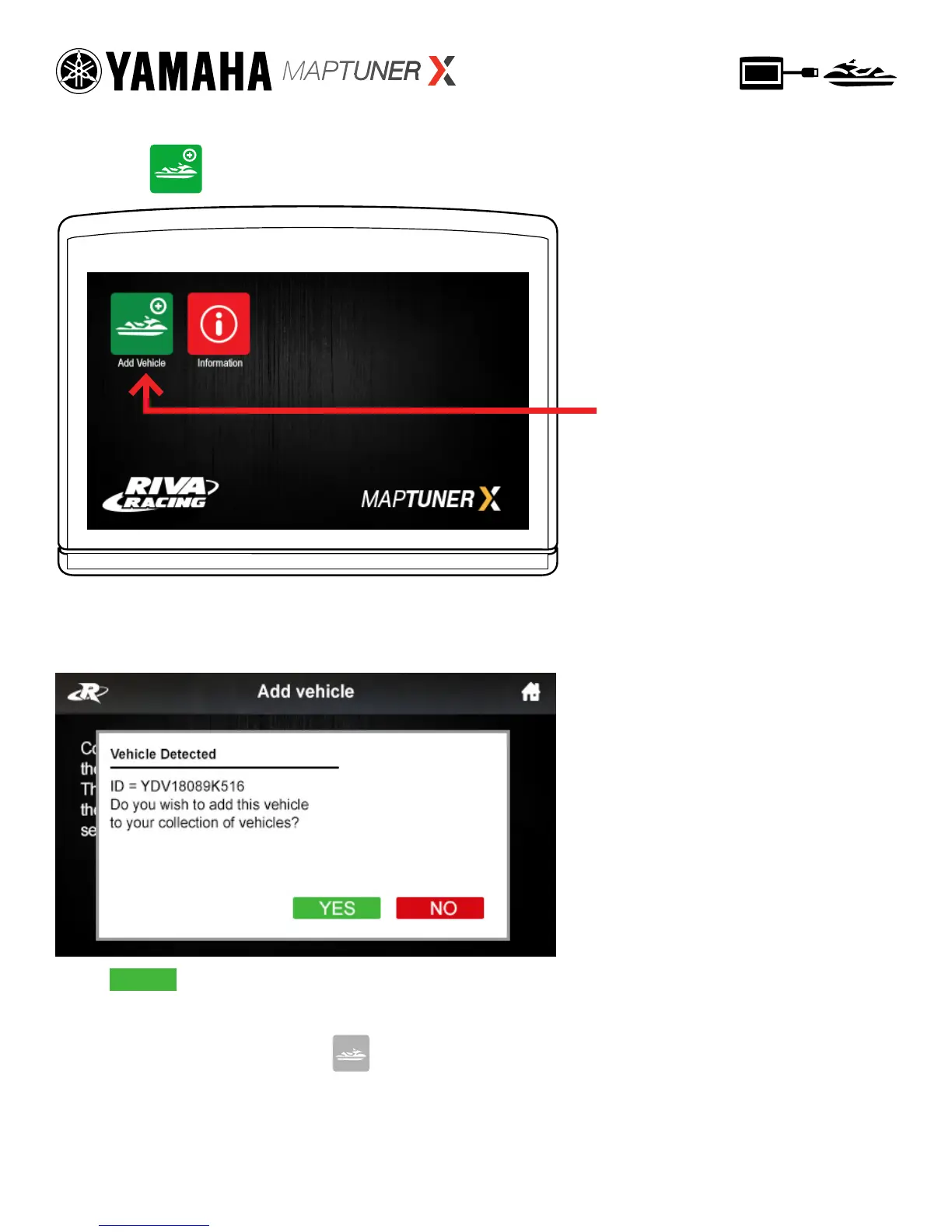
Press the Add Vehicle
Button to begin.
Now press Add Vehicle button.
Your craft will now be identied and stored on the
MaptunerX. This may take several minutes depending on
the ECU.
Step 7
Press to add this vehicle to your collection of
vehicles. After vehicle is loaded, disconnect MaptunerX from
your vehicle. You will now have an added icon for
My Vehicles which looks like this:
YES


 To Next Page