MX49/MX61 Reference Manual
Basic Structure
Using a Connected
Computer
Using iOS
Applications
Basic Structure
Controller Block
Tone Generator Block
Effect Block
Arpeggio Block
Song/Pattern
Playing Block
Internal Memory
MIDI/Audio Signal Flow
Connecting to a computer
Creating a Song with a
computer
Reference
Performance
Song/Pattern
File
Utility
Remote
25
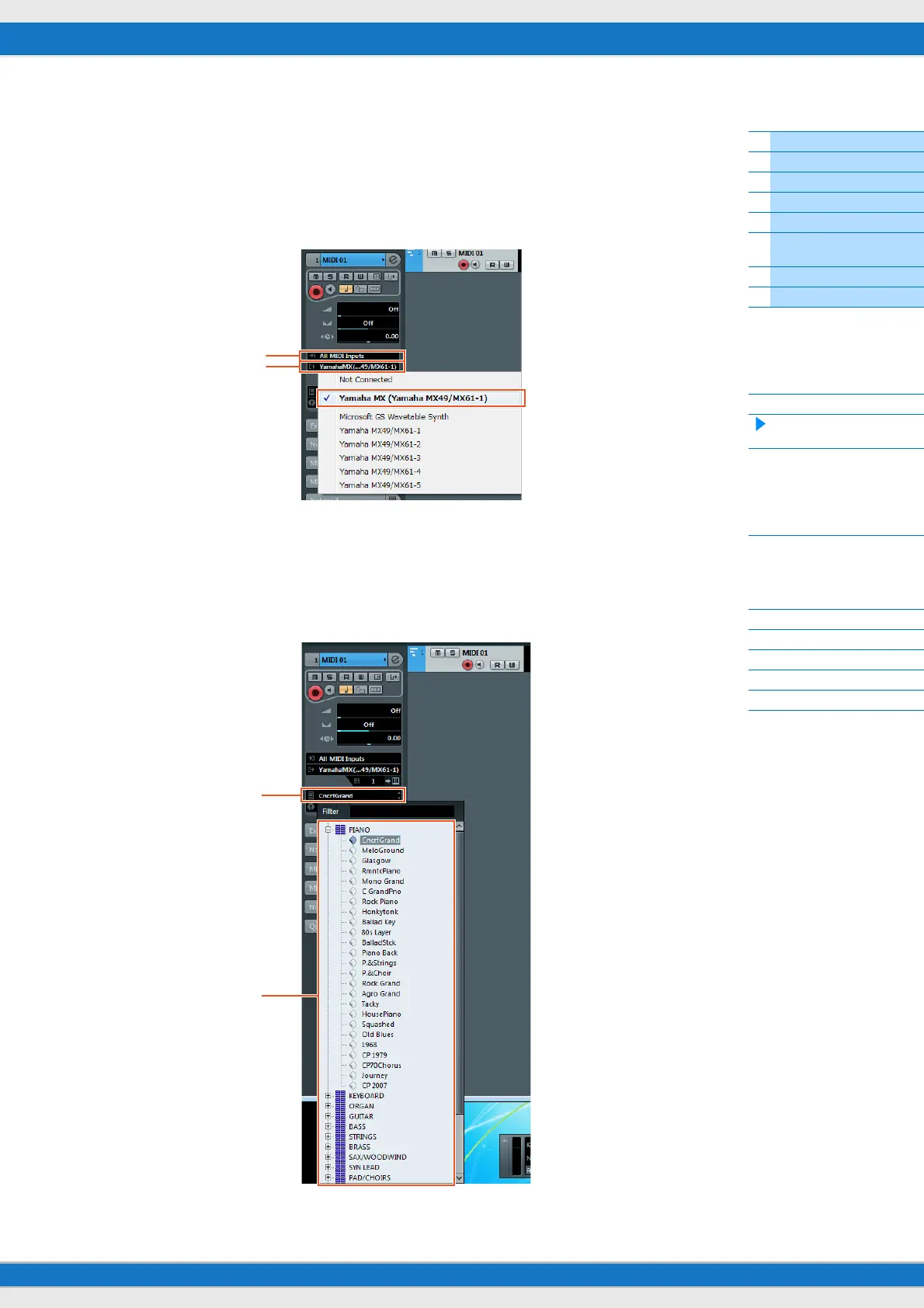
7 On the MIDI track, set the Input/ Output Routing to allow MX49/MX61 data to be input to Cubase
and to allow MIDI track data to be output to Port 1 of the MX49/MX61.
Set the Input Routing to “All MIDI Inputs” and set the Output Routing to “Yamaha MX49/MX61 (Yamaha MX49/
MX61–1).” All incoming MIDI data will be input to Cubase, and MIDI track data will be output to the channel
determined at the track on MIDI Port 1 of the MX49/MX61. Also, the MX Voice List can be shown on the track of
Cubase.
NOTE If you didn’t execute Step 5 above, set the Output Routing to “Yamaha MX49/MX61–1.”
8 Determine which Voice will be used for the MIDI track data.
Click in the Program Selector to call up the MX49/MX61 Voice List, then select the desired Voice. The Voice
assigned to the MX49/MX61 Part corresponding to the output channel for the MIDI track is replaced by the Voice
you’ve selected on Cubase. Check the sound while playing the MX49/MX61 keyboard.
NOTE If you don’t select the Voice on Cubase, the Voice currently assigned to the Part on the MX49/MX61 will sound.
Input Routing
Output Routing
Program Selector
Voice List



 To Next Page