MX49/MX61 Reference Manual
Basic Structure
Using a Connected
Computer
Using iOS
Applications
Basic Structure
Controller Block
Tone Generator Block
Effect Block
Arpeggio Block
Song/Pattern
Playing Block
Internal Memory
MIDI/Audio Signal Flow
Connecting to a computer
Creating a Song with a
computer
Reference
Performance
Song/Pattern
File
Utility
Remote
9
Performances
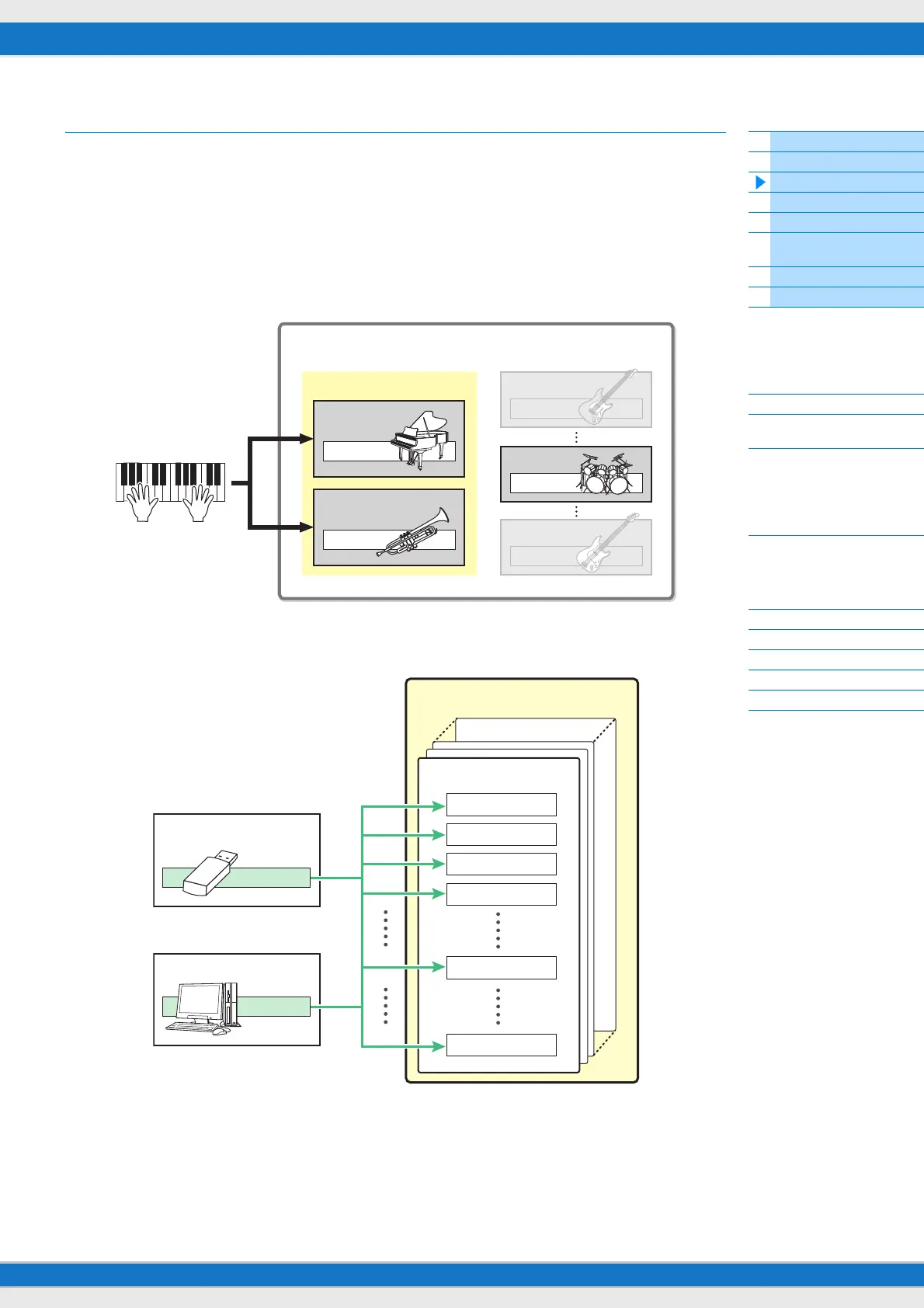
The MX49/MX61 features 16 independent parts that allow for sounding multiple Voices simultaneously. Such a program
in which multiple Voices (Parts) are combined is referred to as a Performance. One Voice is assigned to each Part, and
a single Performance is the combination of 16 Voices.
You can play Parts 1 and 2 normally. The MX49/MX61 also allows you to play different Voices of Part 1 and Part 2
together in a layer (Layer function), or play one Voice of Part 2 with your left hand while you play a different Voice of Part
1 with your right (Split function).
Part 10 is conventionally used for playing Rhythm patterns. Therefore, the default Voice assigned to Part 10 is a Drum
Voice.
NOTE You can also switch among Parts 3 – 16 and play those Voices normally one by one.
Different MIDI channels are assigned to Parts 1 – 16. Up to 16 Parts can be played simultaneously using an external
MIDI sequencer, the DAW software on the computer, or MIDI data in USB flash memory connected to the MX49/MX61.
Performance
Normally used Parts
Part 1
Voice
Part 2
Voice
Voice
Part 3
Voice
Part 10
Voice
Part 16
USB flash memory
MIDI data
DAW (computer), etc.
Tone generator block
Performance
Part 1 CH1
Part 2 CH2
Part 3 CH3
Part 4 CH4
Part 10 CH10
Part 16 CH16
MIDI data



 To Next Page